4. The LCD will always stay illuminated and the charging indicator
in the LCD display will always be flashing when the product
is charging. When the product is fully charged, the charging
indicator will be solid and no longer flashing – this indicates that
a full charge has been reached.
5.Afullchargewillsupplyenoughpowerforminimum60minutes
use. The remaining battery life is shown in the LCD display. The 5
minutesquickchargefunctionwillprovide3minutesuse.
CORDED USE – OPERATION WITH POWER CORD
1.PlugtheACpoweradaptorintoa100v–240vpowersupply.
2. When the appliance is switched off, plug the charging cord
directly into the base of the trimmer.
3. Switch the adaptor on, and the trimmer can now be used in
corded operation.
NOTE – If battery power is weak, wait about 2 minutes before
pressing the on/off button.
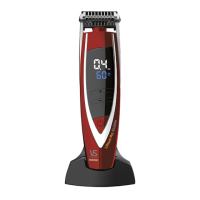
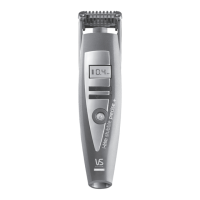
24 Ultra Precise Cutting Length Settings (0.4mm to 5mm)
Theinnovativei-trimprecise+StubbleTrimmerusesanintegrated
stubble comb guide with 24 ultra precise control settings eliminating
the need for charging and storing different attachment combs.
Thecuttingguideismotorisedforeasyonetouchadjustmentand
features an LCD display for confirmation of the length setting
selected. When you select your required length, the length setting
will then remain displayed in the LCD screen.
1.Usethecuttinglengthsettingbuttonsonthetrimmertoadjust
the motorised stubble comb guide.
2. Press the power on button to activate the trimmer motor.
3.Presstheupordownarrowbuttonstoselecttherequiredlength
settingin0.2mmincrementsfrom0.4mmthroughto5mm(NB–
thetrimmerwillstopwhilethecombguideisbeingadjusted).




 To Next Page