5
Overview
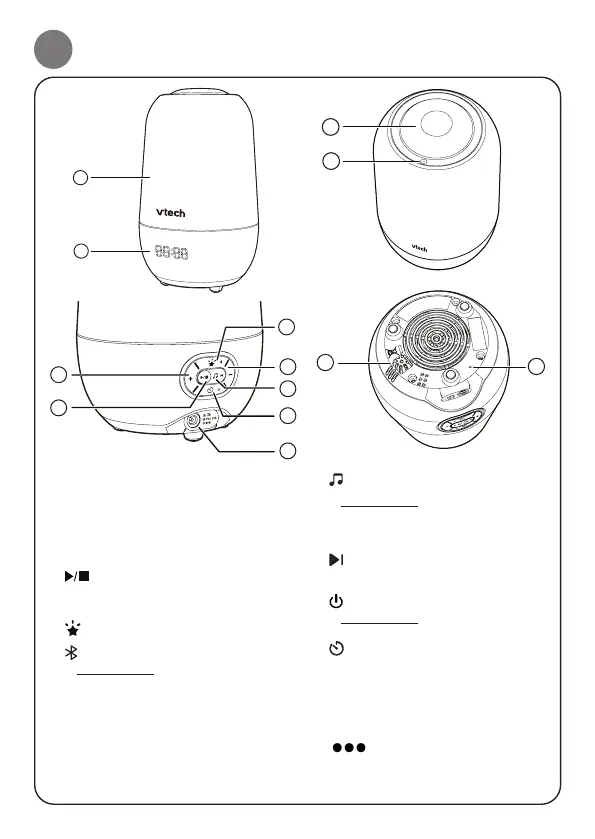
1 Night light
2 Digital display
3 + VOLUME
• Press to increase the Soother speaker
volume.
4
Play/Stop
• Press to play the audio and press again
to stop playing.
5
Projection light On/Off key
Bluetooth pairing key
• Press and hold for 5 seconds to enter the
Bluetooth pairing mode.
6 - VOLUME
• Press to lower the Soother speaker
volume
7
Audio key
• Press and hold to change between 4
different modes including soothing
sound, lullaby, classical music and
storytelling.
Skip
• Press to skip to the next track.
8
On/Off switch
• Press and hold to turn on or turn off the
Soother.
Timer
• Press to select the time interval options
and release to start the countdown.
9 Power jack
10 Projection light
11
Magic key
12 Temperature sensor
13 RESET key
1
2
5
3
4
6
7
9
8
10
11
12
13



 To Next Page