VUDU SPARK USER MANUAL | PAGE 7
Getting started
Connecting your VUDU Spark to your TV
HDMI
USB
HDMI
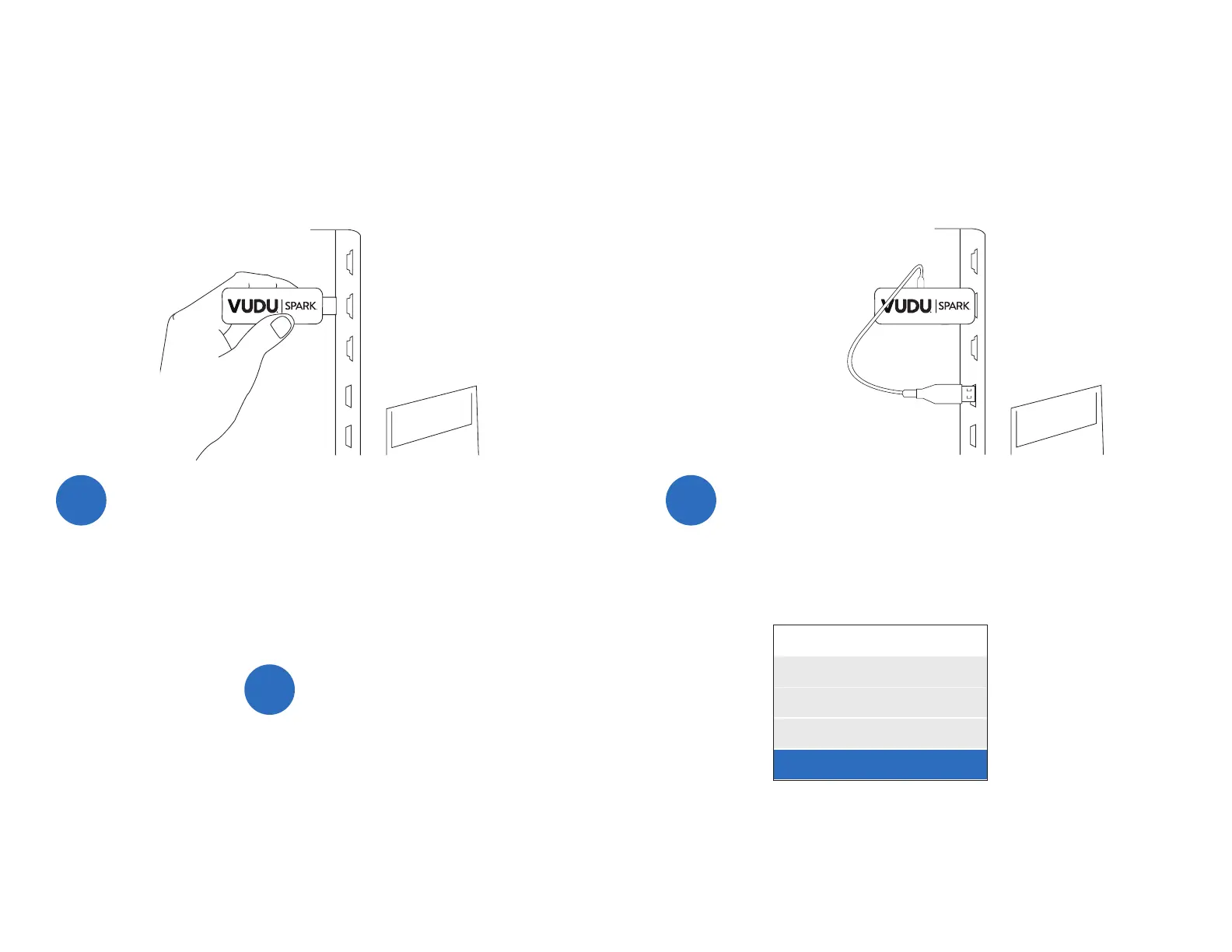
Plug your VUDU Spark into your TV’s HDMI port.
Depending on your TV, there may be more than one HDMI port
You can use any of these HDMI ports.
1
Plug the micro USB power cord into the VUDU Spark
and a USB port on your TV.
You may also plug it into another power source by using a USB
power adapter.
2
Change your TV’s input to HDMI.
If your TV has multiple HDMI ports, be sure to select the same
input source that your VUDU Spark is plugged into.
3
INPUT
TV
AV1
AV2
HDMI
Note: You may also power your VUDU Spark through an AC adapter. Connect the dongle to the AC adapter through the provided micro USB power cord, and plug
the AC adapter into an outlet.


 To Next Page