EasyManua.ls Logo

Vulcan-Hart VP18 - User Manual

Vulcan-Hart VP18
24 pages
Print Icon
To Next Page IconTo Next Page
Loading...
VULCAN-HART 3600 NORTH POINT BLVD.
DIVISION OF ITW FOOD EQUIPMENT GROUP, LLC BALTIMORE, MD 21222
www.vulcanequipment.com Vulcan ©2016 All Rights Reserved F-41190 (02-16)
INSTALLATION &
OPERATION MANUAL
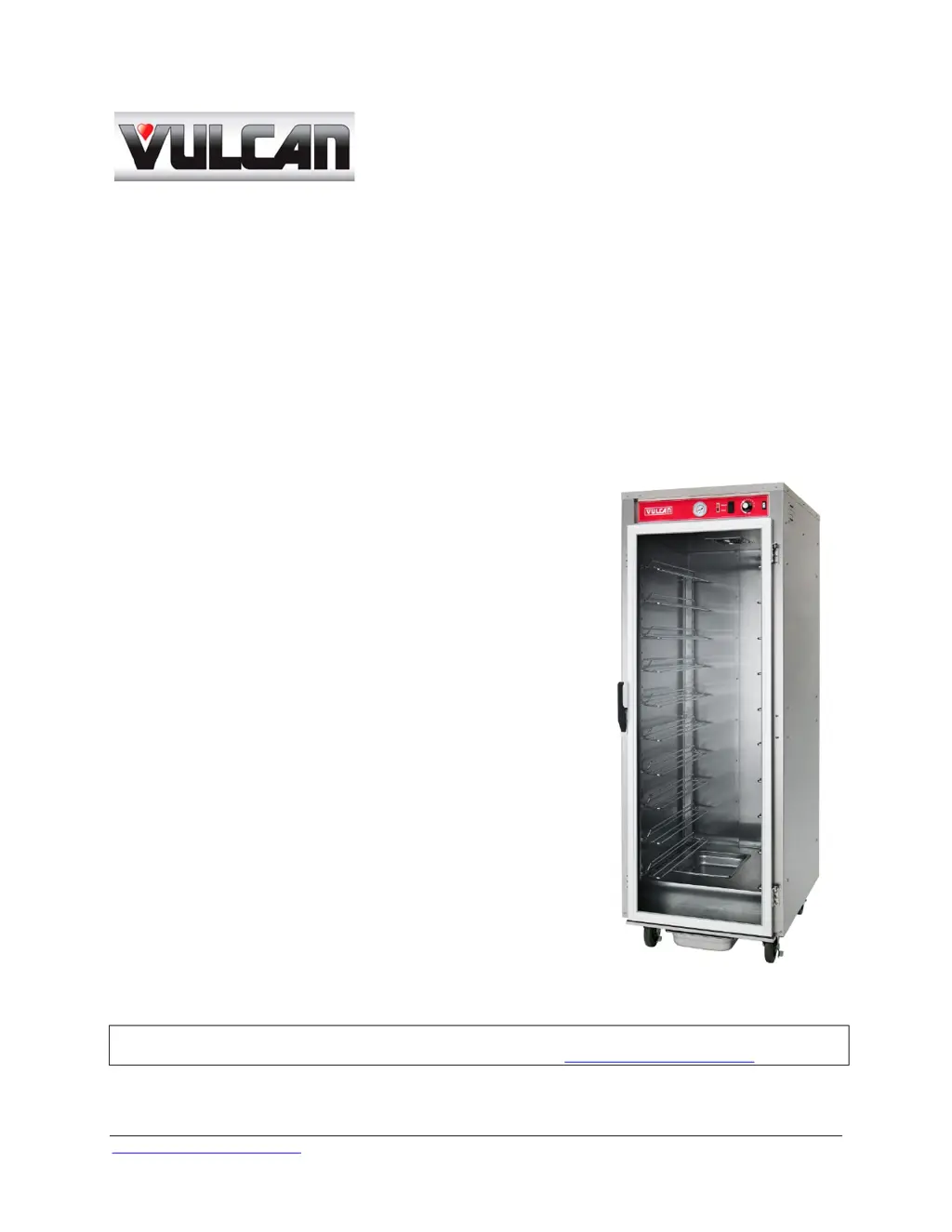
V SERIES FOOD HEATED HOLDING
PROOFER CABINET
MODEL:
VP18 ML-138089
For additional information on Vulcan-Hart or to locate an authorized parts
and service provider in your area, visit our website at www.vulcanequipment.com

Questions and Answers

  • D
    dmeyerAug 2, 2025
    What to do if GFCI tripped in my Vulcan-Hart VP18 Food Saver?
    • L
      Lisa GonzalezAug 2, 2025
      If the GFCI or Ground Fault Circuit Indicator tripped in your Vulcan-Hart Food Saver, it might be due to a moisture problem. Try to dry the moisture. If the issue persists, it could be due to a shorted element, pinched/damaged wire, or a damaged power cord, in which case you should contact an Authorized Service Provider.
  • R
    russellstaceyAug 8, 2025
    What to do if Vulcan-Hart VP18 Food Saver is not heating?
    • J
      Johnny HoodAug 8, 2025
      If your Vulcan-Hart Food Saver cabinet is connected to power, the switch and circuit breaker are ON, but the cabinet isn't heating, there may be a defective element, thermometer, or thermostat. Contact an Authorized Service Provider to resolve this issue.
  • S
    showardAug 14, 2025
    Why Vulcan-Hart VP18 cabinet does not heat properly?
    • C
      Cindy TaylorAug 14, 2025
      If your Vulcan-Hart Food Saver cabinet does not heat properly, check the door seal and contact an Authorized Service Provider for adjustment. A defective element, thermometer, or thermostat, or a thermostat requiring adjustment, may also be the cause; contact an Authorized Service Provider in such cases.
  • P
    Pamela SullivanAug 20, 2025
    How to fix a fan not operating in Vulcan-Hart VP18?
    • T
      Trevor BarnesAug 20, 2025
      If the fan in your Vulcan-Hart Food Saver is not operating, first check if the ON/OFF switch is in the ON position and turn it on. If the fan still doesn't work, it may be defective, and you should contact an Authorized Service Provider.
  • M
    michaelwestAug 26, 2025
    What causes excessive humidity in Vulcan-Hart VP18?
    • A
      Amy BaileyAug 26, 2025
      If you notice excessive humidity in your Vulcan-Hart Food Saver, it could be due to too much water in the Water Pan, so adjust the water level. Another possible cause is a clogged drain hole for the Drip Pan underneath the cabinet; clean the drainage hole and inspect the Drip Pan.

Summary

Important Safety Information

Safety Precautions for Flammable Materials

Safety instructions regarding flammable materials.

Installation and Maintenance Warnings

Consequences of improper installation, adjustment, or service.

Power Failure Operation Advisory

Do not attempt to operate the device during a power failure.

General Information

Introduction to the Cabinet

Overview of the cabinet's quality and benefits of proper use.

Cabinet Installation Guide

Steps and considerations for installing the cabinet.

Cleaning Procedures

Daily Cleaning Instructions

Routine cleaning procedures for the cabinet interior and exterior.

Electrical Requirements

Electrical Codes and Standards

Compliance with US and Canadian electrical codes.

Electrical Connections Details

Wiring details and plug types for different voltage operations.

Operating the Cabinet

Control Panel Overview

Identification and function of all control panel components.

Proofing Operating Instructions

Proofing Setup Procedures

Steps for preparing the cabinet and water pan for proofing.

Proofing Process and Monitoring

Placing dough, monitoring, and expected results during proofing.

Dough Preparation Guidelines

Guidelines for preparing dough, especially from frozen.

Proofing Shutdown Procedure

Procedures for safely turning off the proofing function.

Holding Operating Instructions

Holding Setup Procedures

Steps for setting up the cabinet for holding food.

Holding Process and Best Practices

Loading food, monitoring temperature, and best practices.

Holding Shutdown Procedure

Procedures for safely turning off the holding function.

Lockout;Tagout Procedure

Lockout;Tagout Safety Steps

Safety procedure for servicing equipment.

Troubleshooting and Support

Service and Parts Information

How to obtain service and replacement parts.

Vulcan-Hart VP18 Specifications

General IconGeneral
BrandVulcan-Hart
ModelVP18
CategoryFood Saver
LanguageEnglish