EasyManua.ls Logo

Vutec Lectric I - User Manual

Vutec Lectric I
4 pages
Print Icon
To Next Page IconTo Next Page
Loading...
1
VUTEC CORPORATION
2741 N.E. 4
th
Avenue
Pompano Beach, FL 33064
TEL: (954) 545 9000 - FAX: (954) 545 9011
E-MAIL: info@vutec.com
LectricI&III-Rev E 06/18/2008
INSTALLATION INSTRUCTIONS
Lectric I $ III Screen
PLEASE READ THESE IMPORTANT SAFETY INSTRUCTIONS
Read and understand all instructions before installing and using.
Close supervision is necessary when Projection Screen is used by or near children. Do not leave Screen unattended while
in used.
Installer must ensure that the mounting structures and fasteners must be of adequate strength to securely support the
screen so that vibrations or even abusive pulling on the screen surface will not cause the housing to work loose or fall.
The Screen is provided with toggle Switch that needs to be installed and wired by a qualified service man following the
wiring diagram shown in Operation section of this manual. Wiring must conform to local and/or national electric codes
and regulations.
Do not operate Screen with a damage cord or if the Screen has been dropped or damage – until it has been examined by a
qualified serviceman.
DO NOT place or attach anything to metal casing or viewing screen.
Position cord so that it will not be tripped over, pulled, or contact hot surfaces.
DO NOT plug the cord in with wet hands; electric shock could occur
DO NOT under any circumstances cut or remove the third (Ground) prong from power cord. For personal safety, this
Projection Screen must be properly grounded.
To reduce the risk of electric shock, do not dissemble this Projection Screen, but take it to a qualified serviceman when
service or repair is required. Incorrect reassembly can cause electric shock when Screen is used subsequently,
If an extension cord is necessary, it is absolutely necessary that it is UL-Listed, 3-wire grounding type appliance
extension cord having a grounding type plug and outlet. The electrical rating of the extension cord must be equal or
greater that the rating of the projection screen.
The use of an accessory attachment not recommended by the manufacturer may cause a risk of fire, electric shock, or
injury to persons.
“SAVE THESE INSTRUCTIONS”
Question and Answer IconNeed help?

Do you have a question about the Vutec Lectric I and is the answer not in the manual?

Summary

Important Safety Instructions

General Safety Guidelines

Read and understand all instructions, ensure supervision, secure mounting, proper wiring, avoid damage, and exercise caution with power.

Mounting Instructions

Wall or Ceiling Mounting

Lectric I/III screens can be wall or ceiling mounted. Ensure brackets are installed to rigid structural members or use suitable anchors.

Mounting Bracket Details

Details the specific types of mounting brackets and screws required for both wall and ceiling installations.

Installation Steps

Determining Screen Dimensions and Support

Determine housing length and Dim. K. A third mounting bracket is recommended for screens 96 inches or larger for middle support.

Attaching the Screen Housing

Install brackets level and in-line. Back-off locking screws, fit screen into brackets, and tighten to secure.

Screen Operation and Wiring

Initial Setup and Controls

Initial hook-up and calibration by a qualified serviceman. Operate screen using UP/DOWN switch, leave in OFF position.

Wiring Diagram and Accessories

Provides 120VAC wiring diagram for the SPDT toggle switch and lists included accessories like mounting brackets.

Overview

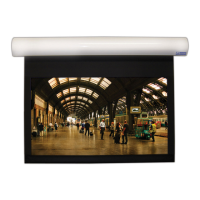
The Lectric I & III Projection Screen is a sophisticated device designed for both wall and ceiling mounting, offering a versatile solution for various projection needs. This manual provides comprehensive instructions for its installation, operation, and maintenance, emphasizing safety and proper usage.

Function Description

The primary function of the Lectric I & III Projection Screen is to provide a high-quality, retractable surface for displaying projected images. It is designed to be electrically operated, allowing the user to extend or retract the screen with ease using a toggle switch. The screen's motor-driven mechanism ensures smooth and controlled movement, stopping automatically at pre-set upper and lower limits. This automatic stopping feature prevents over-extension or over-retraction, protecting the screen fabric and motor from damage. The screen fabric itself is engineered to provide an optimal viewing surface, enhancing the clarity and vibrancy of projected content. The Lectric I and Lectric III models are specifically designed to meet requirements for fire-resistant and low smoke-producing characteristics, ensuring a safer environment for its users.

Usage Features

The Lectric I & III Projection Screen offers several features that enhance its usability and integration into different environments:

  • Mounting Versatility: The screen can be mounted to either a wall or a ceiling, providing flexibility in installation based on room layout and aesthetic preferences. The manual details specific instructions and diagrams for both mounting types, including the necessary brackets and screws.
  • Motorized Operation: The screen is equipped with an electric motor, controlled by a toggle switch. This allows for effortless extension and retraction, eliminating the need for manual pulling or pushing. The switch typically has "UP," "DOWN," and "OFF" positions, providing intuitive control over the screen's movement.
  • Automatic Limit Stops: The screen features adjustable upper and lower limit switches. These limits can be set to define the exact desired extension and retraction points, ensuring the screen always stops precisely where intended. This prevents the screen from rolling too far up into its housing or too far down, which could obscure parts of the image or cause the screen to sag.
  • Centering and Adjustment: The screen is designed to be centered within its housing, and the housing itself can be adjusted left or right even after it has been hung for final positioning. This allows for fine-tuning of the screen's placement to align perfectly with the projector and viewing area.
  • Robust Construction: The screen housing and mounting brackets are designed for durability. The manual emphasizes the importance of installing the brackets to rigid structural members to ensure secure support, especially considering potential vibrations or accidental pulling on the screen surface.
  • Safety Compliance: The device is designed with safety in mind, adhering to local and national electric codes and regulations for wiring. It requires proper grounding to prevent electric shock, and the wiring process should be performed by a qualified service person.
  • Optional Controls: While a basic toggle switch is supplied, the system is compatible with decorator wall switches or other optional controls, allowing for integration into more sophisticated control systems or to match interior design.
  • Motor Location: By default, the motor is located on the left end of the housing, and the screen fabric rolls down from the backside of the roller. This standard configuration is important for planning the installation and wiring.

Maintenance Features

Proper maintenance is crucial for ensuring the longevity and optimal performance of the Lectric I & III Projection Screen. The manual highlights several key aspects related to maintenance and care:

  • Qualified Service for Wiring and Repair: All initial hook-up and calibration procedures, as well as any service or repair, must be performed by a qualified service person. This ensures that the electrical connections are made correctly and safely, and that any issues are addressed by someone with the necessary expertise. Disassembling the Projection Screen by an unqualified individual is explicitly warned against, as incorrect reassembly can lead to electric shock.
  • Regular Inspection: Users are advised not to operate the screen if it has a damaged cord, or if the screen has been dropped or damaged, until it has been examined by a qualified serviceman. This proactive approach helps prevent further damage or safety hazards.
  • Cleanliness and Obstruction Prevention: Users are instructed not to place or attach anything to the metal casing or viewing screen, as this could interfere with the screen's operation or damage the surface. Keeping the screen area clear of obstructions is essential for smooth movement and to prevent wear and tear.
  • Cord Management: The power cord should be positioned carefully to prevent it from being tripped over, pulled, or coming into contact with hot surfaces. This not only protects the cord from damage but also reduces the risk of accidents.
  • Electrical Safety: Emphasizing electrical safety, the manual warns against plugging the cord in with wet hands to prevent electric shock. It also strictly prohibits cutting or removing the third (Ground) prong from the power cord, reiterating the necessity of proper grounding for personal safety.
  • Extension Cord Guidelines: If an extension cord is necessary, it must be UL-Listed, a 3-wire grounding type appliance extension cord with a grounding type plug and outlet. The electrical rating of the extension cord must be equal to or greater than the rating of the projection screen. This ensures that the extension cord can safely handle the power requirements of the screen.
  • Accessory Use: The manual advises against using accessory attachments not recommended by the manufacturer, as this could pose a risk of fire, electric shock, or injury. Sticking to manufacturer-approved accessories helps maintain safety and performance standards.
  • Locking Screw Function: The locking screws on the mounting brackets are designed to secure the screen in place. During installation, these screws are initially backed off to allow the screen housing to be fitted and adjusted, and then tightened to lock the screen securely. This mechanism ensures the screen remains stable once positioned.

By following these guidelines for installation, operation, and maintenance, users can ensure the safe and effective use of their Lectric I & III Projection Screen for many years.

Vutec Lectric I Specifications

General IconGeneral
FormatHDTV
Diagonal92 \
Drive typeMotorized
Screen gain1
Remotely operatedYes
Native aspect ratio16:9
Viewable screen width (W)2032 mm
Viewable screen height (H)1143 mm
Overall screen size (Height x Width)- cm
Case colorBlack
Mounting typeCeiling/wall
Weight and Dimensions IconWeight and Dimensions
Weight- g