Power LED indicator
Blue ON Camera is booting
White blinking Camera is busy
White ON Camera is on (idle)
White-red blinking Low battery warning
Operation
Power on/o
To turn the camera on – long press the Power/Mode button. The indication light will light up blue (3-5
seconds) and then blink white 3 times. You will hear 3 beeps when the camera is ready. The indication light
will remain white when the camera is turned on and ready to capture.
To turn the camera o - Press the Power/Mode button for 3 seconds. You will hear 3 beeps and the indication
light will blink once.
Camera status indicator LED will blink orange if microSD card is missing.
Camera conguration
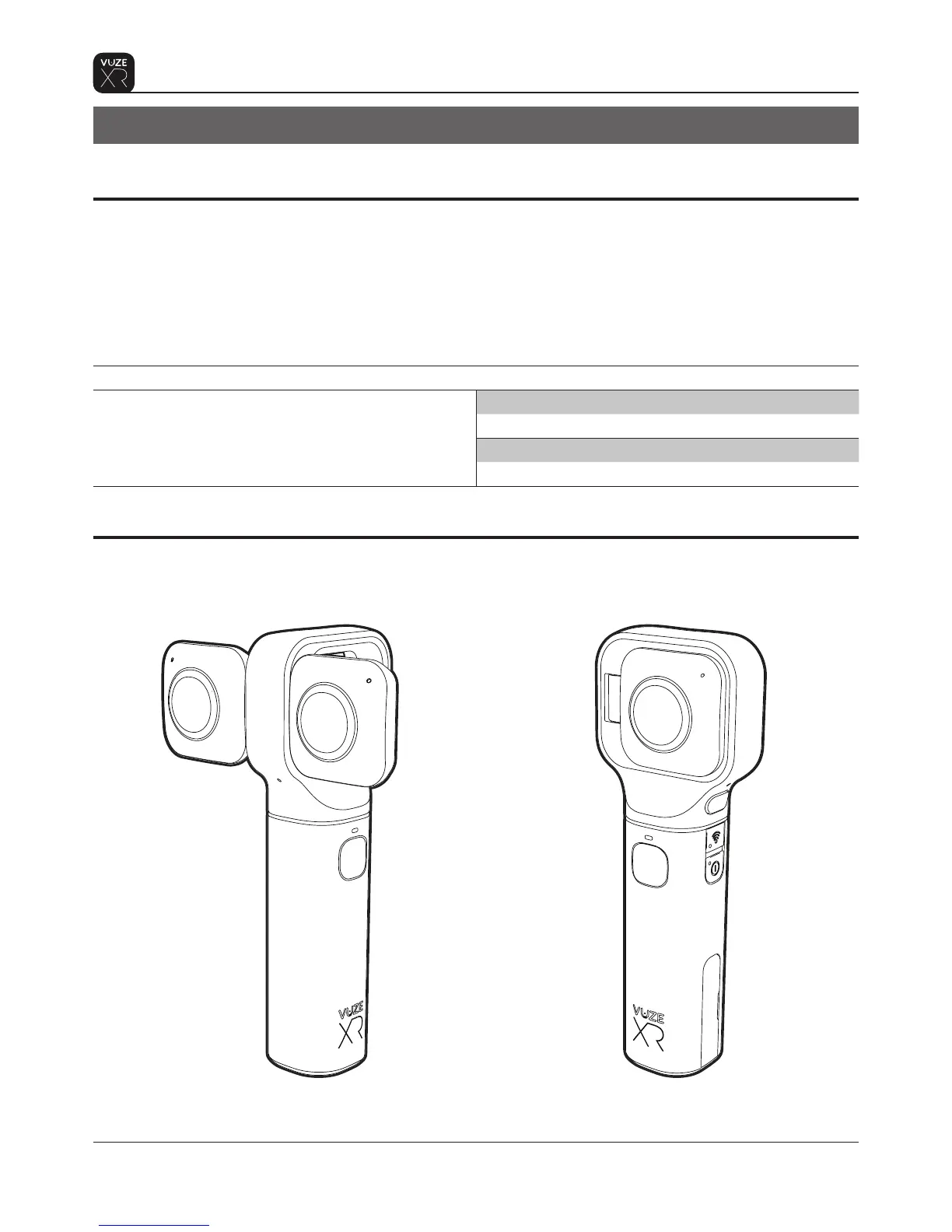
Vuze XR has two capture congurations:
When the lenses are open the camera
will record in 3D 180
When the lenses are folded the camera will
record in 2D 360
6
Operation
Proprietary. Humaneyes Technologies


 To Next Page