Operating Your Cleaner with Ultrasonic Feature
MODEL:
97043-958, 97043-960, 97043-962, 97043-964, 97043-966, 97043-968, 97043-970
97043-972, 97043-974, 97043-976, 97043-978, 97043-980, 97043-982, 97043-984
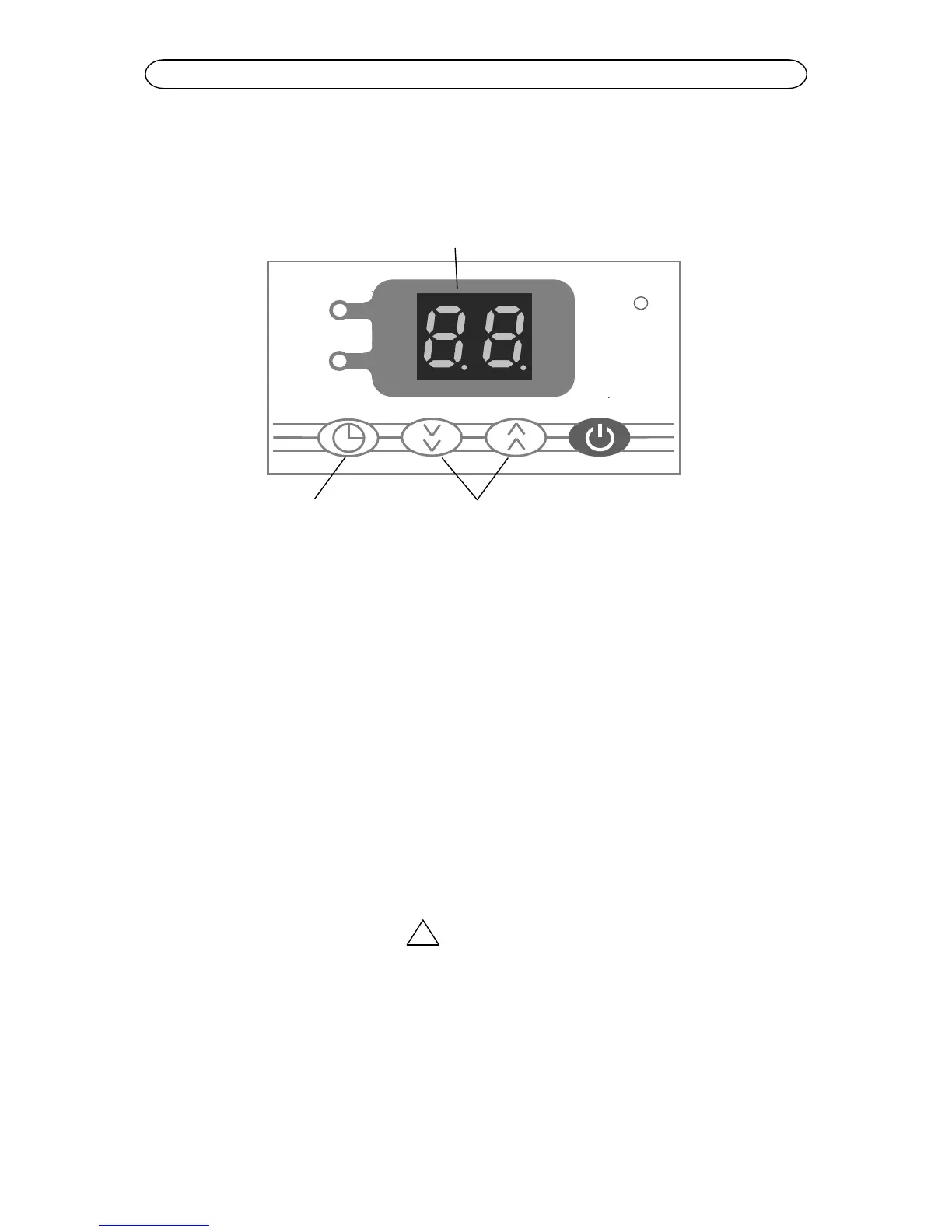
Explanation of controls:
1. Plug in the power supply,“STANDBY” light is on.
2. Turn on the power switch,“STANDBY” light is off, cleaner starts to work for 15
minutes as default,“TIME ON” light is on.
3. Time can be reset during operation to 1-99 minutes. Press the time adjust key and
hold for more than 2 seconds,the number displayed will increase or decrease. To
stop, press the timer key for over 1 second, the cleaner will resume work.
4. If the time does not need to be set, press the timer switch until the number
displayed disappears and “TIME ON” light is off.
5. If the unit is turned off when it is in operation and the power is not removed, it will
restore the status and setup of the last operation when it is turned on again.
6. There will be 6 buzzes as notification after the set time has expired.
Before you start cleaning:
WARNING
Don’t place parts or containers directly on the bottom of the cleaning tank; use a
support rack, wire or beaker cover to suspend items.
The water surface should not be lower than “MIN.LEVEL”.
Don’t ever use alcohol, gasoline or flammable solution. Doing so could cause a fire
or explosion. Use only water-based solutions.
Don’t ever use mineral acids or bleaches. These could damage the tank.


 To Next Page