EasyManua.ls Logo

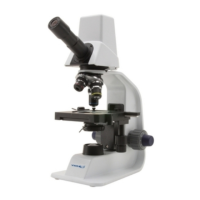
VWR VisiScope 100D Series - User Manual

VWR VisiScope 100D Series
72 pages
Print Icon
To Next Page IconTo Next Page
Loading...
INSTRUCTION MANUAL
Version: 3
Issued: 19, 05, 2014
Model European Catalogue Number
DML103 630-1556
DBL124 630-1623
VWR
Microscope series 100D

Questions and Answers

  • S
    Sara JacksonAug 5, 2025
    What to do if the image cannot be seen or is dark on my VWR VisiScope 100D?
    • K
      kathryn23Aug 5, 2025
      If the image seen through your VWR Microscope is either not visible or appears dark, consider these potential causes: * The iris diaphragm aperture might not be fully open. Ensure it is completely open. * The brightness level may be set too low. Adjust it by rotating the brightness adjustment potentiometer. * The objective might not be properly aligned with the optical axis. Rotate the nosepiece until an objective securely clicks into the optical path.
  • J
    Joseph JenkinsAug 14, 2025
    Why is the image unclear, blurred, or has insufficient contrast on my VWR VisiScope 100D Microscope?
    • A
      Ashley WoodsAug 14, 2025
      If the image through your VWR Microscope appears unclear, blurred, or lacks sufficient contrast, here are a few things to check: 1. The objectives or filters may be dirty. Try wiping them clean. 2. The iris diaphragm aperture may not be correctly opened. Ensure it is fully open. 3. The condenser might be at the wrong height. Adjust it while looking through the microscope until you achieve a uniform illumination.
  • K
    Kelly MccoyAug 26, 2025
    How to fix light that doesn’t turn on in VWR VisiScope 100D?
    • B
      Briana HendersonAug 26, 2025
      If the light on your VWR Microscope isn't turning on, there are a couple of things you can check: * First, ensure that the 5Vdc power supply jack is securely inserted into the rear of the microscope. * If it's connected, rotate the brightness adjustment control to see if the light output increases.

Summary

Warnings and Safety

General Warning

General introductory warning about the microscope's precision nature and manual importance.

Electrical Safety Precautions

Specific safety instructions related to electrical shock hazards and power supply.

Product Setup

Package Contents

List of items included in the microscope package, with quantities.

Unpacking Instructions

Step-by-step guide on how to safely remove the microscope from its packaging.

Product Information

Intended Use and Symbols

Specifies intended application and explains manual symbols like caution signs.

Product Specifications

Detailed technical specifications for DML103 and DBL124 microscope models.

Microscope Overview and Controls

Identifying Microscope Parts

Visual identification and labeling of key microscope components.

Buttons and Switches Description

Explanation of the function of various buttons and switches on the microscope.

Operation Guide

Key Operation Steps

Instructions for using the microscope, including head adjustment, focusing, and illumination.

Software and Camera Setup

Installation and Testing

Guide for installing camera drivers/software and testing camera functionality.

Driver Installation Notes

Important considerations and tips for successful driver installation on the PC.

Troubleshooting and Maintenance

Common Issues and Solutions

Table of common microscope problems, their causes, and solutions.

Maintenance and Care

Guidelines for maintaining the microscope's environment, optics, and general upkeep.

Spare Parts Information

List of user-replaceable accessories and spare parts available.

Support and Compliance

Technical Service and Warranty

Contact information for technical support and details on product warranty.

Regulatory Compliance and Disposal

Information on legal compliance and environmentally responsible equipment disposal.

VWR VisiScope 100D Series Specifications

General IconGeneral
BrandVWR
ModelVisiScope 100D Series
CategoryMicroscope
LanguageEnglish

Related product manuals