EasyManua.ls Logo

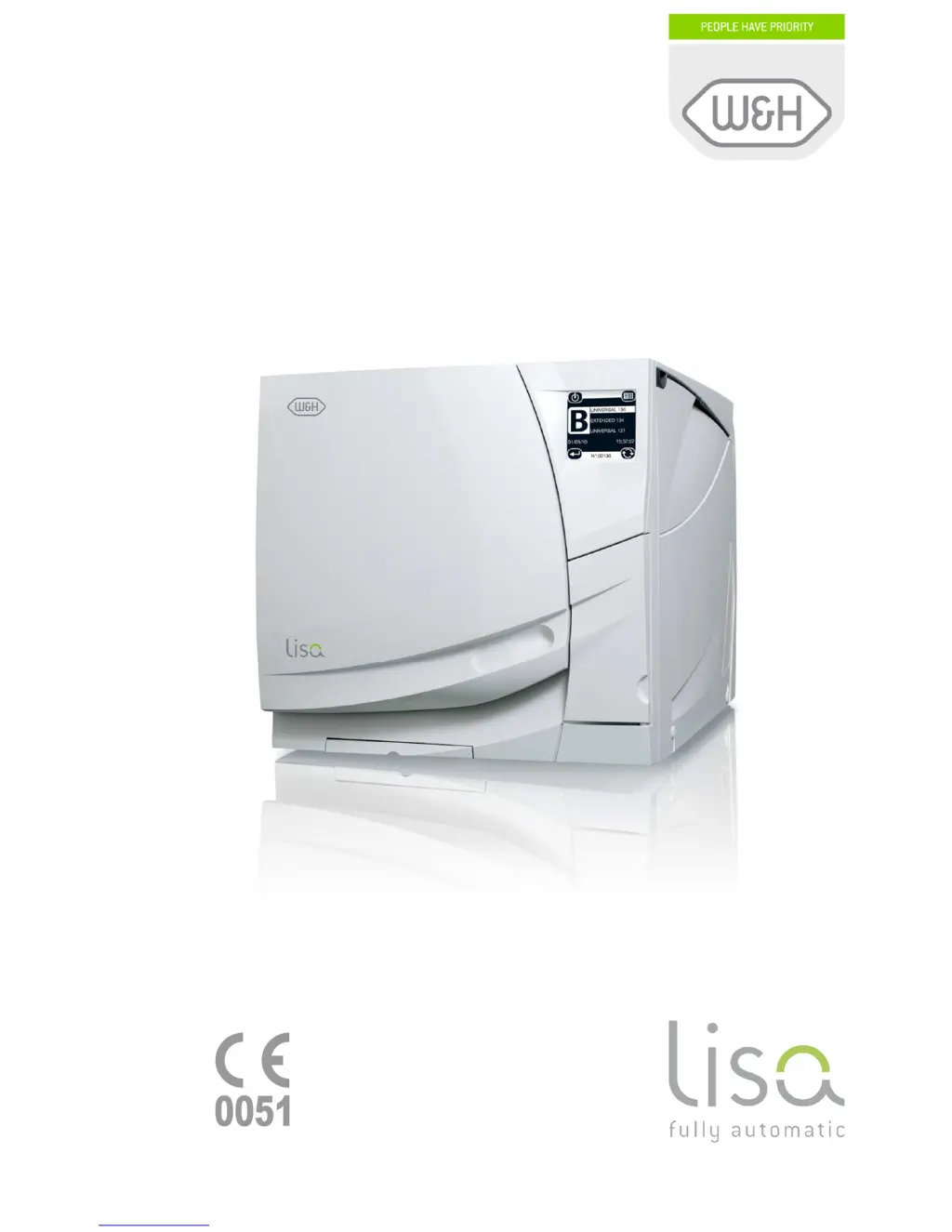
W & H Lisa - User Manual

W & H Lisa
78 pages
Print Icon
To Next Page IconTo Next Page
Loading...
Instruction for use
UM009ENG
LISA
FULLY AUTOMATIC 201 10 Rev.4

Table of Contents

Questions and Answers

  • C
    cdavisJul 27, 2025
    Why are there oxidation or spots on my W & H Steriliser instruments?
    • C
      Christopher GomezJul 27, 2025
      Oxidation or spots may appear on instruments due to several reasons. It could be due to the use of poor-quality water or water containing chemical substances; in this case, drain both water tanks and use water of good quality. Another reason may be organic or chemical residues on the instruments; thus, clean, rinse, and dry instruments before placing them in the sterilizer. Also, contact between instruments of different materials may cause oxidation; ensure that instruments of different materials do not touch; place them on different trays or cassettes or bag/wrap them.
  • D
    David WilliamsAug 2, 2025
    What to do if water is leaking at the front of my W & H Lisa?
    • R
      rogerglassAug 2, 2025
      If water leaks at the front of your sterilizer, consider these potential causes: * A leak through the chamber door seal. Clean or replace the door seal and clean the chamber face side. * The clean water tank got overfilled, or the sterilizer got tilted. Stop filling the clean water tank as soon as you hear the audible beep tone. If you tilt the sterilizer some water may leak at the front. * The countertop is not properly leveled. Ensure the sterilizer is installed on a level surface.
  • F
    Frank HoffmanAug 8, 2025
    What to do if at the end of the cycle, water remains inside the chamber and the load is not perfectly dry in my W & H Lisa?
    • C
      Charles JohnsonAug 8, 2025
      If water remains inside the chamber and the load isn't perfectly dry after a cycle, it might be due to: * An overloaded chamber. Comply with the maximum load weight limits for each type of load and always use the chamber rack for trays and cassettes. * A clogged chamber filter. Remove and clean the chamber filter. * Incorrectly placed load. * Tap water on instruments when placed in the sterilizer. Ensure that instruments are dry before they are placed in the sterilizer.
  • L
    lisamooneyAug 13, 2025
    Why are my instruments turning brown or black in my W & H Lisa?
    • O
      owilliamsAug 14, 2025
      Instruments turning brown or black can be attributed to: scale deposits on the chamber; in this case, clean the chamber and use water of good quality. Another cause may be an incorrect temperature selected; select a sterilization cycle featuring a lower sterilization temperature and follow the instructions of the instrument manufacturer.
  • L
    Lisa PayneAug 21, 2025
    How to fix a W & H Lisa Steriliser that remains switched OFF?
    • M
      Michael DavisAug 21, 2025
      If the sterilizer remains switched off, check the following: Ensure that the main switch or network circuit breaker is ON and activate it if it is off. Verify that there is voltage at the socket by checking the electrical power supply. Also, ensure that the mains cable is properly connected and plug it in if it is not.

Summary

Introduction and Overview

General Safety Recommendations

Outlines crucial safety precautions for operation and maintenance.

Unpacking and Unit Description

Unpacking the Sterilizer and Standard Accessories

Details on unpacking procedures and included accessories.

Installation and Setup

Setup and Environmental Conditions

Covers placement, ventilation, and operating environment requirements.

Electrical Power Supply Requirements

Specifies voltage, frequency, and circuit breaker needs.

Computer Connectivity via LisaWare

Guides for LAN and serial connections to a PC.

Getting Started and Basic Operation

Filling the Clean Water Tank

Procedures for manual and optional automatic water tank filling.

Draining the Used Water Tank

Methods for emptying the used water tank.

Programming and System Configuration

Setup Menu Overview and Language Selection

Introduces the main configuration menu and language selection.

Maintenance Menu Overview

High-level view of maintenance tasks and schedules.

Administrator Functions and User Management

Steps to access admin menu and manage user accounts.

Password and User Account Management

Modifying names, passwords, and managing user accounts.

Running a Sterilization Cycle

Available Sterilization Cycles Overview

Details on different sterilization cycle types and their applications.

Starting a Sterilization Cycle

Step-by-step guide for initiating a sterilization cycle.

Manual Cycle Stop Procedure

Steps to safely abort an active sterilization cycle.

Display Messages, Alarms, and Maintenance

Alarm Code Table and Troubleshooting Actions

Lists alarm codes, causes, and corrective actions.

Maintenance Program and Scheduled Tasks

Details scheduled maintenance tasks and cycle counters.

Troubleshooting and Appendices

General Troubleshooting Guide

Table of common issues, potential causes, and solutions.

Water Quality Requirements Appendix

Standards for feed water quality for optimal performance.

W & H Lisa Specifications

General IconGeneral
TypeClass B
DisplayLCD Touch Screen
ConnectivityUSB
Sterilization Temperature134°C
Drying TimeApprox. 30 minutes
Power Supply220-240V, 50/60Hz
Chamber Capacity22 liters

Related product manuals