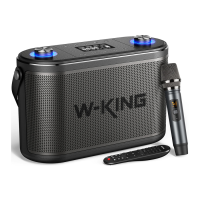
True Wireless Stereo
Actions
Power on
True Wireless
Connection
between two
speakers
Connect
with mobile
Operation
Turn on both DIO bluetooth speakers. (note:
Please make sure that the Bluetooth of your two
speakers is not connected)
Select one speaker as the master speaker, and
then double press the power button of the
master speaker to start pairing.
SUCCeSSfUIIyconnection. (do nothing, just wait
pairing)
When"True Wireless Stereo"successfully
connected, open Phone's Bluetooth to search
and connect the master speaker.
LED status
Blue LED on
Blue and green
LED flash
(master speaker)
Slave speaker
blue LED stay on,
blue LED on
master flash slowly
Master and slave
speaker blue LED
stay on
Note: In "True Wireless Stereo"mode, only the master speaker has phone call function.
Basic Control
Actions
Adjust Volume
Next/Previous
Track
Pause/PIay/ Mute
Switch Equalizer
Mode
Light Mode
Reset
Operation
Short press volume+/- button
Press and hold volume + /- button
Press the Play/Pause button
(In AUX mode, it's a mute function)
Short press Equalizer button
Short press light mode button
Press the reset button
LED status
Default setting: turns on
Enhance bass Equalizer:
slowly flashes
LED turns off



 To Next Page