Our Vision
We believe in a world where
everyone, everywhere, can
access clean, safe, drinking
water—to elevate their
quality of life in the most
sustainable way.
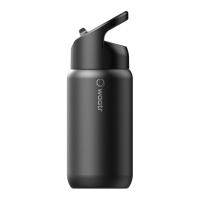
Compatible Brands and Sizes
CrazyCap Pro is compatible
with all of the brands listed in
the table. Please contact our
customer service team at
hello@waatr.com if you have
any issues.
Once charger
is connected,
indicator light
will breathe
ORANGE
Once charged
fully, indicator
light will glow
solid GREEN
Charging
To charge, place
the charger on top of
the cap and connect,
the USB plug to a wall
adapter. Full charge
takes about 3-4 hrs.
1
Battery Life
x1
Tap the touch sensor
as shown in the
image to know the
battery life.
2
GREEN
light indicates
40% - 100%
charge
ORANGE
light indicates
11% - 39%
charge
RED
light indicates
1% - 10%
charge
hello@WAATR.com • 1-833-642-7659
CrazyCap
S’well
S’ip by S’well
Chilly’s
MIRA
Simple Modern
12, 17, 25 Oz
12, 17 Oz
10, 15 Oz
12, 17 Oz
12, 17 Oz
12, 17 Oz

 Need help?
 General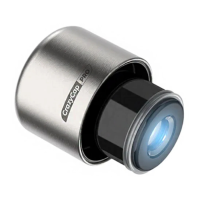

 To Next Page