Need help?
Do you have a question about the Wachendorff OPUS A6 ECO 2 and is the answer not in the manual?
Explains how instructions are presented based on hazard degree.
General instructions for safe operation and avoiding property damage.
Defines requirements for personnel handling the device and system.
Details the voltage range and protection for the OPUS A6 2nd generation.
Warns against unauthorized interventions and potential hazards.
Provides specific safety warnings for high-voltage, device failure, and missing safety devices.
Shows a typical application scenario with device controls and functions.
Describes the components of the OPUS A6 ECO and STANDARD 2nd generation displays.
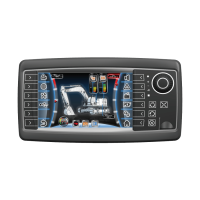
Describes the components of the OPUS A6 ECO 2nd generation display.
Details the components of the OPUS A6 STANDARD 2nd generation display.
Explains the power-on/off behavior and sleep modes of the device.
Lists the key features and specifications of the OPUS A6 2nd generation.
Outlines methods for programming the device, including tools and languages.
Describes available development kits for programming the user interface.
Instructs users to verify all delivered components against the scope of delivery.
Provides information on mounting accessories and systems available for the unit.
Provides a step-by-step guide for dashboard mounting, including parts list.
Details the required cut-out dimensions for dashboard mounting for different models.
Shows dimensional drawings for the mounting cover of the OPUS A6 ECO model.
Shows dimensional drawings for the mounting cover of the OPUS A6 STANDARD model.
Explains pin-out diagrams for Ethernet, Main, and Video connectors.
Lists pin assignments and descriptions for the main connector.
Advises on protecting unused plugs to prevent humidity damage.
Reiterates power supply voltage range and protection features.
Guides through the initial connection and power-on procedure.
Provides instructions for cleaning the unit and notes on user-serviceable parts.
Provides detailed dimension drawings for the OPUS A6 STANDARD 2nd generation.
Provides detailed dimension drawings for the OPUS A6 ECO 2nd generation.
Compares the specifications of OPUS A6 ECO and STANDARD models.
Discusses environmental compatibility standards and ratings for the device.
Lists EU directives and standards related to electromagnetic compatibility.
Specifies the IP code for protection against foreign objects and water.
References standards for electrical loads and testing in vehicles.
References standards for mechanical loads, shock, and vibration.
Specifies operating and storage temperature ranges and climatic loads.
References standards for chemical loads and testing resistance to environmental conditions.
Declares conformity of the product family with EU directives.
Declares conformity of the OPUS A6 ECO product family with EU directives.
 General
| Brand | Wachendorff |
|---|---|
| Model | OPUS A6 ECO 2 |
| Category | Controller |
| Language | English |

 To Next Page