EasyManua.ls Logo

WACOM DTU-1141 - User Manual

WACOM DTU-1141
61 pages
Print Icon
To Next Page IconTo Next Page
Loading...
USER’S MANUAL
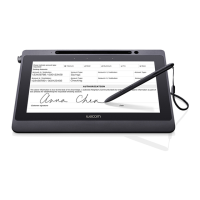
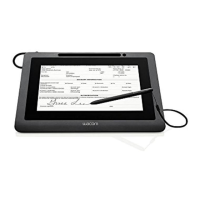
Interactive Pen Display
Model:
DTU-1141 and DTU-1031X Interactive Pen Display
1
IndexContents
1
Index
Contents
Installation
Using the pen
Using and customizing the Radial Menu
Customizing the ExpressKeys
Application-specific settings
Troubleshooting
Technical support options
Contents

Other manuals for WACOM DTU-1141

Question and Answer IconNeed help?

Do you have a question about the WACOM DTU-1141 and is the answer not in the manual?

Summary

Understanding Your Pen Display

Installation Guide

System Requirements for Installation

Lists the minimum hardware and OS requirements for installation.

Pen Display Installation Steps

Step-by-step guide for installing the display drivers.

Pen Tablet Installation Steps

Step-by-step guide for installing the pen tablet drivers.

Using Your Pen Display

Pen Usage Techniques

Covers holding, positioning, clicking, and dragging with the pen.

ExpressKeys Usage

Explains the function and customization of ExpressKeys.

Customizing Device Settings

Accessing the Control Panel

Instructions on how to access the Wacom Control Panel.

Calibrating Pen Display Accuracy

Steps to align cursor with pen tip for accuracy.

Customizing Pen Settings

Adjusting pen tip feel, pressure, and button functions.

Customizing ExpressKeys

How to reassign functions to the device's ExpressKeys.

Troubleshooting Common Issues

Display Troubleshooting Guide

Solutions for common display-related issues.

Pen Tablet Troubleshooting Guide

Solutions for issues with the tablet functionality.

Appendix and Support

Technical Support Contact Information

How to contact Wacom for assistance.

Summary

Understanding Your Pen Display

Installation Guide

System Requirements for Installation

Lists the minimum hardware and OS requirements for installation.

Pen Display Installation Steps

Step-by-step guide for installing the display drivers.

Pen Tablet Installation Steps

Step-by-step guide for installing the pen tablet drivers.

Using Your Pen Display

Pen Usage Techniques

Covers holding, positioning, clicking, and dragging with the pen.

ExpressKeys Usage

Explains the function and customization of ExpressKeys.

Customizing Device Settings

Accessing the Control Panel

Instructions on how to access the Wacom Control Panel.

Calibrating Pen Display Accuracy

Steps to align cursor with pen tip for accuracy.

Customizing Pen Settings

Adjusting pen tip feel, pressure, and button functions.

Customizing ExpressKeys

How to reassign functions to the device's ExpressKeys.

Troubleshooting Common Issues

Display Troubleshooting Guide

Solutions for common display-related issues.

Pen Tablet Troubleshooting Guide

Solutions for issues with the tablet functionality.

Appendix and Support

Technical Support Contact Information

How to contact Wacom for assistance.

WACOM DTU-1141 Specifications

General IconGeneral
Resolution2540 lpi
Working area- mm
Device interfaceUSB
Tablet input typePen
Connectivity technologyWireless
Brightness200 cd/m²
Aspect ratio16:9
Response time16 ms
Display diagonal10.6 \
Contrast ratio (typical)800:1
Mouse includedNo
Product colorBlack
Bundled software-
Weight and Dimensions IconWeight and Dimensions
Depth11 mm
Width283 mm
Height210 mm
Tablet weight700 g

Related product manuals