Need help?
Do you have a question about the Wadia 581 and is the answer not in the manual?
Instructions for carefully unpacking the unit and saving packing materials.
Lists the items provided with the Wadia S7i Integrated CD Player/Decoding Computer.
Guidance on attaching the included tip-toes for proper placement and stability.
Information on connecting the unit to your audio system, including voltage check.
Recommendations for connecting the unit to AC power, including advice on external conditioners.
Guidance on connecting the unit directly to a power amplifier to optimize performance.
Instructions for using the unit with a preamplifier, including setting the volume control.
How to adjust the unit's output level for optimal system matching.
Details on connecting various digital sources via Wadia USB, Coaxial, TOSLINK, and AES/EBU.
Advice on selecting appropriate digital cables for optimal performance.
Explanation on using balanced vs. unbalanced connections and the unit's true balanced design.
Reasons for bypassing a preamplifier and how the unit handles preamp functions digitally.
Details on Wadia's digital volume control and its high-resolution capability.
Information on whether the digital volume control can be bypassed and how to set it.
Information on using analog sources with Wadia's Analog-to-Digital converters.
Guidance on leaving the unit powered on for optimal performance and longevity.
Overview of the basic control buttons located on the unit's front panel.
Explanation of the unit's display screen, showing transport and preamp status.
Description of the display sequence during power-on and the Input screen details.
Information on the Status and Volume screens, indicating phase, emphasis, and audio levels.
Information on the disc formats supported by the unit, including MP3, FLAC, and WMA.
How to adjust volume and channel balance using the remote control buttons.
How to select inputs and invert absolute phase using the remote.
How to turn the display on/off and explanations of the unit's mute modes.
How to use the remote's number pad for direct track access.
Details on using remote buttons for track navigation, search, play, pause, and repeat.
Explanation of how ClockLink eliminates jitter in conventional and external processor configurations.
How digital processors can introduce jitter and affect sonic performance.
Steps to configure digital inputs for ClockLink mode using the remote control.
Important notes on ClockLink usage with internal transport versus external sources.
How the unit's display indicates when ClockLink is engaged.
Visual guide to navigating Volume, Balance, Status, and Input screens.
Map for accessing algorithm selection and save changes screens.
Introduction to the three user-selectable digital algorithms for optimizing sonic performance.
Details on Algorithm A, Wadia's classic time-domain interpolation algorithm.
Details on Algorithm B, offering a more extended top end.
Details on Algorithm C, providing high frequency extension with a relaxed presentation.
Steps to select algorithms and guidance for comparison, including volume adjustments.
Steps to resolve the unit 'locking up' due to static shock or power surges.
Information on creating and reading data discs with specific OS advice.
Terms and conditions for the DigiMaster software license.
Advice on environmentally responsible disposal of batteries.
Details on the user-selectable upsampling algorithms.
Specifications for digital processing, including bit depth.
The digital resolution of the unit's processing.
List of audio file formats compatible with the unit.
Details on the available analog output types and configurations.
Specifications for the unit's digital output connections.
Specifications for the unit's digital input connections.
The output impedance of the unit.
The power consumption of the unit in watts.
Physical weight of the unit and its shipping weight.
Physical dimensions of the unit.
Crucial safety instructions for operating the Wadia S7i Integrated CD Player/Decoding Computer.
Instructions regarding the three-prong plug, grounding, and extension cord usage.
Guidelines for cleaning, handling smoke, wetness, and other hazards.
Information on fuse replacement and the restriction on user-serviceable parts.
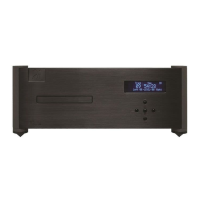
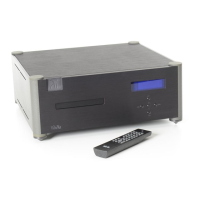
The Wadia S7i Integrated CD Player / Decoding Computer is a high-performance digital audio component designed to deliver exceptional sound quality from compact discs and other digital sources. It integrates the functions of a CD player, a digital-to-analog converter (DAC), and a preamplifier, allowing for a streamlined audio system with fewer components.
At its core, the Wadia S7i acts as an integrated CD player, capable of playing standard Red Book CDs, as well as CD-R and CD-RW discs. Beyond traditional CD playback, it extends its capabilities as a "Decoding Computer" by incorporating multiple digital inputs. This allows the S7i to serve as the central digital hub for an audio system, accepting digital signals from various external sources such as computers, network streamers, or other digital transports. The device is equipped with a Wadia USB input, coaxial (BNC), plastic-optical (TOSLINK), and AES/EBU (XLR) inputs, accommodating a wide range of digital audio formats up to 24-bit word length and sampling frequencies up to 96kHz.
A key feature of the Wadia S7i is its advanced digital processing. It employs Wadia's proprietary DigiMaster™ patented algorithm, a filter optimized for reproducing music, which upsamples all input signals to a 32x rate (24 bit/1.4112 MHz DAC sample rate). This sophisticated processing is designed to enhance resolution and reduce digital artifacts, contributing to a more natural and engaging sound. The S7i offers three user-selectable digital algorithms (Algorithm A, B, and C), each with distinct time and frequency domain characteristics, allowing users to tailor the sonic performance to their system and personal preferences. Algorithm A, DigiMaster v2.5, provides a robust sound with extraordinary image focus and re-creation of recorded space. Algorithm B offers a more extended top end with superior time-domain performance compared to conventional CD filters. Algorithm C retains the high-frequency extension and detail resolution of Algorithm B but with a more relaxed overall presentation. For higher sample rate sources (88.2 kHz and 96 kHz), DigiMaster v2.5 is automatically engaged for optimal performance.
The S7i also features Wadia's proprietary ClockLink™ jitter reduction technology. In a conventional digital audio system, jitter can be introduced when the clock signal is recovered from the digital data stream, degrading sonic performance. ClockLink addresses this by locating the master clock at the DAC and transmitting this clock signal to the transport to keep it synchronized. By ignoring the recovered clock from the data, any jitter on that signal does not affect the sonic performance. This technology can also be utilized with external digital processors, ensuring that jitter added by such processors does not compromise sound quality.
Another significant aspect of the Wadia S7i is its integrated digital volume control. Unlike conventional analog volume controls that can introduce distortion and noise, the S7i's volume is adjusted in the digital domain through mathematical manipulation of the signal. This innovative approach, combined with Wadia's digital filtering algorithm that produces a 24-bit output, ensures that high resolution is maintained even at the lowest volume settings. This feature allows the S7i to be connected directly to a power amplifier, bypassing the need for a separate preamplifier and eliminating the sonic degradation associated with additional analog circuitry, switches, and wiring. The output stage is robust enough to drive various power amplifiers and interconnects, even over long lengths.
The S7i provides both balanced (XLR) and unbalanced (RCA) analog outputs, which can be used simultaneously. Its true balanced design means that the inverted signal is generated in the digital domain, and all subsequent processing is done in balanced mode, offering superior performance, especially when connected to an amplifier with true balanced inputs.
The Wadia S7i is designed for user-friendly operation, featuring both front panel controls and a comprehensive remote control. The front panel includes basic controls for volume adjustment, track navigation (previous/next), and disc operations (open/close/stop/play). The remote control expands on these functions, offering direct track access via a number pad, balance adjustment, phase inversion, display on/off, program/mode selection, and repeat functions (repeat track or repeat all).
The display screen provides clear feedback on the unit's status. The top section shows transport status (track, time, playback options, format), while the bottom indicates preamp functions (volume, input selection, ClockLink status, sampling frequency). Upon power-up, the display cycles through a turn-on screen, input screen, and then settles on the volume screen. The display also indicates when the unit is muted or if a digital input has no signal ("No Data").
The S7i supports various data disc formats beyond standard CDs, including MP3, FLAC, and WMA files. When playing data discs, the display shows the total track count and time played on the current track (time remaining options are non-operational for data discs). The unit can handle up to 999 tracks on data discs, with direct track access available via the remote's number pad.
Configuring digital inputs for ClockLink is done through the display menus. Users navigate to the configuration menu for a specific input, then use the volume buttons to toggle ClockLink ON or OFF, saving the setting with the mute button. The system is designed with safeguards to prevent ClockLink from engaging when it shouldn't, such as when the input signal is not 44.1 kHz or when the internal transport is not running.
The three digital algorithms can be selected via the remote control by navigating through the menu screens. The display shows the currently selected algorithm, and users can scroll through the options using the volume buttons. After selection, the unit mutes briefly while the new algorithm is downloaded. When comparing algorithms, it's important to note that Algorithm A has a slightly higher output level (approximately 1dB) than B and C, requiring a volume adjustment (increase by 2 units for B and C) for fair comparison.
The Wadia S7i is designed to be left powered on continuously for optimal performance and longer life. The circuitry remains thermally stable, and the sound quality improves steadily after power-up. If turned off for more than an hour, a similar, though less dramatic, improvement will be noticed upon reapplication of power. The motors and laser circuitry automatically turn off when the unit is not playing to minimize wear.
The Wadia S7i is built with durability and longevity in mind. For physical setup, it comes with threaded tip-toes and steel coasters to ensure stable placement on various surfaces while protecting them from damage.
In terms of electrical safety, the unit is equipped with a three-prong AC power cord for earth ground connection, and users are advised to ensure proper grounding. It's crucial to verify that the unit's specified AC voltage matches the local supply to prevent damage. The internal design includes power conditioning and surge suppression, making external power conditioners or surge protectors optional and subject to user preference and sonic evaluation.
The device is designed to be robust against minor electrical disturbances. In the event of a powerful static shock or sudden AC surge, the computer circuitry might "lock-up," leading to erratic display, no output, or unresponsiveness to remote commands. In such cases, unplugging the AC cord for at least 30 seconds and then replugging it in typically resolves the issue. If the problem persists, contacting a Wadia dealer is recommended.
Cleaning the unit should be done with the power supply cord disconnected, using a soft cloth dampened with plain water. Direct application of water or other cleaners to the chassis should be avoided.
For safety, users are warned against placing the unit near heat sources or in direct sunlight. In case of smoke or abnormal smells, the unit should be immediately unplugged and a dealer contacted. The device is not user-serviceable, and any repairs or modifications should only be performed by qualified service personnel. Opening the unit while it is connected to an AC outlet is explicitly prohibited.
The Wadia S7i uses a CR3032 battery for its remote control, which should be installed with the plastic protector removed from the battery chamber.
Wadia emphasizes environmental responsibility, encouraging customers to dispose of batteries in an environmentally sound manner. The DigiMaster software, which is copyrighted and patented by Wadia Digital, is licensed to the customer for use only on the S7i, with Wadia retaining the right to provide updates, potentially for a fee.
 Audio Specifications
| digital processing capability | 1 - 24 Bits |
|---|---|
| digital resolution | 21 Bits |
| output impedance | 51 ohms |
Outputs and Inputs| analog outputs | One pair of Balanced (XLR); One pair of Unbalanced (RCA) |
|---|---|
| digital outputs (Wadia 581i only) | 1 - Glass Fiber-Optic (ST), 1 - AES/EBU (XLR), 1 - SP/DIF (BNC), 1 - Plastic Optical (Toslink) |
| digital inputs (Wadia 581i only) | 1 - Glass Fiber-Optic (ST), 1 - AES/EBU (XLR), 1 - SP/DIF (BNC), 1 - Plastic Optical (Toslink) |
 Power
Power| power consumption | 58 watts |
|---|
 Weight and Dimensions
| weight | 48 lbs |
|---|---|
| shipping weight | 55 lbs |
| dimensions | 17˝ Wide, 16˝ Deep, 7˝ High |

 To Next Page