
 To Next Page

L
Lisa KellyAug 1, 2025
What to do if the fuse of the 12/24 V plug has blown in my Waeco Accessories?
- KKyle BassAug 1, 2025
Replace the 8 A fuse in the 12/24 V plug.

What to do if the fuse of the 12/24 V plug has blown in my Waeco Accessories?
Replace the 8 A fuse in the 12/24 V plug.
What to do if the vehicle fuse has blown for my Waeco Accessories?
Replace the vehicle’s 12/24 V socket fuse, which is usually 15 A. Please refer to your vehicle’s operating manual to locate the fuse.
What to do if my Waeco Accessories device fuse is defective?
Replace the device fuse.
What to do if the integrated mains adapter is defective in my Waeco Accessories?
This can only be repaired by an authorised repair centre.
What to do if the compressor is defective in my Waeco Accessories?
This can only be repaired by an authorised customer services unit.
What to do if my Waeco Accessories appliance has switched off due to an internal fault?
This can only be repaired by an authorised repair centre.
Covers critical safety guidelines for device operation, maintenance, and usage environments.
Lists key features like priority power circuit, battery monitor, temperature display, and USB port.
Details the lid latch, control panel buttons (ON/OFF, SET, UP/DOWN), and display indicators.
Instructions for initial cleaning and preparing the cooler, including lid reversal.
 General
| Capacity | 28 liters |
|---|---|
| Temperature Range | -22 °C to +10 °C |
| Power Supply | 12/24 V DC, 100-240 V AC |
| Refrigerant | R134a |
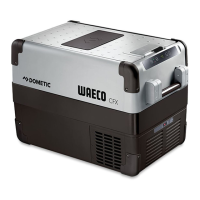
| Type | Portable Compressor Freezer |
| Cooling Technology | Compressor |