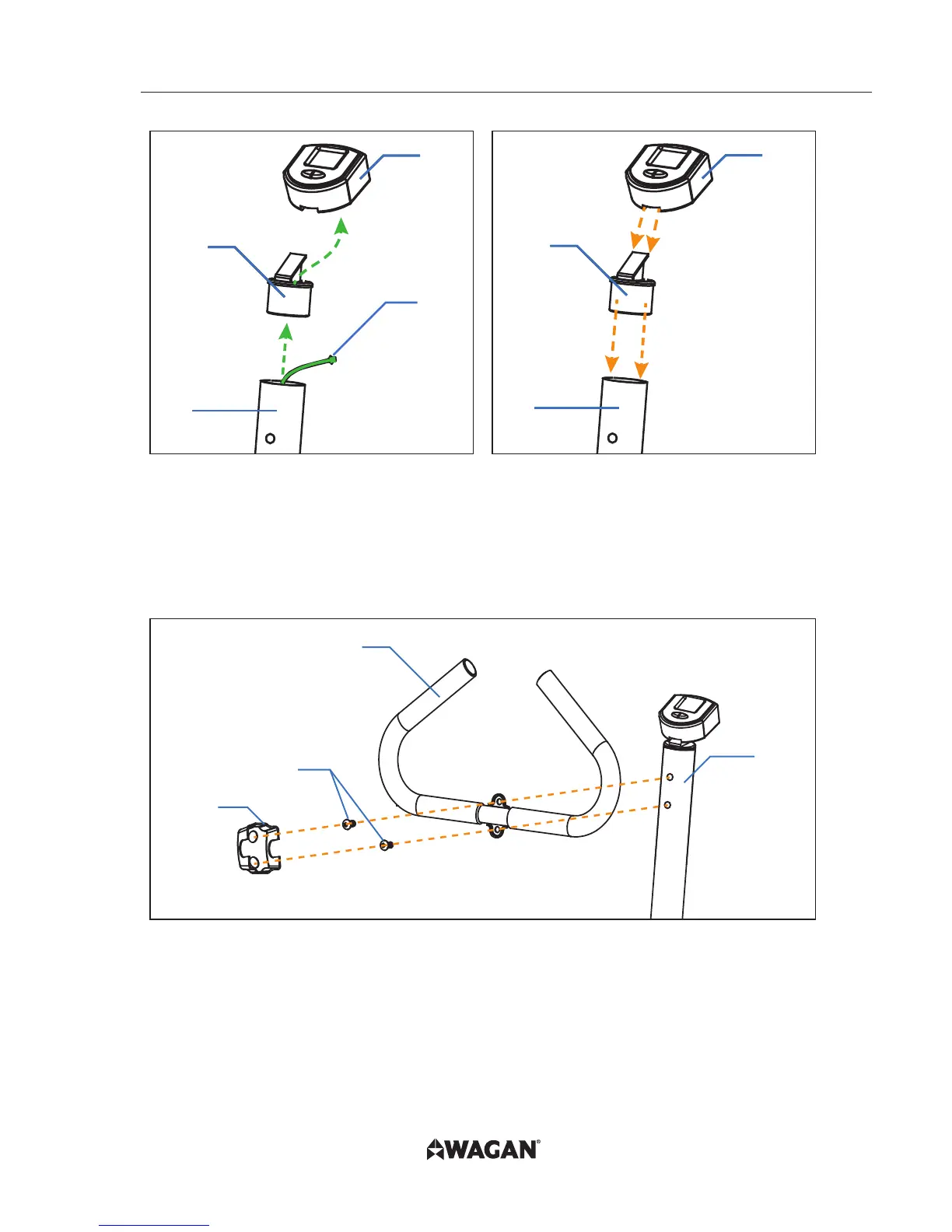
5. Run the Power Cable (A)
through the Meter Bracket (6)
and connect it to the underside
of the LCD Meter (5).
6. Cap the Meter Bracket (6) onto
the top of the Upper Tube (3)
then slide the LCD Meter (5)
onto the bracket from
the back to the front.
4
7
9
3
7. Connect the Handle Bar (4)
to the Upper Tube (3) with the
supplied Bolts for Handle (9).
8. Snap the Handle Bar Cover (7)
onto the Handle Bar (4)
where the Bolts for Handle (9)
were inserted. Bolts will
show through the holes in
the Handle Bar Cover (7).



 To Next Page