EasyManua.ls Logo

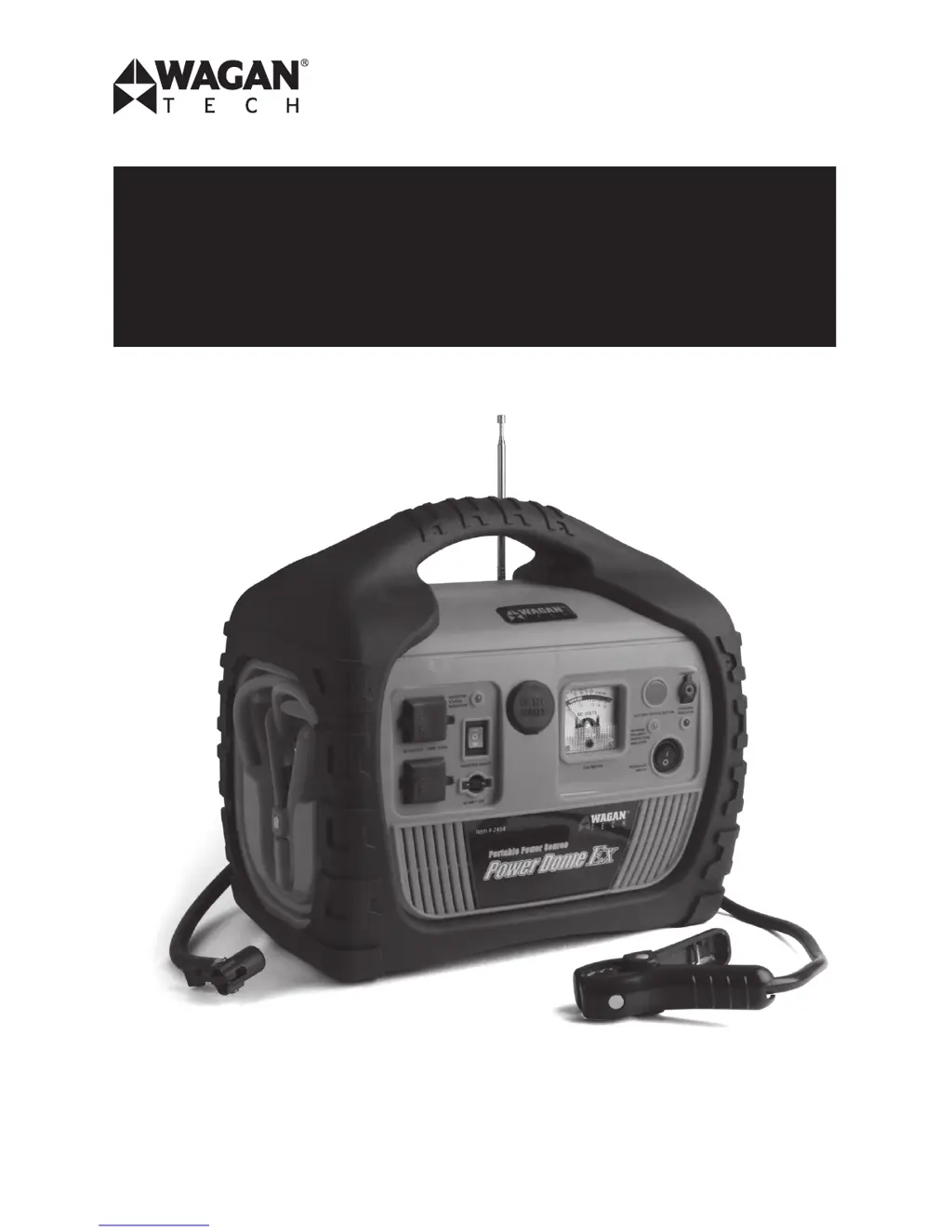
Wagan Power Dome EX - User Manual

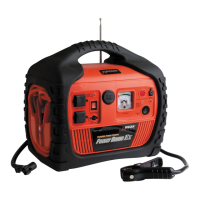
Wagan Power Dome EX
44 pages
Print Icon
To Next Page IconTo Next Page
Loading...
Item / Artículo / Article #2454
Power Dome
®
EX
User’s Manual
Manual de Usuario
Guide dUtilisation

Table of Contents

Questions and Answers

  • P
    Paul WarrenJul 26, 2025
    How to troubleshoot lack of power output in Wagan Power Dome EX?
    • J
      Joseph HuangJul 26, 2025
      If your Wagan Portable Generator lacks power output, it could be due to several reasons. First, the Power Dome® EX battery voltage might be below 10 volts, in which case you should recharge it immediately. Second, the appliance you're operating might be drawing excessive current; try reducing the load to a maximum of 400 watts. Also, check the inverter fuse and replace it if necessary, ensuring the replacement fuse is the same type and rating. As an additional measure, try the following steps: 1. Turn off the device and inverter. 2. Disconnect the device. 3. Turn the inverter on and let it run for at least 2 minutes. 4. Turn off the inverter. 5. Quickly plug the device back into the inverter. 6. Turn on the inverter and the device.
  • S
    Sara WallaceAug 1, 2025
    What to do if the inverter power indicator is not lit on Wagan Portable Generator?
    • J
      James SinghAug 1, 2025
      If the Inverter Power Indicator on your Wagan Portable Generator is not lit, it may be due to excessive voltage drop. Check the Power Dome® EX and recharge it if the voltage drops below 10 volts. Another possible cause is that the inverter is overloaded. In this case, reduce the load to a maximum of 400 watts.
  • L
    Luke NicholsonAug 7, 2025
    Why won't my TV or power tool start with Wagan Power Dome EX?
    • C
      cholmesAug 7, 2025
      If your television or power tool won't start with the Wagan Portable Generator, it might be due to a high surge wattage requirement during start-up. Try toggling the Inverter Power Switch on and off in quick succession a total of 5 times. If the device still doesn't start, it's likely not compatible with this type of inverter.
  • W
    Wendy SheltonAug 13, 2025
    How to fix television interference with Wagan Portable Generator?
    • S
      simsheidiAug 13, 2025
      If you're experiencing television interference with your Wagan Portable Generator, such as a picture breaking up (static), try placing the Power Dome® EX as far as possible from the TV, the antenna, and the coaxial cable. If the TV station may be out of range, there is no solution.
  • P
    Paul OwenAug 19, 2025
    What causes static/noise interference in audio system when using Wagan Power Dome EX Portable Generator?
    • J
      Jason AndersonAug 19, 2025
      If you're experiencing static or noise interference in your audio system when using the Wagan Portable Generator, it could be because the sound system has weak alternating current shielding. Avoid using the inverter with a low-quality audio AC filtering system. Alternatively, replace the audio system with a high-quality noise filtering system.

Summary

Introduction and Safety

Important Information

Read all warnings and cautions before operating the unit. Keep instructions for reference.

Safety Precautions

High voltage warning, child safety, internal battery serviceability.

Key Product Features

Lists major functions: jump starter, compressor, inverter, radio, work light.

Product Identification and Battery Status

Waste Disposal

Guidelines for environmentally friendly recycling and disposal of the appliance.

Front View Components

Detailed identification of all controls and ports on the front panel.

Battery Status Monitoring

How to check the internal battery's charge level using the voltmeter.

Charging Procedures

AC Charging

Step-by-step guide for charging the Power Dome via AC power.

DC Charging

Instructions for charging the unit using a DC adapter in a vehicle or boat.

Power Inverter Operation

DC to AC Power Inverter

Explanation of the inverter's capacity and how to use it to power AC devices.

Power Inverter and DC Port

Using the Power Inverter

Steps to connect and operate AC appliances using the 400W inverter.

DC Power Port Operation

How to use the 12V DC accessory socket and its overload protection.

Product Views and Radio Operation

Rear View Components

Identifies and labels controls and ports on the rear panel.

AM;FM Radio Usage

Instructions for tuning, volume adjustment, and band selection for the AM/FM radio.

Radio and Air Compressor Operations

AM;FM Radio Operation Details

Detailed steps for using the AM/FM radio, including antenna and volume adjustments.

Air Compressor Usage Guide

Instructions for using the 260 PSI air compressor to inflate various items.

Air Compressor and Jump Start Safety

Air Compressor Usage Steps

Detailed instructions for connecting and using the air compressor for inflation.

Jump Start Safety Precautions

Essential safety warnings and precautions for jump starting a vehicle.

Jumpstarting and Work Light

Jumpstarting Procedure

Detailed steps for jump starting a vehicle, including polarity indicator usage.

Work Light Usage

Instructions on how to operate the built-in LED work light.

Inverter Troubleshooting Guide

Inverter Issues and Solutions

Diagnosing and resolving problems related to the power inverter's output and indicators.

Product Specifications

Technical Specifications

Lists detailed specifications for battery, compressor, inverter, radio, and other components.

WAGAN Corporation Limited Warranty

Warranty Registration and Duration

How to register, warranty period, and conditions for coverage.

Returning Defective Items

Procedure for returning products for repair or replacement, including RMA.

Warranty Limitations and Disclaimers

Legal disclaimers, exclusions, and conditions that void the warranty.

Wagan Power Dome EX Specifications

General IconGeneral
Charger typeAuto, Outdoor
CertificationUL
Compatibility-
Power source typeAC, Battery
Charger compatibilityUniversal
USB 2.0 ports quantity1
Power protection featuresOverload, Short circuit
Cables includedAC, DC
Quantity per pack1 pc(s)
Power supply400 W
Input current40 A
Maximum output voltage110 V
Connector(s)1 x DC 12V
Battery capacity18000 mAh
Built-in batteryYes
Battery technologySealed Lead Acid (VRLA)
AC outlets quantity2 AC outlet(s)
Basic device charge time38 h
Product colorBlack, Red
Weight and Dimensions IconWeight and Dimensions
Depth229 mm
Width305 mm
Height279 mm
Weight9080 g

Related product manuals