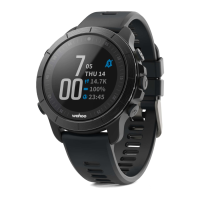
setting up the ELEMNT Rival with the ELEMNT companion app on your
smartphone.
NOTE: Although the ELEMNT Rival ships with approximately 50% charge, for best
results, it is recommended that the device be charged fully before performing your first
workout.
PAIRING THE ELEMNT TO YOUR SMARTPHONE:
iOS USERS:
1.
Download the ELEMNT companion app from the App Store.
2.
Open the ELEMNT companion app & watch the introductory welcome video or skip
to continue. Make sure you have bluetooth enabled on your mobile device.
3.
Select start to proceed with pairing the companion app to your ELEMNT Rival.
4.
If not turned on already, turn your ELEMNT Rival on by pressing the upper left hand
button.
5.
Pair your ELEMNT Rival with your smartphone by scanning the QR code displayed
on the ELEMNT Rival. (Simply place the ELEMNT Rival in front of your phone camera.)
NOTE: The ELEMNT companion app requires access to the camera in order to scan
the QR code. Please enable access to the camera when prompted.
6.
When the dialogue box appears, select Pair to complete the pairing process.
7.
The ELEMNT companion app will now display the login page. Log in by signing up
to the Wahoo Fitness Cloud or use your Facebook login to proceed.
NOTE: Login is necessary to backup your data and sync between devices. This
step can be skipped, but will be required in order to view your data on other devices.
8.
Log in to your favorite fitness sites and ELEMNT Rival will automatically upload your
workouts over bluetooth. Alternatively, select Next and add these later.
9.
Complete a basic profile to be used with the ELEMNT Rival. This information will be
used to calculate metrics such as calories and HR zones. Alternatively, select Next and
add these later.
10.
Enable Live Track if desired to allow you to see other riders on the ELEMNT Rival
and allows other ELEMNT users to see you. Additionally, you can also share a link with
family and friends to view your location online.
11.
If you choose to enable Live Track, you can also automatically share your location
with others. Add recipients via email to continue or select Next.
ANDROID USERS:
1.
Download the ELEMNT companion app from the Google Play store.
2.
Open the ELEMNT companion app & watch the introductory welcome video or skip
to continue. Make sure you have bluetooth turned on.


 To Next Page
 Loading...