
 Need help?
Do you have a question about the Walker's Silencer BT 2.0 and is the answer not in the manual?
Control your earbuds with ease using gesture-based touch controls.
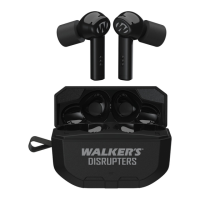
Connect your Silencer BT 2.0 earbuds to your phone via Bluetooth.
Features like Sleep Mode and Extended Battery Life for efficient power usage.
Switch between Universal, High Frequency, Power Boost, and Clear Voice modes.
Details on the touch control area for volume adjustment on the earbuds.
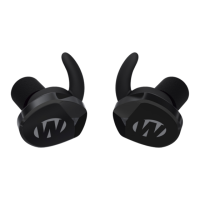
Overview of key components: LED Status Light, Cleaning Brush, and Charging Port.
Step-by-step guide on selecting and inserting earbud tips for a proper seal.
Instructions for powering on the earbuds and initiating pairing with devices.
How to adjust ambient volume using touch controls and understanding audio cues.
Description of the four available operation modes: Universal, Clear Voice, High Frequency, Power Boost.
Guidance on charging the earbuds and the charging case using the micro USB port.
Steps to pair earbuds, connect to your device's Bluetooth, and link to the Walker's LINK app.
Using app sliders to control ambient volume for each earbud.
Using the app to check earbud seal and link/unlink volume controls.
Configuring sound profiles and automatic power-off timers via the app.
Entering pairing mode, understanding pairing status, and connected mode indicators.
How to answer, reject, and end calls, plus play, pause, and skip audio tracks.
Diagram illustrating volume, link/unlink, operation modes, and sleep settings.
Navigation element within the app to access fitment instructions.
Explanation of NRR, its calculation, and application to hearing protection.
Device compliance with FCC rules, potential interference, and user cautions.
Compliance with Canadian regulations and RF exposure information.
Details on product warranty period, coverage, and conditions for voiding.
Information on what voids the warranty and user's legal rights.
 General
| Bluetooth | Yes |
|---|---|
| Microphone | Yes |
| Bluetooth Range | Up to 30 feet |
| Charging Time | 2 hours |
| Control | Button |


 To Next Page