EasyManua.ls Logo

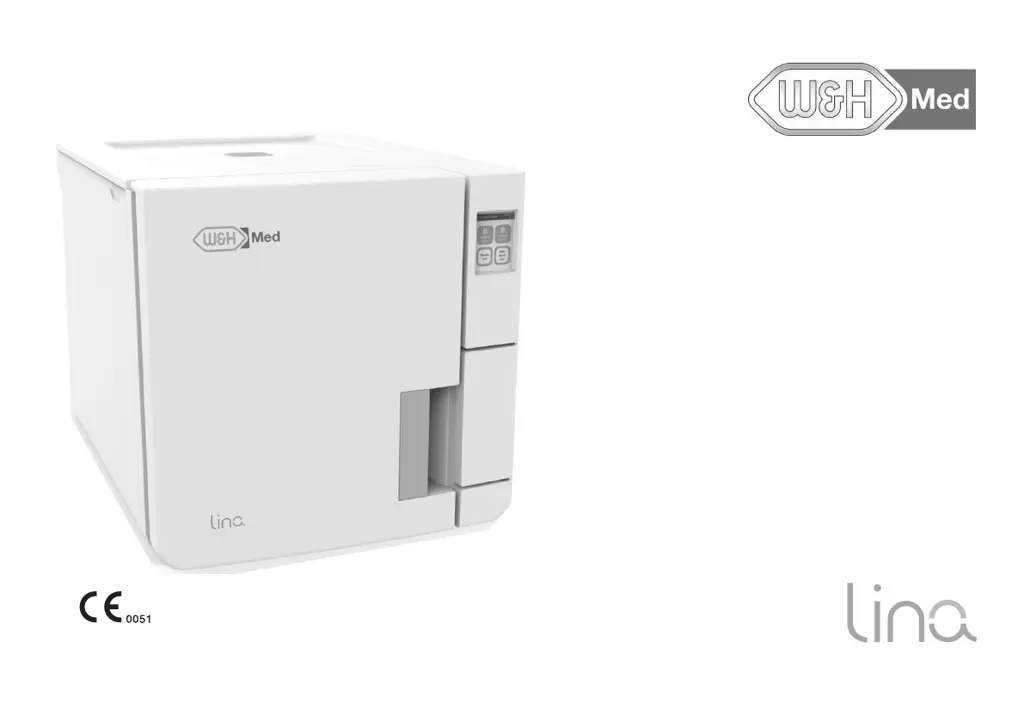
W&H Med lina - User Manual

W&H Med lina
114 pages
Print Icon
To Next Page IconTo Next Page
Loading...
RIK-117 RIK-122
Instructions for Use
RIK-1 Med - ENG - Rev03

Table of Contents

Questions and Answers

  • M
    Matthew LeeAug 14, 2025
    Why do I see corrosion or spots on my instruments after using the W&H Med Laboratory Equipment?
    • P
      Phyllis BoydAug 14, 2025
      Corrosion or spots on instruments can occur for several reasons. Make sure instruments are dry before sterilizing and use good quality water, avoiding chemical substances. Also, ensure instruments are cleaned of organic or chemical residues. Clean the chamber, trays, and rack regularly. Prevent contact between different metals by using separate trays, cassettes, or pouches. Finally, clean the chamber to remove scale deposits and use good quality water.
  • J
    jillacostaAug 17, 2025
    What to do if there is residual water in the chamber of my W&H Med lina after the cycle?
    • N
      nhoweAug 17, 2025
      If you find residual water in the chamber after a cycle, it could be due to several reasons. First, ensure the sterilizer is properly leveled. Second, avoid overloading the chamber and adhere to the maximum load weight limits for each load type, always using the chamber rack for trays and cassettes. Third, check if the chamber filter is clogged and clean it if necessary. Finally, make sure the chamber filter cap is correctly positioned.
  • D
    Dennis ManningAug 21, 2025
    Why is my W&H Med lina Laboratory Equipment leaking water at the front?
    • J
      Juan WoodAug 21, 2025
      If water is leaking at the front of your W&H Med Laboratory Equipment sterilizer, the chamber door gasket may be leaking. Try cleaning or replacing the door gasket and clean the chamber face side. If the leak persists, it might be an internal leak, and you should contact technical service.
  • A
    Andrea ScottAug 25, 2025
    What to do if the chamber door of my W&H Med lina Laboratory Equipment re-opens immediately after locking?
    • D
      david27Aug 25, 2025
      If the chamber door of your W&H Med Laboratory Equipment locks but re-opens immediately, and the “Open the door” message appears, first check that the door gasket is evenly inserted around the entire circumference. Also, ensure the door isn't jammed by external objects or the load itself; remove any obstructions and verify that the door isn't forced against the load or chamber furniture.
  • M
    Michele HarrisAug 27, 2025
    Why is there no pressure or temperature rise in my W&H Med lina?
    • V
      Vanessa KingAug 28, 2025
      If the cycle starts on your W&H Med Laboratory Equipment, but there is no pressure or temperature increase, reset the safety thermostat switch. If the problem continues, contact technical service, as it may be an electric or electronic fault.
  • C
    Caitlin WatsonAug 31, 2025
    Why is the sterilization process phase longer than expected in my W&H Med lina Laboratory Equipment?
    • M
      Mark KelleyAug 31, 2025
      If the sterilization process phase of a sterilization cycle on your W&H Med Laboratory Equipment takes longer than expected, allow the cycle to complete. This may occur if the chamber temperature dropped below the minimum threshold, but the software successfully recovered. If this issue occurs frequently, contact technical service.
  • A
    Adam WilliamsSep 3, 2025
    What to do if the automatic water filling is not working in my W&H Med Laboratory Equipment?
    • R
      Randall McguireSep 3, 2025
      If your W&H Med Laboratory Equipment is connected to an automated water supply but the tank isn't filling, first ensure the water fill system is properly connected to the sterilizer. If it is connected, and the tank still isn't filling, switch the sterilizer off and then on again, and check the external water supply system for any issues. Also, check for water leaks from the sterilizer. If none of the above resolves the issue, contact service, as there might be a faulty MIN water level sensor in the clean water tank.
  • C
    Courtney McintoshSep 6, 2025
    What to do if the cycle report printer does not work with my W&H Med Laboratory Equipment?
    • W
      William WhiteSep 6, 2025
      If the cycle report printer is not working with your W&H Med Laboratory Equipment, check the data and power connections to the printer.
  • B
    brandonfischerSep 10, 2025
    What does the USB saving warning mean on my W&H Med Laboratory Equipment?
    • J
      jordansmithSep 10, 2025
      If you receive a warning about USB saving on your W&H Med Laboratory Equipment, check the presence and connection of the USB pen drive. If the problem persists, contact service.

Summary

Conformity

Symbols and messages

SAFETY SYMBOLS USED IN THIS MANUAL

Explains safety symbols used within the manual for warnings and cautions.

SYMBOLS DISPLAYED ON THE PRODUCT

Details symbols that are physically present on the sterilizer unit itself.

Introduction

Use restrictions

Outlines the intended use and restrictions for the sterilizer.

USER QUALIFICATION

Details the qualifications and competences required for users operating the sterilizer.

Safety information

Safety warnings

Provides critical warnings related to thermal and electrical hazards during operation.

IMPROPER USE OF THE STERILIZER

Lists improper uses of the sterilizer that should be strictly avoided to maintain safety.

Responsibility

USER RESPONSIBILITY

Defines the user's responsibilities regarding installation, use, and maintenance.

Getting started

Unpacking

Provides instructions and precautions for unpacking the sterilizer.

Handling

Details the necessary steps and precautions before transporting the sterilizer.

Product description

FRONT VIEW AND UPPER INTERNAL STRUCTURE

Identifies and describes the main external and internal parts of the sterilizer.

COMPONENTS BEHIND THE SERVICE DOOR

Illustrates and lists components located behind the sterilizer's service door.

REAR VIEW

Shows and labels the various connection ports and components on the rear of the sterilizer.

Installing the sterilizer

LOCATION REQUIREMENTS

Specifies the necessary environmental and clearance requirements for installing the sterilizer.

ELECTRICAL CONNECTIONS

Details the guidelines for making electrical connections to the sterilizer.

WATER CONNECTIONS

Explains how to connect the water supply, water quality requirements, and warranty implications.

INSTALLING THE STERILIZER

Step-by-step instructions for the physical installation and connection of the sterilizer.

Operating the sterilizer

POWER THE STERILIZER ON;OFF

Instructions on how to turn the sterilizer on and off, and what happens after startup.

HOMEPAGE DESCRIPTION

Explains the layout and components of the sterilizer's main operating screen.

User interface menu

MAIN MENU FUNCTIONS

Lists and describes the primary functions accessible from the main menu of the interface.

SETTINGS MENU FUNCTIONS

Details the various settings and configurations available within the settings menu.

TRACEABILITY MENU FUNCTIONS

Describes menu functions related to traceability and data management.

MAINTENANCE MENU FUNCTIONS

Outlines menu functions for accessing maintenance procedures and status.

Sterilizer setup

SET THE DATE AND TIME

Steps to set the current date and time on the sterilizer.

CONNECT TO A NETWORK

Guidance on connecting the sterilizer to a network via Ethernet or Wi-Fi.

User authentication (optional)

PIN MANAGEMENT

Information on default PINs and the necessity of changing them.

CHANGE YOUR PIN

Steps for changing the user PIN to enhance security and prevent unauthorized access.

USB pen drive

DESCRIPTION

Explains the purpose and functionality of the USB pen drive for recording cycle reports.

Standby mode

DESCRIPTION

Explains what standby mode is and its effect on the sterilizer.

CHANGING STANDBY MODE DELAY TIME

How to adjust the time delay before the sterilizer automatically enters standby mode.

Administrator

User management (optional)

Details on how to manage user accounts, including adding and deleting users.

ADD A USER

Step-by-step guide to adding a new user to the sterilizer system.

Traceability options (optional)

SET THE TRACEABILITY OPTIONS

Steps to configure traceability options, including user requests and load validation.

Managing printers

Printer selection (optional)

How to select the compatible printer model for the sterilizer.

Label printer selection (optional)

Steps to select and set up a label printer for the sterilizer.

Label printer usage (optional)

AUTOMATIC PRINTING OPTION

Describes the automatic printing of labels after a sterilization cycle.

SET THE MANUAL LABEL PRINTING

Steps to manually set the number of labels to print at the start of a cycle.

Sterilizer tests

Sterilizer performance tests

Overview of tests performed to validate sterilizer performance.

Bowie and Dick test

Information on the Bowie and Dick test for textile load sterilization.

Helix test

Details on the Helix test for validating performance with hollow items.

Vacuum test

Information regarding the vacuum test for checking pump efficiency and pneumatic circuit tightness.

Sterilization cycles

Load maintenance and preparation

Guidelines for preparing and maintaining loads for effective sterilization.

Prepare the sterilizer

Steps to prepare the sterilizer before running a cycle, including water filling.

Sterilization cycle management

Procedures for running, managing, and scheduling sterilization cycles.

STOP A STERILIZATION CYCLE

Instructions on how to manually abort a running sterilization cycle.

Maintenance

Ordinary maintenance

Details routine maintenance tasks to be performed by the user.

Monthly or 50-cycle maintenance

Specific maintenance tasks scheduled on a monthly or 50-cycle basis.

400-cycle maintenance

Maintenance procedures required every 400 cycles, such as filter replacement.

800-cycle or biannual maintenance

Maintenance tasks required every 800 cycles or twice a year, like cleaning water tanks.

Diagnostics

Errors

Lists error codes and corresponding actions for troubleshooting.

Troubleshooting

Provides a table of common problems, their causes, and solutions.

Emergency door opening

Instructions for safely opening the sterilizer door in emergency situations.

Technical data

Sterilization cycles

Details on the available sterilization cycles, their types, and purposes.

MAXIMUM LOAD FOR INSTRUMENTS

Specifies the maximum load weights for instruments per cycle type and load configuration.

Sterilization cycle phases

Explains the different phases involved in a sterilization cycle.

Water supply system

Specifies temperature, pressure, and flow rate requirements for the water supply.

Water quality

FEED WATER SPECIFICATIONS (EN 13060)

Lists specifications and maximum content limits for minerals and contaminants in feed water.

Accessories, spare parts, consumables

LIST OF ACCESSORIES AND SPARE PARTS

Catalog of available accessories and spare parts for the sterilizer, including part numbers.

Documentation forms

W&H installation check-list

A checklist for verifying proper installation of the sterilizer.

INSTALLATION INFORMATION

Fields for recording serial number, date, and installer details.

Helix test documentation form

INSTRUCTIONS

Instructions on using the page to create a logbook for tracing sterilization cycle effectiveness.

W&H Med lina Specifications

General IconGeneral
BrandW&H Med
Modellina
CategoryLaboratory Equipment
LanguageEnglish

Related product manuals