EasyManua.ls Logo

Warm Audio EQP-WA - User Manual

Warm Audio EQP-WA
16 pages
Print Icon
To Next Page IconTo Next Page
Loading...
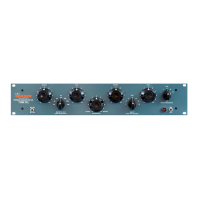
EQP-WA
TUBE AMPLIFIED
PROGRAM EQUALIZER

Other manuals for Warm Audio EQP-WA

Question and Answer IconNeed help?

Do you have a question about the Warm Audio EQP-WA and is the answer not in the manual?

Summary

Warranty Statement and Service

Non-Warranty Service

Information on repairs outside of warranty conditions or periods.

Chapter 1: Now Lets Get Started

Hardware Controls - Front Panel

Description of controls located on the front faceplate of the EQP-WA unit.

Low Frequency Control

Details on the boost and cut controls for the low frequency band.

High Frequency Control

Details on the boost, cut, and bandwidth controls for the high frequency band.

Hardware Controls - Rear Panel

Explanation of power input and audio connection ports on the rear.

Chapter 2: Technical Specifications

Chapter 3: A Bit of History

Chapter 4: Waxing Philosophical

When to EQ?

Guidance on the thoughtful application of equalization for desired sound.

Tips on Using Your EQP-WA

Advice on effectively utilizing the EQP-WA for mixes and program material.

Chapter 5: Hookup Diagrams

Preamplifier to EQP-WA Connection

Diagram showing a microphone feeding into a preamp, then to the EQP-WA.

EQP-WA as an Insert Connection

Diagram illustrating the EQP-WA routed as an insert into a recording device.

Chapter 6: Recall Sheets

Summary

Warranty Statement and Service

Non-Warranty Service

Information on repairs outside of warranty conditions or periods.

Chapter 1: Now Lets Get Started

Hardware Controls - Front Panel

Description of controls located on the front faceplate of the EQP-WA unit.

Low Frequency Control

Details on the boost and cut controls for the low frequency band.

High Frequency Control

Details on the boost, cut, and bandwidth controls for the high frequency band.

Hardware Controls - Rear Panel

Explanation of power input and audio connection ports on the rear.

Chapter 2: Technical Specifications

Chapter 3: A Bit of History

Chapter 4: Waxing Philosophical

When to EQ?

Guidance on the thoughtful application of equalization for desired sound.

Tips on Using Your EQP-WA

Advice on effectively utilizing the EQP-WA for mixes and program material.

Chapter 5: Hookup Diagrams

Preamplifier to EQP-WA Connection

Diagram showing a microphone feeding into a preamp, then to the EQP-WA.

EQP-WA as an Insert Connection

Diagram illustrating the EQP-WA routed as an insert into a recording device.

Chapter 6: Recall Sheets

Warm Audio EQP-WA Specifications

General IconGeneral
Audio inputXLR
Product typeParametric equalizer
Product colorBlack, Blue
Rack mountingYes
Frequency range20 - 50000 Hz
Input voltage (max)115 - 230 V
Equalizer bands quantity-
Weight and Dimensions IconWeight and Dimensions
Depth152.4 mm
Width482.6 mm
Height88.9 mm