Page 13
Flake’ symbol are displayed representing Hot Water and Cooling Temperature settings
respectfully. The Temperature to be adjusted can be selected by pressing the required
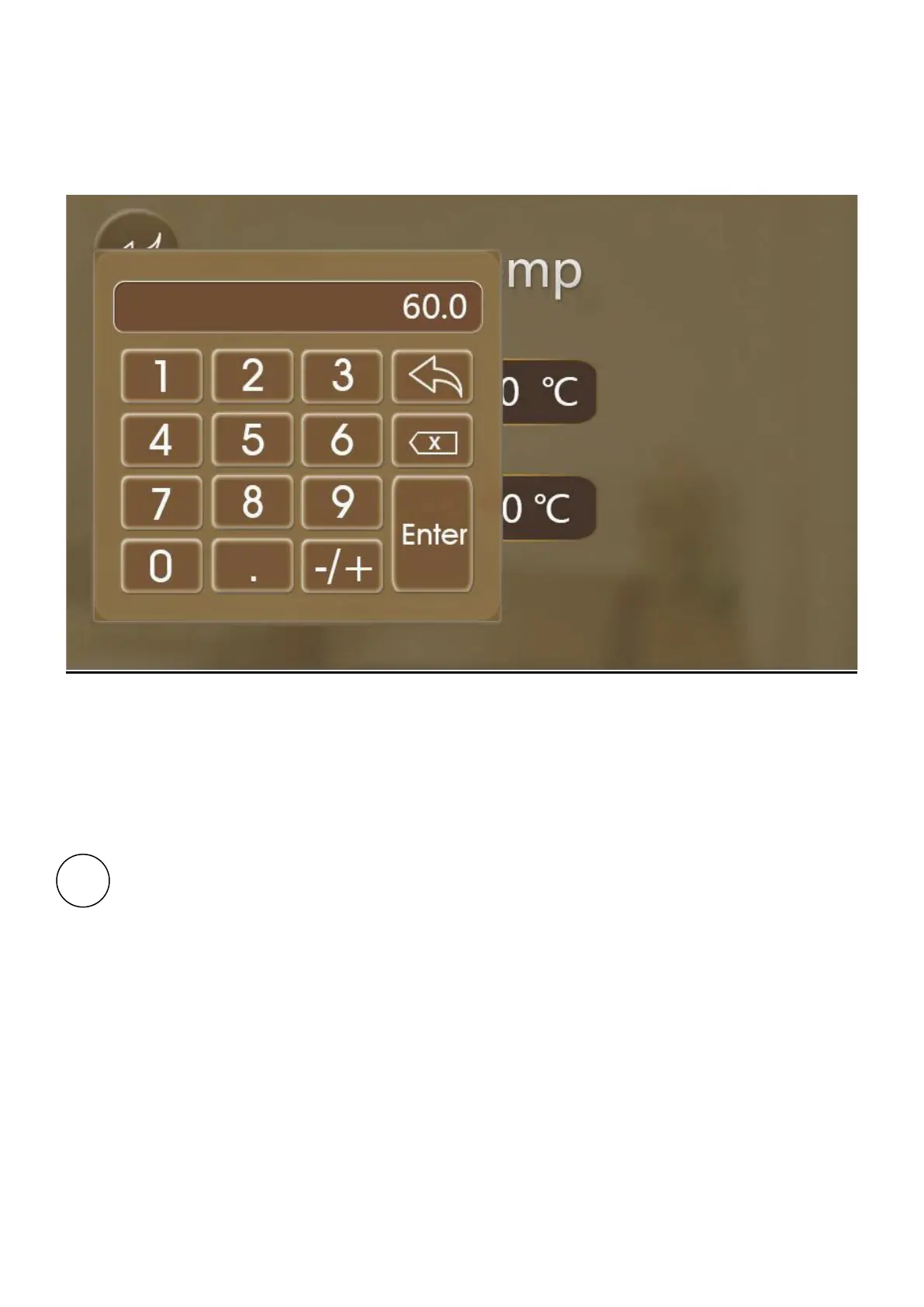
temperature button. This will then bring up a keypad as shown below.
Figure 8 Temperature Setting Menu Screen
The required setting should be entered using the keypad and then confirmed with the ‘Enter’
button. To return to the setting screen, press the ‘Return’ button. To modify another setting,
repeat the above procedure. To return to the Home Screen press the ‘Return’ button located at
the top left of the Temperature Setting Menu Screen.
Lock Button - Press this button to lock the display. This function prevents unwanted
adjustments of parameters or changing of functions and timeclock on/off periods. When
the lock function is activated, the display will ignore all key presses. To unlock the
device, press the Lock Button again and then enter the password. The password is
‘0022’. Once entered, all functionality will be restored.


 To Next Page