V. 1.02
WARMTEC Sp. z o.o., Al. Jana Pawła II 27, 00-867 Warszawa
biuro@warmtec.pl
www.warmtec.pl
2
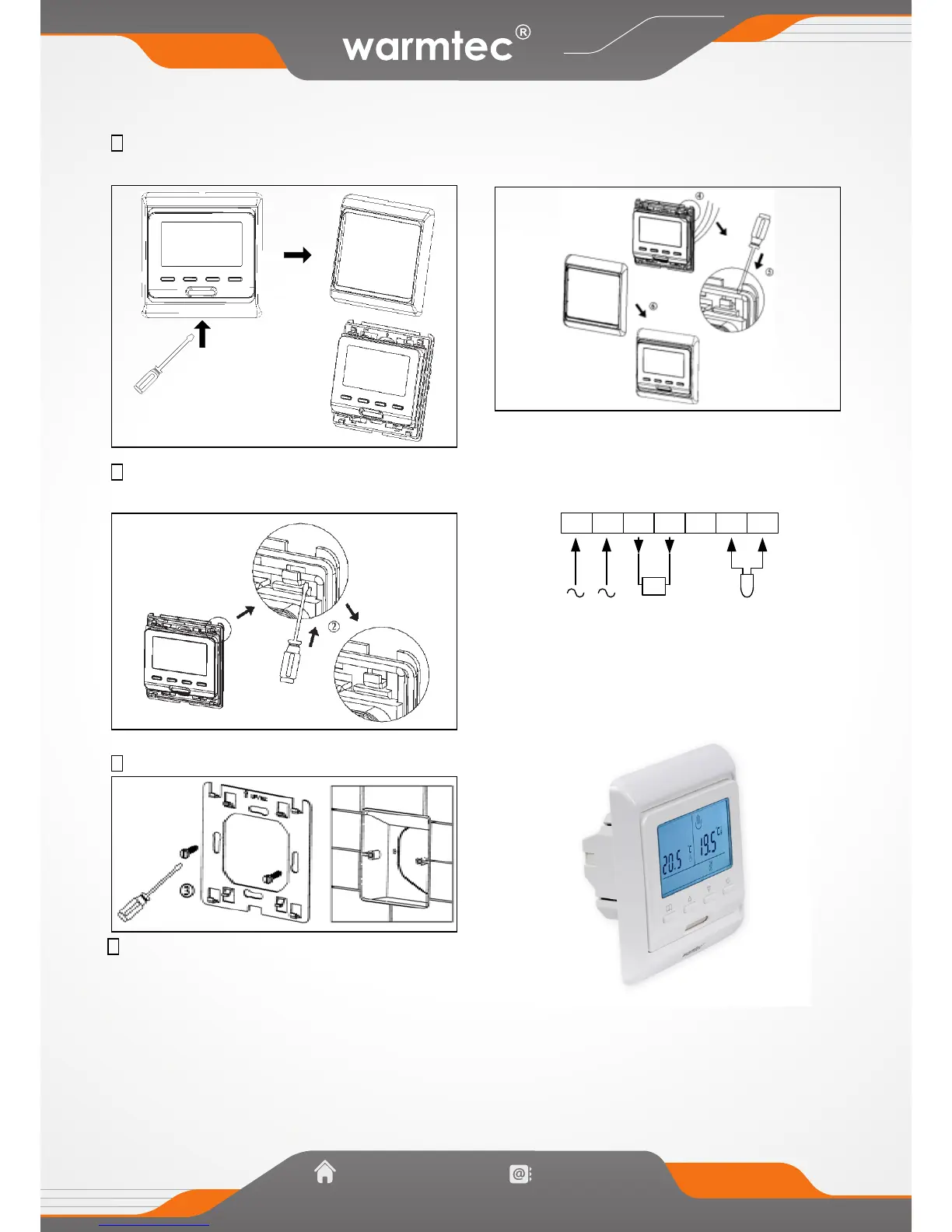
Mounting steps:
1 Release the front cover by inserting a screwdriver
into bottom crack
2 Taking the backing plate apart according to the following
diagram
3 Mounted the backing plate in the wall socket by screwdriver
4 After connect wires, the thermostat mounted on the backing
plate and remounted the cover and frame
Connection diagram


 To Previous Page