EasyManua.ls Logo

Wassermann Wapo-Ex 12 II - User Manual

Wassermann Wapo-Ex 12 II
36 pages
Print Icon
To Next Page IconTo Next Page
Loading...
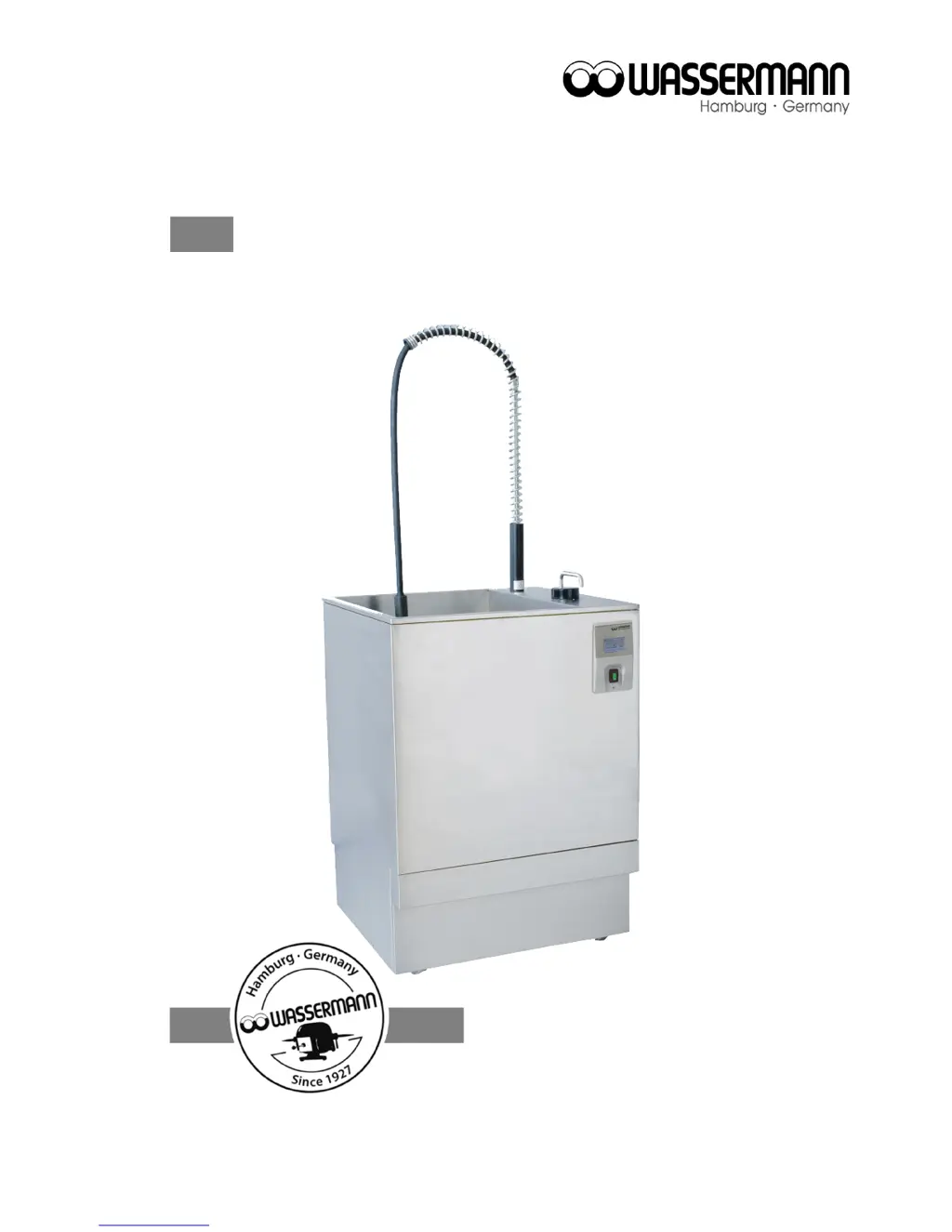
Boil Out Unit
Wapo-Ex 12 II
USER MANUAL

Questions and Answers

  • R
    Randy SmithAug 2, 2025
    How to calibrate the touchscreen on Wassermann Wapo-Ex 12 II Dental equipment?
    • C
      Christopher JohnsonAug 2, 2025
      If the touchscreen on your Wassermann dental equipment isn't working correctly, try calibrating it. Turn the unit on, and when the Wassermann logo appears, touch the display twice. This should start the touch panel calibration process as shown in Fig. 1-2.
  • J
    John FullerAug 7, 2025
    What to do if Wassermann Wapo-Ex 12 II Dental equipment shows a 'Timeout Warning'?
    • A
      Alexander DavisAug 8, 2025
      If the display shows a 'Timeout Warning' on your Wassermann dental equipment, it means the filling time limit has been exceeded and the upper sensor is likely dirty. Clean the combi sensor v.2. If it's very dirty, dismount the combi sensor v.2 (see 8.1.1) and clean it with hot steam. Also, check the 'Filling at Power On' parameter and ensure the water supply is adequate. If the inlet time is too short, adjust it as described in point 1.8. Check the 'Filling at Power On' parameter.
  • M
    Melanie RodriguezAug 12, 2025
    What to do if Wassermann Dental equipment displays a 'Level Warning'?
    • W
      wilsontonyAug 12, 2025
      If your Wassermann dental equipment displays the message 'Level Warning' and shuts down the heating, it indicates that the water level is too low. To address this, press the 'OK' button to acknowledge the level warning. Note that if the warning isn't acknowledged within 10 hours, the unit will cease all functions. After confirmation, the display will show: Touch on at last.
  • G
    Gina BrowningAug 17, 2025
    What to do if Wassermann Wapo-Ex 12 II shows the 'lid is open' symbol?
    • S
      shannoncoxAug 17, 2025
      If the Wapo-Ex 12 II dental equipment displays the symbol indicating that the lid is open, it means that the sliding lid is not closed properly. To resolve this, ensure that you close the sliding lid completely.
  • K
    Kimberly HarmonAug 23, 2025
    How to fix Wapo-Ex 12 II Wassermann Dental equipment that does not heat?
    • D
      David FrenchAug 23, 2025
      If your Wapo-Ex 12 II Wassermann dental equipment is not heating, it might be due to a dirty combi sensor v.2. Clean the combi sensor v.2 to resolve this issue.
  • A
    Andrea HuffmanAug 27, 2025
    Why doesn't the wax scalding start immediately on my Wassermann Wapo-Ex 12 II?
    • B
      Brianna Powers DVMAug 27, 2025
      This is not an error. When in work mode (a), the temperature is intentionally overheated by 1 degree, and the program waits for approximately two minutes to validate the values. Please wait about 3 minutes.

Summary

Features

Safety Symbols

Safety Guidelines

Responsibility and Damage

Application

Before Starting

Transport

Procedures for safely moving the unit before initial setup.

Installation

Instructions for setting up the unit in its operating environment.

Storage

Guidelines for storing the unit when not in use.

Installation, Start-up & Menu Functions

Water Supply

Connecting the unit to the water source and drain.

Fitting the Spray Gallows

Instructions for attaching the spray gallows assembly.

Preparation

Steps required before the initial start-up of the unit.

Start-up Procedure

Steps to initiate the unit's operation and initial settings.

Operation

General Operating Instructions

Basic principles and advice for operating the unit safely.

Unit Operation

Detailed steps for operating the main functions of the unit.

Manual Spray Head Operation

How to use the manual spray head for specific tasks.

Troubleshooting

Care and Maintenance

Cleaning Procedures

Instructions for cleaning various parts of the unit.

General Maintenance

Routine checks and upkeep for the unit.

Repairs

Guidelines for handling unit repairs and service.

Spare Parts

Information on obtaining replacement parts.

Service Hotline

Contact information for technical support and service.

Technical Data

Disposing of the Unit

EU Disposal Information

Guidelines for environmentally sound disposal within the EU.

EU Declaration of Conformity

Wassermann Wapo-Ex 12 II Specifications

General IconGeneral
BrandWassermann
ModelWapo-Ex 12 II
CategoryDental equipment
LanguageEnglish