2 3
Activate Your Firebox
1. Go to www.watchguard.com/activate
2. Log in to your WatchGuard account, or create a new account*.
*If you create a new account, return to www.watchguard.com/activate after you nish the account
creation process.
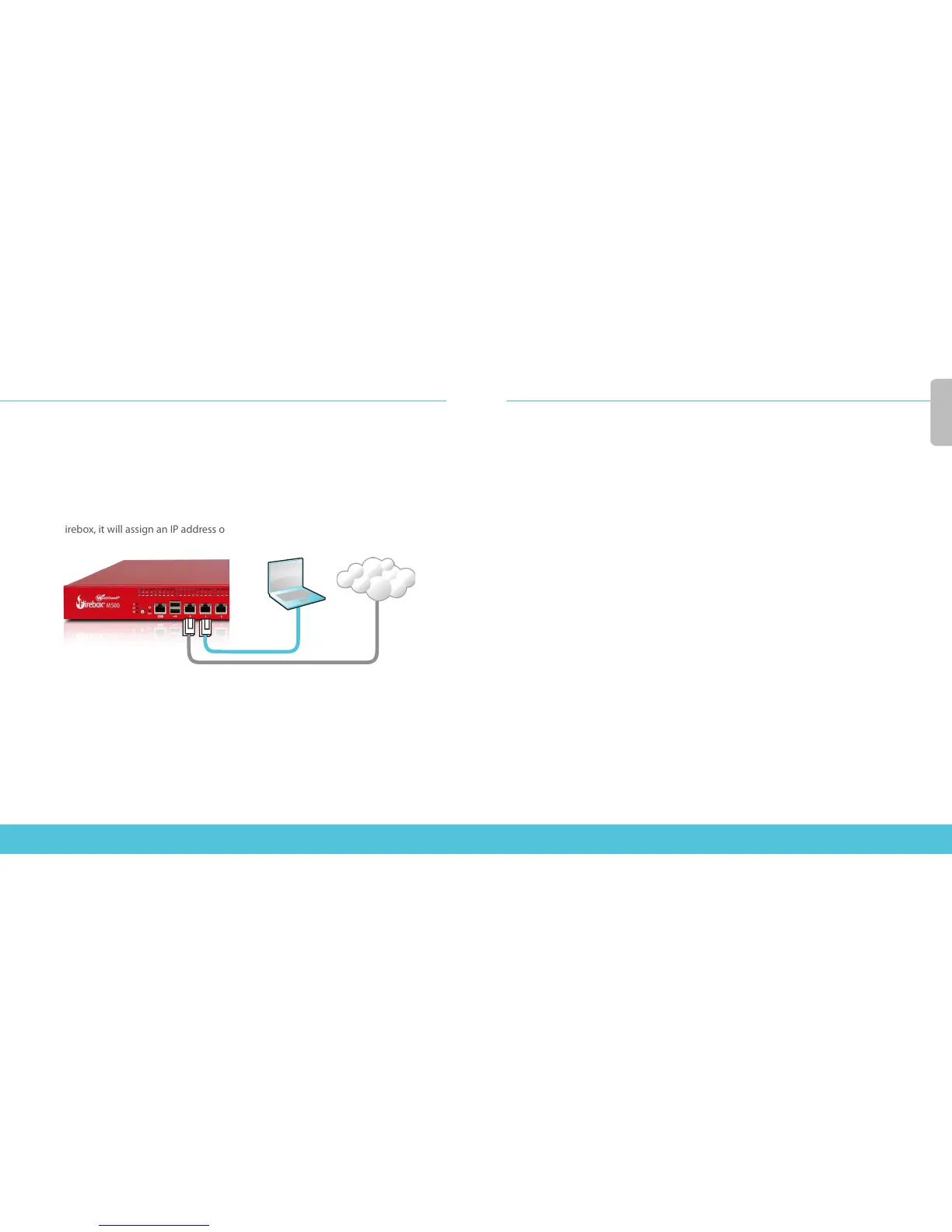
Connect Your Firebox and Power it On
Make sure your computer is congured to use DHCP. When you connect to the
Firebox, it will assign an IP address on the 10.0.1.0/24 network.
Connect to the Web UI
1. Go to https://10.0.1.1:8080
2. You can safely ignore certicate warnings, because the device uses a
self-signed certicate.
3. Log in with the user name admin and the passphrase readwrite.
4. Follow the directions in the Web Setup Wizard to create a basic conguration le for
a new device. Click More Information if you have questions.
5. When the Wizard completes, log in to the Web UI with the admin user account and
the Admin (readwrite) passphrase you set during the Wizard.
6. Install the Firebox in your network.
After you run the Web Setup Wizard your Firebox has a basic conguration:
• Allows outbound FTP, Ping, DNS, TCP, and UDP connections
• Blocks all unrequested trac from the external network
• Inspects outgoing FTP, HTTP, and HTTPS trac
• Uses licensed security services to protect the trusted and optional networks
Next Steps
Congratulations! You have nished basic setup of your Firebox. You can use the Web UI
to view and edit your conguration and to manage and monitor your device. Or, you can
download and install WatchGuard System Manager (WSM) and use Policy Manager and the
WSM suite of management and monitoring tools. Here are some recommendations to help
you get started:
To upgrade the Firebox OS:
1. Log in to Fireware Web UI.
2. Select System > Upgrade OS.
To get the latest version of WSM, WatchGuard Dimension,
VPN clients, and other software for your Firebox:
To get the latest version of WSM and Fireware OS:
1. Go to www.watchguard.com/support and click Download Software.
2. Find the software downloads page for your Firebox model and select the
software you want to install.
English
English
Computer
Internet
Eth 1
Eth 0













 To Next Page