8 9
Reset the Firebox to Factory-Default Settings
If you ever need to, you can restore your Firebox to its factory-default settings. For example,
if you do not know the administrator account passphrase or you want to start over with a new
conguration, you can reset your Firebox. Make sure you back up your Firebox conguration
before you reset your Firebox in case you want to restore it in the future.
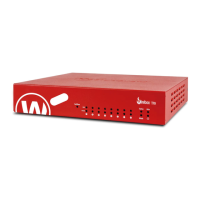
For information about how to reset your Firebox, see the Firebox T70 Hardware Guide, available at:
www.watchguard.com/help/documentation/hardware.asp
激活设备
1. 转到 www.watchguard.com/activate
2. 登录到您的 WatchGuard 帐户,或者创建一个新帐户*。
*如果创建新帐户,请在完成帐户创建过程之后返回到 www.watchguard.com/activate。
3. 输入设备的序列号。
4. 在激活期间,选择安装方法:
• 快速部署 – 自动下载快速部署配置文件并将其应用到您的设备,其中预配置了 WatchGuard 推荐的
安全设置。
• 常规激活 – 使用网页安装向导为您的设备创建基本配置。
5. 请根据您的实际安装方法选择本手册中对应的安装说明。
简体中文













 To Next Page