EasyManua.ls Logo

Watercool HEATKILLER IV Pro - User Manual

Watercool HEATKILLER IV Pro
4 pages
Print Icon
To Next Page IconTo Next Page
Loading...
1
1.
Einleitung
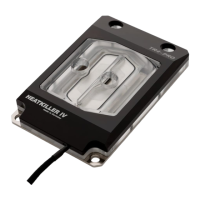
Der HEATKILLER® IV for Threadripper™
setzt
neue Maßstäbe im Bereich Leistung, Qualitä
t
und Montagefreundlichkeit. Bei d
essen
Entwicklung wurde konsequent au
f eine
perfekte Kühlung aller vier DIEs
ausgerichtet.
Eine farbige Montageanleitung im PDF
Format finden Sie im Servicebereich unserer
Homepage unter www.watercool.de
Die Installation erfolgt auf eigene Gefahr.
Das Nichtbeacht
en der Montageanleitung
kann das Produkt
beschädigen. Die Firma
Watercool übernimmt keinerlei Haftung bei
Beschädigungen an der Hardware.
1.
Introduction
The HEATKILLER® IV for Threadripper™
sets
new standards in performance, quality and
installation simplicity.
It is perfectly designed
to cool all four DIEs under the heatspreader.
Coloured assembly instructions are
provided as a PDF-file
in the service area of
our homepage. www.watercool.de
Installation is at your own risk. The
Watercool Company accepts no liability for
any damages caused to hardware and data. If
uncertain, hire a specialist to carry out the
modification or use our modification service.
HEATKILLER® IV
Pro for
Threadripper™
Montageanleitung /
Assembly Instructions
Question and Answer IconNeed help?

Do you have a question about the Watercool HEATKILLER IV Pro and is the answer not in the manual?

Summary

Introduction to HEATKILLER IV Pro for Threadripper

Colored PDF Assembly Instructions Available

Provides link to colored PDF assembly instructions on the website.

Installation Disclaimer and Liability

Installation is at user's risk; company accepts no liability for damages.

Preparation Before Installation

Remove Old Cooler and Clean CPU

Remove existing CPU cooler and clean any residual thermal paste.

Apply Thermal Paste

Apply thermal paste evenly to the CPU before installing the new cooler.

Mounting Method Explained

Water block mounts directly to the original backplate, no motherboard removal needed.

Refer to Additional Disassembly Manuals

Refer to respective manuals for details on cooler and motherboard disassembly.

Torque Warning for Screws

Avoid excessive torque when screwing; it can strip threads or screw heads.

Mounting the Cooler

Install Mounting Parts

Install all mounting parts as shown in the diagram.

Initial Screw Installation

Start all four screws loosely before tightening to overcome spring tension.

Crosswise Tightening Sequence

Tighten screws evenly in a crosswise pattern (1, 2, 3, 4).

Final Tightening for Optimal Pressure

Turn each screw one full rotation at a time, repeating until all are tight.

Overtightening Prevention

The mounting system has a defined stop, preventing overtightening.

General Information and Usage

Cooler Port Identification

The cooler has defined intake and outlet ports, with intake in the center.

Recommended Coolant Type

Demineralized or deionized water is highly recommended as coolant.

RGB LED Strip Connection

Connect the RGB LED strip to the motherboard or controller, minding polarity.

Watercool HEATKILLER IV Pro Specifications

General IconGeneral
BrandWatercool
ModelHEATKILLER IV Pro
CategoryComputer Hardware
LanguageEnglish

Related product manuals