EasyManua.ls Logo

Watlow Electric EZ-ZONE PM - User Manual

Watlow Electric EZ-ZONE PM
181 pages
Print Icon
To Next Page IconTo Next Page
Loading...
0600-0059-0000 Rev. M Made in the U.S.A.
April 2013
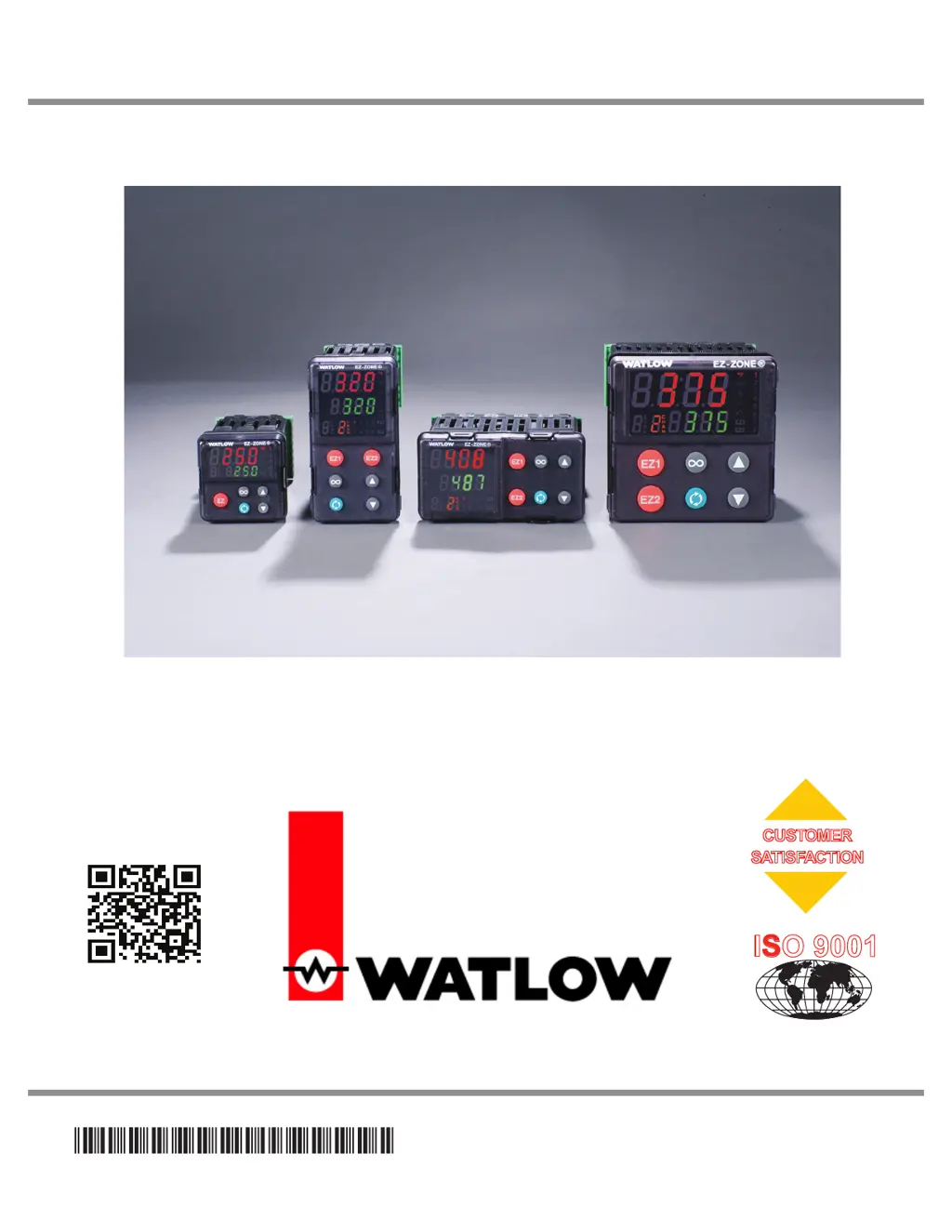
User’s Guide
EZ-ZONE
®
PM
Integrated Controller Models
1241 Bundy Boulevard., Winona, Minnesota USA 55987
Phone: +1 (507) 454-5300, Fax: +1 (507) 452-4507 http://www.watlow.com
TOTAL
3 Year Warranty
CUSTOMER
SATISFACTION
Registered Company
Winona, Minnesota USA
ISO 9001

Table of Contents

Questions and Answers

Summary

Chapter 1: Overview

Standard Features and Benefits

Details the core functionalities and advantages of the EZ-ZONE PM controller.

Optional Features and Benefits

Outlines additional features that enhance the controller's capabilities for specific applications.

A Conceptual View of the PM

Explains the controller's architecture and functional components for better understanding.

Getting Started Quickly

Provides a brief guide to initial setup and basic operation of the controller.

Chapter 2: Install and Wire

Dimensions

Presents the physical dimensions and panel mounting requirements for different models.

Installation

Guides users through the process of physically mounting and installing the controller into a panel.

Wiring

Details the terminal connections for inputs, outputs, power, and communications for various configurations.

Chapter 3: Keys and Displays

Responding to a Displayed Message

Describes how to interpret and respond to attention codes and messages shown on the controller display.

Navigating the EZ-ZONE PM Integrated Controller

Explains the function of each key and display element on the controller's interface.

Chapter 4: Home Page

Default Home Page Parameters

Lists the default parameters displayed on the Home Page for monitoring and quick access.

Modifying the Home Page

Guides users on customizing the Home Page to display frequently used parameters.

Modifying the Display Pairs

Explains how to configure parameter pairs for display on the Home Page.

Chapter 5: Operations Page

Navigating the Operations Page

Details the steps to access and navigate through the various menus within the Operations Page.

Analog Input Menu

Describes parameters related to configuring analog inputs, including sensor type and scaling.

Limit Menu

Covers settings for alarm and limit conditions, including set points and hysteresis.

Alarm Menu

Details parameters for configuring alarm types, sources, set points, and behavior.

Control Loop Menu

Covers the configuration of PID parameters, tuning methods, and control modes for each loop.

Chapter 6: Setup Page

Navigating the Setup Page

Guides users on accessing and navigating the Setup Page menus and parameters.

Analog Input Menu

Covers detailed configuration of analog inputs, including sensor type, calibration, and scaling.

Digital Input;Output Menu

Explains the setup for digital inputs and outputs, including direction, function, and instance.

Limit Menu

Details the configuration of limit set points, hysteresis, and status for safety and control.

Control Loop Menu

Covers the configuration of PID parameters, tuning methods, and control modes for each loop.

Communications Menu

Outlines settings for network protocols like Modbus, EtherNet/IP, DeviceNet, and Profibus.

Chapter 7: Profiling Page

Navigating the Profiling Page

Explains how to access and navigate the Profiling Page for configuring temperature profiles.

Profile Setup

Covers foundational profile settings like Ramping Type and Guaranteed Soak Enable.

Profiling Parameters

Details the various step types and parameters used to define temperature profiles.

Chapter 8: Factory Page

Navigating the Factory Page

Guides users on accessing and navigating the Factory Page for advanced configuration and diagnostics.

Custom Setup Menu

Allows customization of parameters displayed on the Home Page.

Lock Menu

Covers security settings for locking access to specific pages or parameters.

Diagnostics Menu

Provides access to controller information such as part number, firmware revision, and serial number.

Calibration Menu

Details procedures for calibrating analog inputs and outputs for accurate measurements.

Chapter 9: Features

Tuning the PID Parameters

Explains how to tune PID parameters for optimal control performance using autotuning or manual methods.

Inputs

Describes input configurations like calibration, sensor selection, and range settings.

Control Methods

Explains different control strategies like Auto, Manual, On-Off, P, PI, and PID control.

Alarms

Covers the configuration of alarms, including types, set points, hysteresis, and behavior.

Using Lockout and Password Security

Details methods for securing controller settings using lockout levels and passwords.

Chapter 10: Applications

Example 1: Single Loop Control

Demonstrates a basic control loop configuration with one input and one output.

Example 2: Sensor Backup

Explains how to configure sensor backup for redundancy using two analog inputs.

Example 5: Differential

Illustrates how to configure differential control to maintain a difference between two analog inputs.

Example 6: Cascade

Describes cascade control for optimizing thermal systems with long lag times using two control loops.

Example 9: Motorized Valve Control

Details the configuration for controlling motorized valves using special output functions.

Chapter 11: Appendix

Troubleshooting Alarms, Errors and Control Issues

Provides a guide to diagnosing and resolving common alarms, errors, and control problems.

Modbus - Programmable Memory Blocks

Explains the use of Modbus registers for accessing and configuring parameters.

Specifications

Lists the technical specifications, ratings, approvals, and dimensions of the controller.

Ordering Information for PM Integrated Controller Models

Provides details on model numbers and configuration options for ordering.

Watlow Electric EZ-ZONE PM Specifications

General IconGeneral
BrandWatlow Electric
ModelEZ-ZONE PM
CategoryController
LanguageEnglish