8 | Charger Operation
CHARGING OPERATION:
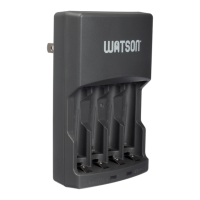
Insert 2 or 4 AA or AAA NiMH or NiCd batteries
into the battery chambers. Make sure they are
oriented according to the polarity symbols
(+ or -) that are marked inside each chamber.
Pull out the flat AC plug 90 degrees, and plug it
into a standard AC outlet.
The charging indicator lights will flash when the
charger is first plugged in, then glow steady red
while charging.
NOTE: If two level indicators are flashing, it's
an indication that at least one of the batteries
needs to be replaced.
When the batteries are fully charged, the lights
will glow steady green.
NOTE: It's normal for the batteries to become
warm while charging.
When you are finished charging the batteries,
remove the flat AC plug from the AC outlet.
1
2
4
3
5



 To Next Page