8 | Overview
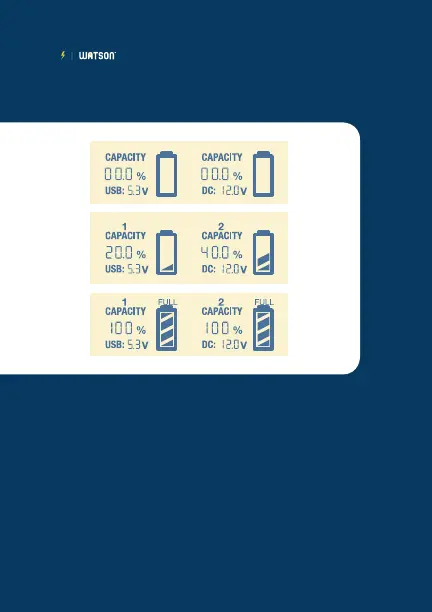
The top screen above will display when you first plug
in the Duo Charger.
Once charging begins, the screen will be similar to
the middle display shown above. You can charge two
batteries independently.
When charge is complete, "FULL" will appear above
the battery icon and the screen will display similar to
the bottom illustration.
LCD INFORMATION:



 To Next Page