Need help?
Do you have a question about the Wattbike NUCLEUS and is the answer not in the manual?
Step-by-step guide for assembling the Nucleus bike from its components.
Important safety advice regarding proper rider setup and adjustment procedures.
Guidelines for cleaning the bike after each session and performing monthly upkeep.
Overview of available workouts, tests, and how to initiate them.
Details on customer services, technical support channels, and contact methods.
Guidelines on proper usage, precautions, and general safety instructions.
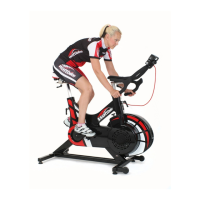
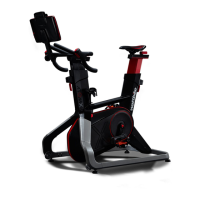
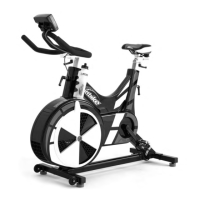
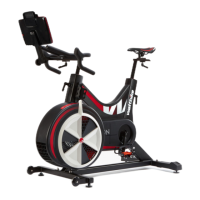
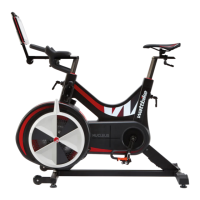
The Wattbike Nucleus is a high-performance indoor cycling trainer designed to provide an authentic and personalized riding experience for a wide range of users, from cyclists to gym-goers and fitness enthusiasts. It builds upon the legacy of the Wattbike Pro/Trainer, incorporating advanced technology and features to deliver accurate data, realistic resistance, and comprehensive training tools.
The primary function of the Wattbike Nucleus is to simulate outdoor cycling indoors, offering a controlled environment for training, testing, and performance analysis. It achieves this through a combination of its robust mechanical design and an integrated high-definition performance touchscreen. The Nucleus is engineered to provide a "Real Ride Feel," replicating the resistance and sensation of riding on the road, ensuring that indoor efforts translate effectively to outdoor performance.
At its core, the Nucleus delivers incredibly accurate performance feedback, with data readings taken at 1000x a second across a maximum power range of 2000W, ensuring a ±2% accuracy. This precision allows riders to rely on the data for serious training and performance tracking.
The integrated performance touchscreen is a central component of the Nucleus, elevating the cycling experience by providing access to a wealth of training content and data visualization. This includes a variety of workouts, training plans, and tests, as well as a brand-new interval builder that allows users to create highly personalized workouts. The touchscreen also displays real-time performance metrics and offers advanced analytical tools.
The Wattbike Nucleus is designed for seamless and intuitive use, offering a range of features to enhance the rider's training experience:
Performance Touchscreen: The high-definition touchscreen is the control center for the Nucleus. It provides access to:
Adjustability for Rider Fit: The Nucleus accommodates any rider through its unique real ride setup. It features adjustable components to ensure optimal fit and comfort:
Pedalling Effectiveness Score (PES) & Polar View: These patented analytical tools are crucial for technique improvement:
Connectivity: The Nucleus offers seamless connectivity with a wide range of devices and apps:
Resistance System: The Nucleus features an updated magnetic brake system combined with air resistance, providing a more linear and predictable resistance. This system offers resistance suitable for all gym users while maintaining Wattbike's accuracy and Real Ride Feel.
The Wattbike Nucleus is constructed from high-performance components designed for heavy usage and minimal maintenance. However, regular care ensures its longevity and optimal performance:
After Each Session:
Monthly Maintenance (or as necessary):
Moving and Storing:
Firmware Updates: The Nucleus receives automatic firmware updates via an internet connection to activate new features and keep its electronics up-to-date. Users should ensure they have the latest Wattbike Hub app and connect to the Nucleus regularly for updates. A restart of the Nucleus and the connected device is required after updates.
Troubleshooting: The manual provides guidance for common issues, such as the performance touchscreen not switching on due to battery drain, including steps for charging and restarting the screen.
Customer Support: Wattbike offers comprehensive customer services, technical support, and warranty information, including telephone consultation, on-site service, and supply of original spare parts. Users are advised to contact Wattbike support if they notice unusual noises, grinding, or any malfunction.
The Wattbike Nucleus is a sophisticated training tool that combines advanced technology with user-friendly design, making it an ideal choice for anyone looking to enhance their cycling performance and fitness.
 General
| Type | Indoor exercise bike |
|---|---|
| Connectivity | Bluetooth, ANT+ |
| Weight | 50 kg |
| Max User Weight | 150 kg |
| Q Factor | 173 mm |
| Drive System | Belt drive |
| Resistance System | Magnetic |
| Use | Commercial and home use |
| Power Measurement | Yes, accurate to +/- 2% |
| Compatibility | Compatible with training apps |
| Dimensions | 125 x 66 x 130 cm |

 To Next Page