EasyManua.ls Logo

WaveNode WN-2 - User Manual

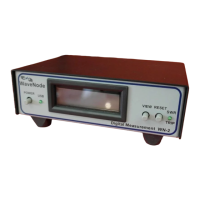
WaveNode WN-2
3 pages
Print Icon
To Next Page IconTo Next Page
Loading...
Technote # 115
Rev. 3/15/2019
Using your WN2 to Send Text/Email Fault Messages
Rev.1
BRIEF:
Your WN-2 can provide an Email or Text message to notify the user of a fault condition. This
fault monitoring is perfect for remote base station or repeater operation. Three types of faults can
be detected.
High SWR detected. The user sets the SWR trip level and which of the four sensor
positions will generate the fault. No additional external connections are necessary.
R.F. Power too low. The user sets a power level threshold for each sensor. If the power
goes below this level, a fault message is sent. This is most useful for FM or other phase
modulated signals with a relatively constant power level. The P.T.T. (transmit is true and
active logic low) is provided to the rear panel 16-pin connector for each transmitter being
monitored.
External battery or power supply levels. Four analog inputs can be monitored from the
system power supplies. When a user defined low threshold is reached, the WN-2 will send
a fault message. The inputs have a 0-20 Volt DC range.
INSTRUCTIONS:
Your WN2 has 16-pin ribbon connector on the rear panel with the pinout shown as below:
Fig. #1 This view is looking at the connector from the rear panel. Note that
pin 1 is at the upper-right.
You will need a standard 16 pin ribbon connector to interface to the connector on the rear panel.
Click on the block diagram drawing link below to show how to connect your P.T.T. lines and power
supplies to the ribbon connector for fault monitoring.
Link to WN-2 Fault Monitor Wiring for Email/Text Notifications
Question and Answer IconNeed help?

Do you have a question about the WaveNode WN-2 and is the answer not in the manual?

Overview

The Wavenode WN-2 is a device designed to monitor various parameters of a radio frequency (RF) system and trigger email notifications in the event of a fault. It acts as a fault email trigger, sending alerts when specific conditions, such as low RF power or power supply voltage, are detected. The device is equipped with a 16-pin ribbon connector for easy integration into an existing P.T.T. (transmit and true and active logic low) circuit, which is a common interface for controlling RF transmitters.

Function Description:

The primary function of the WN-2 is to continuously monitor key operational parameters of an RF system and provide timely fault notifications via email. It can monitor up to four RF power levels and four DC voltage levels. When any of these monitored parameters fall below a user-defined threshold, the WN-2 identifies it as a fault condition and initiates an email alert. This proactive notification system allows operators to quickly identify and address potential issues, minimizing downtime and ensuring the continuous operation of the RF system.

The device's monitoring capabilities extend to:

  • RF Power Monitoring: It can monitor the RF power output of up to four PTT channels. Users can set minimum RF power thresholds (in watts) for each channel. If the RF power drops below the set threshold for any channel, a fault is triggered.
  • DC Voltage Monitoring: The WN-2 also monitors up to four DC voltage levels, likely related to the power supply of the RF system or associated components. Users can define minimum voltage thresholds for each level. A fault is triggered if any monitored DC voltage falls below its configured minimum.
  • Fault Email Triggering: Upon detecting a fault, the WN-2 sends an email notification to a predefined address. This email serves as an immediate alert, informing personnel of the detected issue.

Important Technical Specifications:

While specific numerical ranges for all parameters are not explicitly detailed, the manual provides insights into the device's capabilities:

  • Input/Output: The WN-2 utilizes a 16-pin ribbon connector for its primary interface. This connector handles various signals, including:
    • Power Supply: 16.45 volts (likely the operating voltage for the device itself).
    • Ground: Common ground connections.
    • Analog Inputs: Four analog inputs (10, 12, 14, 16) for monitoring RF power or other analog signals.
    • Logic Outputs: Four logic outputs (1, 3, 5, 7) which could be used to indicate fault conditions or control external devices.
    • Logic Inputs: Four logic inputs (2, 4, 6, 8) which could be used for external triggers or status indications.
  • RF Power Monitoring Range: The example settings show minimum RF power thresholds ranging from 70 to 100 watts for different PTT channels. This suggests the device is capable of monitoring RF power in this range, though its full capabilities might extend beyond these examples.
  • DC Voltage Monitoring Range: The example settings show minimum DC voltage thresholds of 4 volts for all four voltage levels. This indicates the device can monitor DC voltages at least in this range.
  • Fault Indication: The software interface uses a "Red circle" to visually indicate which specific fault condition has been triggered.
  • Email Protocol: The device is configured to send emails, with a recommendation to use Google Email (Gmail) for reliability and ease of setup. This implies support for standard email protocols like SMTP.
  • Security: The manual highlights the importance of adjusting Gmail's "Less secure app access" setting, suggesting that the WN-2 might use a less secure method for sending emails, requiring specific configuration on the email service provider's side.

Usage Features:

The WN-2 offers several user-friendly features for configuration and operation:

  • Software Interface: The device is managed through a dedicated software interface, the "Email Setup" menu, which is part of the WN-2 software. This graphical user interface (GUI) simplifies the configuration process.
  • Configurable Fault Conditions: Users can individually enable or disable fault email triggers for each of the monitored RF power levels and DC voltage levels using checkboxes in the software. This allows for tailored monitoring based on specific system requirements.
  • Adjustable Thresholds: The minimum RF power (in watts) and minimum DC voltage thresholds can be easily adjusted by the user through text boxes in the software. This flexibility allows for fine-tuning the fault detection sensitivity.
  • Test Message Functionality: A "Click to send Test Message Using your Settings" button allows users to verify their email setup and ensure that fault notifications are being sent correctly. This is a crucial step during initial configuration.
  • Save Settings: The "Save Settings" button allows users to store their configured parameters, ensuring that the device operates with the desired monitoring thresholds and email settings even after power cycles.
  • Clear Fault Status: The "Reset Fault Status" button is a key operational feature. It clears all indicated faults and re-enables the sending of fault emails. This prevents a "flood of emails" by ensuring that only one email is sent per fault event until the fault is acknowledged and reset.
  • Email Configuration Wizard: The software includes instructions for setting up email, guiding users through the process of configuring email addresses, passwords, forwarding addresses, and testing the settings. It specifically mentions using the "OPEN THE EMail SETUP MENU" and "Configure Settings with GUI" buttons.

Maintenance Features:

The WN-2 incorporates features designed to streamline maintenance and prevent alert fatigue:

  • Fault Indication: The visual "Red circle" in the software interface immediately highlights which specific parameter has triggered a fault. This helps in quickly diagnosing the root cause of an issue.
  • Reset Fault Status: The "Reset Fault Status" button is a critical maintenance feature. After a fault is addressed, this button allows operators to clear the fault indication and re-enable email notifications for future faults. This prevents continuous, redundant email alerts for the same ongoing issue. The message "No Additional Fault Email Messages will Occur Until the Reset is Pressed" clearly communicates this functionality.
  • Documentation and Support: The manual refers users to the WN-2 manual (available on CDROM, the Wavenode website, or via the software's "Help" item) for additional information on the fault email feature and setup. This ensures that users have access to comprehensive support resources for troubleshooting and advanced configuration.
  • Email Service Provider Compatibility: The recommendation to use Google Email and the instructions regarding "Less secure app access" suggest that the device is designed with common email service providers in mind, simplifying the setup and reducing potential compatibility issues.

In summary, the Wavenode WN-2 is a specialized monitoring device that enhances the reliability of RF systems by providing automated, email-based fault notifications. Its configurable thresholds, user-friendly software interface, and intelligent fault management features make it a valuable tool for operators seeking to maintain optimal system performance and minimize downtime.

WaveNode WN-2 Specifications

General IconGeneral
BrandWaveNode
ModelWN-2
CategoryMeasuring Instruments
LanguageEnglish