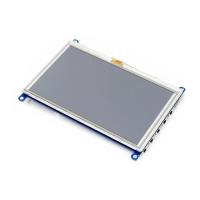
4inch e-Paper
User Manual
(6) When the surface becomes dusty, please wipe gently with absorbent cotton or other soft
materials like chamois soaks with petroleum benzene. Normal-hexane is recommended for cleaning
the adhesives used to attach the PS. Do not use acetone, toluene and alcohol because they cause
chemical damage to the PS.
(7) Wipe off saliva or water drops as soon as possible. Their long time contact with PS causes
deformations and color fading.
This data sheet contains final product specifications.
Limiting values given are in accordance with the Absolute Maximum Rating System (IEC
134). Stress above one or more of the limiting values may cause permanent damage to the
device. These are stress ratings only and operation of the device at these or at any other
conditions above those given in the Characteristics sections of the specification is not
implied. Exposure to limiting values for extended periods may affect device reliability.
Where application information is given, it is advisory and does not form part of the
specification.
All The specifications listed in this document are guaranteed for module only. Post-assembled
operation or
component(s) may impact module performance or cause unexpected effect or damage and
therefore listed specifications is not warranted after any Post-assembled operation.



 To Next Page