EasyManua.ls Logo

Wavetek WT0001 - User Manual

Wavetek WT0001
3 pages
Print Icon
To Next Page IconTo Next Page
Loading...
Smartphone Camera Shutter
WaveTek
www.wavetek.com.hk
Rm 1016, 10/F., Tung Lee Ind. Bldg.,9 Lai Yip St., Kwun Tong, KLN, HK
Tel: (852) 3971 0352 Fax: (852) 2125 0730
Bluetooth Low Energy DIY kit
Instruction Manual
Project 1
DIY Project: WT0001
Order Code:
WT0001-A Components kit with instruction manual
WT0001-B Assembled board
WT0001-A
- Components needed
- Wire
- Battery holder
- Instruction Manual
WT0001-B
- Working board
- Instruction Manual
Function:
Remote your IOS7 mobile phone device to take
photo. No extra Apps needed.
Requirements and Supported Device
Assembled WT0001 board x 1 set
IOS 7 (BT4.0 or BLE supported model) x1 set
Skill Level:
- Basic soldering skill needed
- Basic Electronics circuit knowledge
Tools
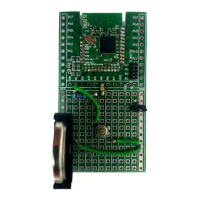
DIY Kit - WT0001
switch x 1
LED x 1
Resistor x 1
Wire x 4
CR2032 battery
holder x 1
Question and Answer IconNeed help?

Do you have a question about the Wavetek WT0001 and is the answer not in the manual?

Summary

DIY Project: WT0001 Smartphone Camera Shutter

Function

Remote your IOS7 mobile phone device to take photo. No extra Apps needed.

Requirements and Supported Device

Assembled WT0001 board x 1 set, IOS 7 (BT4.0 or BLE supported model) x1 set.

Skill Level

Basic soldering skill needed, Basic Electronics circuit knowledge.

Order Code

WT0001-A: Components kit, WT0001-B: Assembled board.

Operation Steps

Instructions for using the DIY board to control a smartphone camera.

Wavetek WT0001 Specifications

General IconGeneral
BrandWavetek
ModelWT0001
CategoryRemote Control
LanguageEnglish