CHAPTER 19 CLICK 222 173
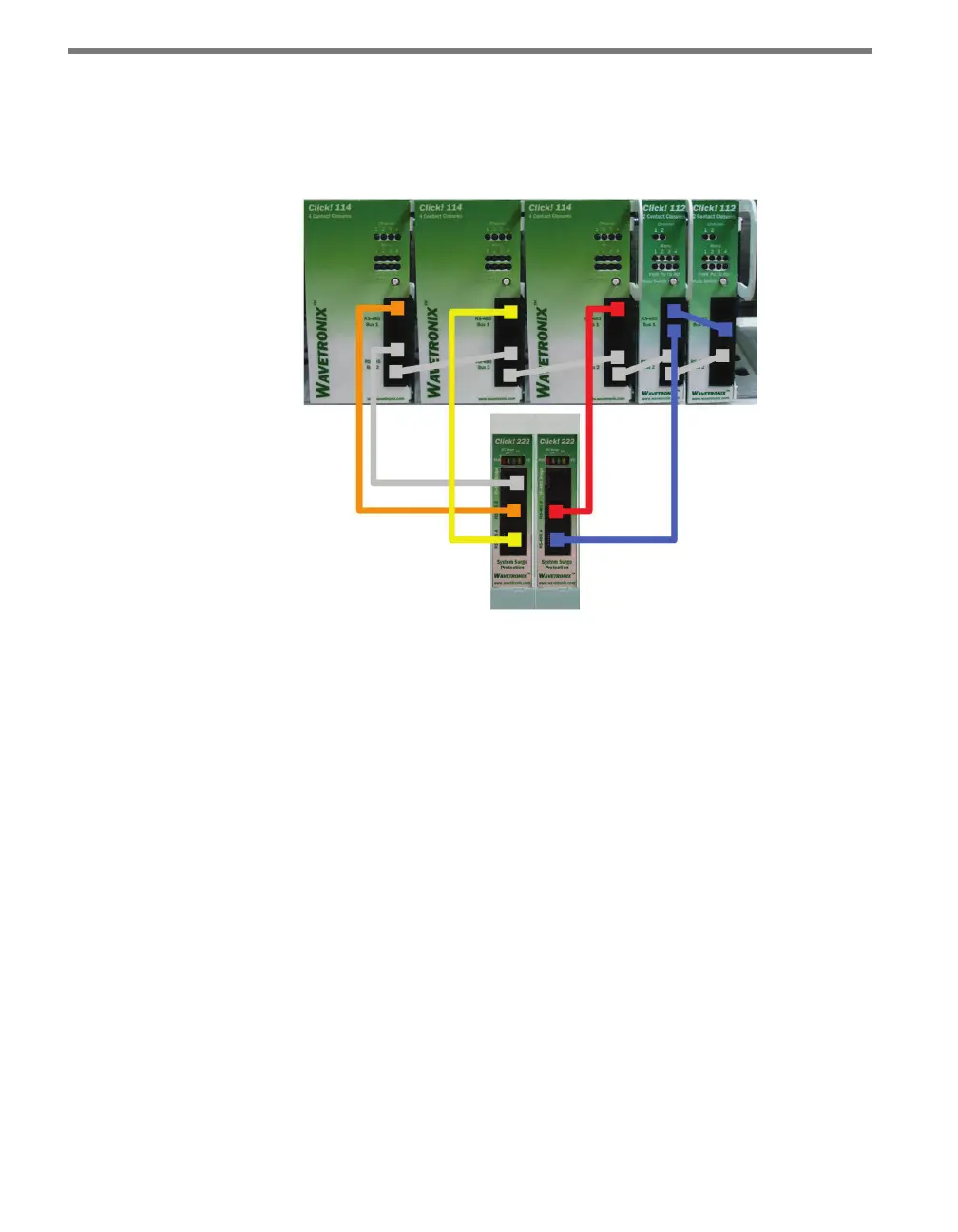
3 If you are using Click 112 cards, use a short patch cord to share bus 1 between cards
dedicated to the same sensor, as shown with the two rightmost cards in Figure 19.4.
4 If you have more than two sensors in your system, repeat steps 1–3 for all remaining
rack cards.
Figure 19.4 – Wiring the Click 112/114 Rack Cards
5 Connect a patch cord from one of the Click 222 bridge ports to bus 2 of the rack cards.
6 Use short patch cords to daisy-chain bus 2 together on all the cards. is bus will be
used for conguration.
See the Click 112/114 chapter in this manual for more information on conguring and us-
ing the detector rack cards.



 To Next Page