
 Need help?
Do you have a question about the Wavion WBSn-2450 and is the answer not in the manual?
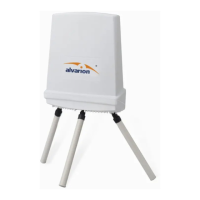
Details the hardware components of the WBSn-2450 system.
Highlights the primary advantages and features of the WBSn-2450 base station.
Lists all necessary procedures and equipment before installation.
Step-by-step instructions for installing the WBSn-2450 base station.
Procedures for connecting and sealing antennas to the WBSn-2450 unit.
Guidelines for ensuring a safe installation environment.
Best practices for preparing the installation site and grounding the equipment.
Instructions on how to log in to the WBSn-2450 management interface.
Explains the Automatic Channel Selection (ACS) process for optimal performance.
Overview of system status, including device, network, and interface information.
Guides on configuring general system parameters like device name.
Procedures for configuring management IP addresses and network settings.
Settings for specifying the base station's uniform time and geographical location.
General steps to define and set up Virtual Access Points (VAPs) and WLANS.
Detailed steps to define and configure Virtual Access Points (VAPs).
Configuration of Quality of Service (QoS) for prioritizing network traffic.
Settings for wireless security, including authentication types and encryption methods.
Methods to restrict access to the wireless network, such as MAC filtering.
Configuration of MAC access lists to permit or deny network access.
Configuration options for the radio modules, including channel and power.
Explains the Automatic Channel Selection (ACS) process for optimal performance.
General setup for network/ethernet interfaces in bridge and router modes.
Steps for configuring network/ethernet interfaces and VLANs in Bridge Mode.
Configuration of how VLANs are defined and mapped to VAPs.
Information on setting up network/ethernet interfaces in Router Mode (future feature).
Managing system settings, including FTP client configuration and rebooting.
Adding and managing user accounts with specific permissions for system access.
Procedures for upgrading, downgrading, and managing system firmware.
Tools for verifying IP connectivity and creating support files.
Managing configuration files: backup, restore, import, and export operations.
Viewing and configuring system event logs for monitoring and analysis.
Common problems and their solutions for WBSn-2450 operation.
Explanation of the meaning of different LED statuses on the WBSn-2450.
Answers to common questions regarding WBSn-2450 functionality and operation.
Technical specifications related to the hardware components of the WBSn-2450.
Definitions of acronyms and technical terms used in the manual.
 General
| Product Type | Base Station |
|---|---|
| Frequency Band | 2.4 GHz |
| Wireless Standard | 802.11b/g/n |
| Max Data Rate | 300 Mbps |
| Power Supply | 48 VDC |
| Ingress Protection Rating | IP67 |
| Power over Ethernet | 802.3af/at |
| Mounting | Pole or Wall |
| Ethernet Ports | 2 x 10/100/1000Base-T |

 To Next Page