Need help?
Do you have a question about the Waygate Technologies Krautkramer USM 100 and is the answer not in the manual?
Essential safety information for operating the USM 100 instrument and its components.
Guidance on prerequisites, technical requirements, and factors affecting ultrasonic test results.
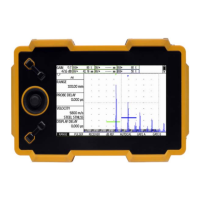
Overview of the instrument's design, applications, and key general features.
Instructions on how to navigate and understand the manual, including symbols.
Details of the available instrument package options and their corresponding part numbers.
List of optional accessories available for the USM 100 instrument, including part numbers.
Guidance on correctly placing the instrument for optimal use and avoiding condensation.
Information on operating the instrument using the power adapter or batteries.
Instructions on how to properly connect ultrasonic probes to the instrument's sockets.
Steps for inserting a USB stick for data transfer to and from the USM 100.
Procedures for powering the instrument on and off, including system initialization.
Using the USM 100 PC software for remote operation via LAN or WLAN.
Steps and prerequisites for establishing a remote connection using VNC.
Overview of the main menu structure and access to basic settings and functions.
Explanation of applications, their contents, and how to launch or install them.
Detailed explanation of the A-scan display elements and their functions.
Instructions on interacting with the instrument using the touchscreen interface.
Guidance on operating the instrument using the physical keys on the device.
Explanation of the multi-color LED status indicators for device information.
Configuration of essential instrument settings before starting operation.
Procedure for saving current instrument settings to a file on device memory or USB.
Accessing and configuring general instrument settings like System, Date and Time, and Regional.
Adjusting the instrument's sensitivity for detecting echoes from reflectors.
Settings related to the A-scan representation, including display range and probe delay.
Setting test material data and probe parameters for accurate measurements.
Configuration of pulser and receiver settings, including voltage, width, and filters.
Settings for gain control, alarms, and output signals for ultrasonic testing.
Functions for setting and configuring measurement gates (A, B, C, IF) for flaw detection.
Procedures for calibrating the instrument, including velocity and probe angle calibration.
Choosing and configuring methods for evaluating measured reflector echoes.
Procedures for performing scans and evaluating acquired data using B-scan and C-scan.
Procedures for saving, printing, and managing test reports.
How to take and save screenshots of the instrument's display.
Managing and storing measurement data and associated A-scans in a structured manner.
Functions for importing, exporting, renaming, and deleting files on the instrument.
Guidelines for cleaning the instrument and its accessories safely and effectively.
Information on battery transport, storage, charging, and handling.
Procedures for installing software updates and handling potential malfunctions.
Steps for importing licenses to unlock additional instrument functions.
Overview of the instrument's available connectors and ports.
Instructions for remotely controlling the USM 100 via a connected computer using command codes.
A table listing basic ultrasonic functions and their corresponding pages.
Statement of compliance with relevant EU directives and standards.
Information about the manufacturer and contact details for support.
Information on WEEE directive and proper disposal of batteries.
Key technical specifications of the USM 100, including dimensions and power.
Environmental ratings and compliance standards for the instrument.
Specifications related to the instrument's display, such as screen size and resolution.
Technical details of the instrument's power input and connectors.
Specifications for the transmitter section, including pulse repetition frequency and voltage.
Specifications for the receiver section, including frequency response and gain range.
Parameters related to data acquisition, such as samples per A-scan and storage capacity.
Technical specifications for measurement gates, including modes and resolution.
Index entries starting with numerical values.
Index entries starting with the letter 'A'.
Index entries starting with the letter 'B'.
Index entries starting with the letter 'C'.
Index entries starting with the letter 'D'.
Index entries starting with the letter 'E'.
Index entries starting with the letter 'F'.
Index entries starting with the letter 'G'.
Index entries starting with the letter 'I'.
Index entries starting with the letter 'J'.
Index entries starting with the letter 'K'.
Index entries starting with the letter 'L'.
Index entries starting with the letter 'M'.
Index entries starting with the letter 'N'.
Index entries starting with the letter 'O'.
Index entries starting with the letter 'P'.
Index entries starting with the letter 'Q'.
Index entries starting with the letter 'R'.
Index entries starting with the letter 'S'.
Index entries starting with the letter 'T'.
Index entries starting with the letter 'U'.
Index entries starting with the letter 'V'.
Index entries starting with the letter 'W'.
Index entries starting with the letter 'Z'.
 General
| Brand | Waygate Technologies |
|---|---|
| Model | Krautkramer USM 100 |
| Category | Test Equipment |
| Type | Ultrasonic Flaw Detector |
| Battery Life | 8 hours |
| Frequency Range | 0.5 MHz - 20 MHz |
| Gain Range | 0 to 110 dB |
| Display | LCD |
| Power Supply | Rechargeable Lithium-Ion Battery |
| Operating Temperature | -10°C to 50°C (14°F to 122°F) |
| Storage Temperature | -20°C to 70°C (-4°F to 158°F) |

 To Next Page