

EasyManua.ls Logo

Waytec USB Speaker phone - User Manual

Waytec USB Speaker phone
6 pages
Print Icon
To Next Page IconTo Next Page
Loading...
1 Instruction
1.1 Summary
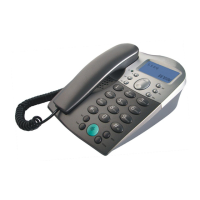
Plugging into your computers USB port, you can make and
receive Skype calls. Its Commercial speakerphone in high grade
of quality having large LCD with backlight. Phone rings for all
incoming calls. You can dial Skype numbers on the phone.
1.2 Features
1. Commercial speakerphone in high grade of quality, ideal for
conference calls
2. Large LCD with backlight
3. Phone rings for incoming calls, ring style and volume selectable
4. Dial Skype contacts and skypeout number by phone keypads
5. Caller ID function of Skype incoming calls
6. Echo cancellation, noise reduction, full duplex communication
1.3 System Requirements
1. Windows 2000 or XP
2. 400MHz processor and free USB1.1 or USB2.0 port
3. 128MB RAM and 15MB free disk space
4. Any broadband connection or minimum 33.6 Kbps dialup
1.4 Package Contents
1. one USB Speaker Phone
2. one User Manual
3. one USB Cable
4. one Installation CD
1
Question and Answer IconNeed help?

Do you have a question about the Waytec USB Speaker phone and is the answer not in the manual?

Summary

Instruction and Summary

1.1 Summary

Plugging into your computer's USB port, you can make and receive Skype calls.

1.2 Features

Commercial speakerphone in high grade of quality, ideal for conference calls and other features.

1.3 System Requirements

Lists the minimum hardware and software requirements for using the USB Speaker Phone.

1.4 Package Contents

Lists the items included in the USB Speaker Phone package.

Using the USB Speaker Phone

2.1 Keypad Instruction

Explains the function of each key on the USB Speaker Phone keypad.

2.2 Run Skype

Instructions on how to download, install, and run the Skype software.

2.3 Connect USB Speaker Phone to PC

Details on how to connect the USB Speaker Phone to your PC for operation.

2.4 Run SkypeMate

Instructions for installing and running the SkypeMate software.

2.5 Call another Skype user

Steps to add contacts and make calls to other Skype users.

2.6 Call to normal phone

Instructions for making calls to regular phone numbers using SkypeOut.

2.7 Answer a call

How to answer incoming calls using the handset or the speakerphone.

2.8 Advanced Settings

Details on advanced settings like auto-start and call refusal.

2.9 FAQ and Troubleshooting

Frequently Asked Questions and their solutions for common issues.
Waytec USB Speaker phone Specifications

General IconGeneral
BrandWaytec
ModelUSB Speaker phone
CategoryTelephone
LanguageEnglish