EasyManua.ls Logo

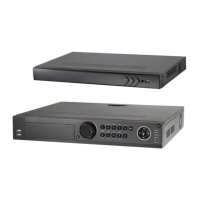
wbox 0E-162TP15UN - User Manual

Default Icon
29 pages
Print Icon
To Next Page IconTo Next Page
Loading...
T E
C H N O
L
O G
I E S
BOX
0E-41TP1UN
0E-82TP1UN
0E-162TP15UN
FOR TECHNICAL SUPPORT: 1-888-668-8808
Question and Answer IconNeed help?

Do you have a question about the wbox 0E-162TP15UN and is the answer not in the manual?

Summary

Product Warranty Information

Specific Product Warranty Periods

Warranty periods for various product categories, e.g., Soundbars, Cameras.

Warranty Exclusions and Liability Limits

Exclusion of Warranties and Conditions

Limitations on warranties, excluding merchantability and fitness for a particular purpose.

Preventive and Cautionary Usage Tips

Getting Started with the NVR

NVR Power Up and Shutdown Procedures

Procedures for safely starting up and shutting down the NVR.

Live Video View

Understanding the Live View Screen

Understanding the live view screen and its components.

Live View Operations and Customization

Live View Operational Functions

Functions like single screen, multi-screen, and auto-switch.

Configuring Live View Display Options

User Logout and IP Camera Connection

Connecting IP Cameras to the NVR

Steps to connect and add network IP cameras to the NVR.

IP Camera Management Interface

Custom IP Camera Addition

Manually adding IP cameras by configuring IP address, protocol, etc.

Recording Setup and Configuration

Configuring Recording Schedules

Steps to configure recording schedules for cameras.

Recording Schedule Customization

Setting Daily and Weekly Schedules

Configuring continuous or event-based recording for specific time slots.

Playback of Recorded Video

Video Playback Operations

Playback Controls and Data Backup

Backing Up Recorded Data

Exporting Video and Log Files

Process to back up video files to external storage devices.

Data Backup Procedures

USB Drive Backup Guide

Step-by-step guide for backing up to USB flash drives or HDDs.

Exporting Files to External Storage

Accessing the Device via Web Browser

Web Browser Login Steps

Steps to access the NVR remotely via a web browser.

Remote Device Management Interface

wbox 0E-162TP15UN Specifications

General IconGeneral
Brandwbox
Model0E-162TP15UN
CategoryDVR
LanguageEnglish

Related product manuals