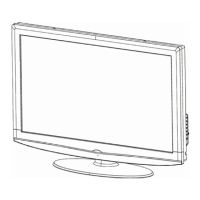
32″LCD TV WDE W3223
1
Service
Service
Service
Horizontal Frequency
31~60 kHz
TABLE OF CONTENTS
Description Page Description Page
SAFETY NOTICE
ANY PERSON ATTEMPTING TO SERVICE THIS CHASSIS MUST FAMILIARIZE HIMSELF WITH THE CHASSIS
AND BE AWARE OF THE NECESSARY SAFETY PRECAUTIONS TO BE USED WHEN SERVICING
ELECTRONIC EQUIPMENT CONTAINING HIGH VOLTAGES.
CAUTION: USE A SEPARATE ISOLATION TRANSFOMER FOR THIS UNIT WHEN SERVICING
6. PCB Layout ………………..………………....….......25
6.1.Main Board…………..……………... ....……….......25
6.2.Power Board……………..………....….……….......28
6.3.Key Board……………………….. .... ....……….......29
7. White-Balance, Luminance Adjustment...................30
8. Block Diagram.……............................ ...................32
9. Schematic……………...…………..……....………...33
9.1 Main Board…………………………………...….......33
9.2.Power Board…………….…………...………….......46
9.3.Key Board……………….………. .…....……….......47
10. Exploded View………………………………….…...48
11. BOM List……………….…………………………….49
12.Different Parts List………….……………………..…71
Table Of Contents.......……..................... .............…........1
Important Safety Notice.......................................……......2
Revision List…………………………………………………3
1. General Specification..............................…....…........4
2. Operating Instructions…………………….……….......5
2.1. The Use Of Remote Control…….………….…….......5
2.2. To Use The Menu…...…………………….……….......6
2.3. How To Connect…….…………………….……….....12
2.4. Front Panel Control Knobs……………….……….....13
3. Input/Output Specification…………....................…....14
4. Mechanical Instructions…………………….................16
5. Repair Flow Chart ……………………….…….…….....20

 Need help?
 General

 To Next Page