13
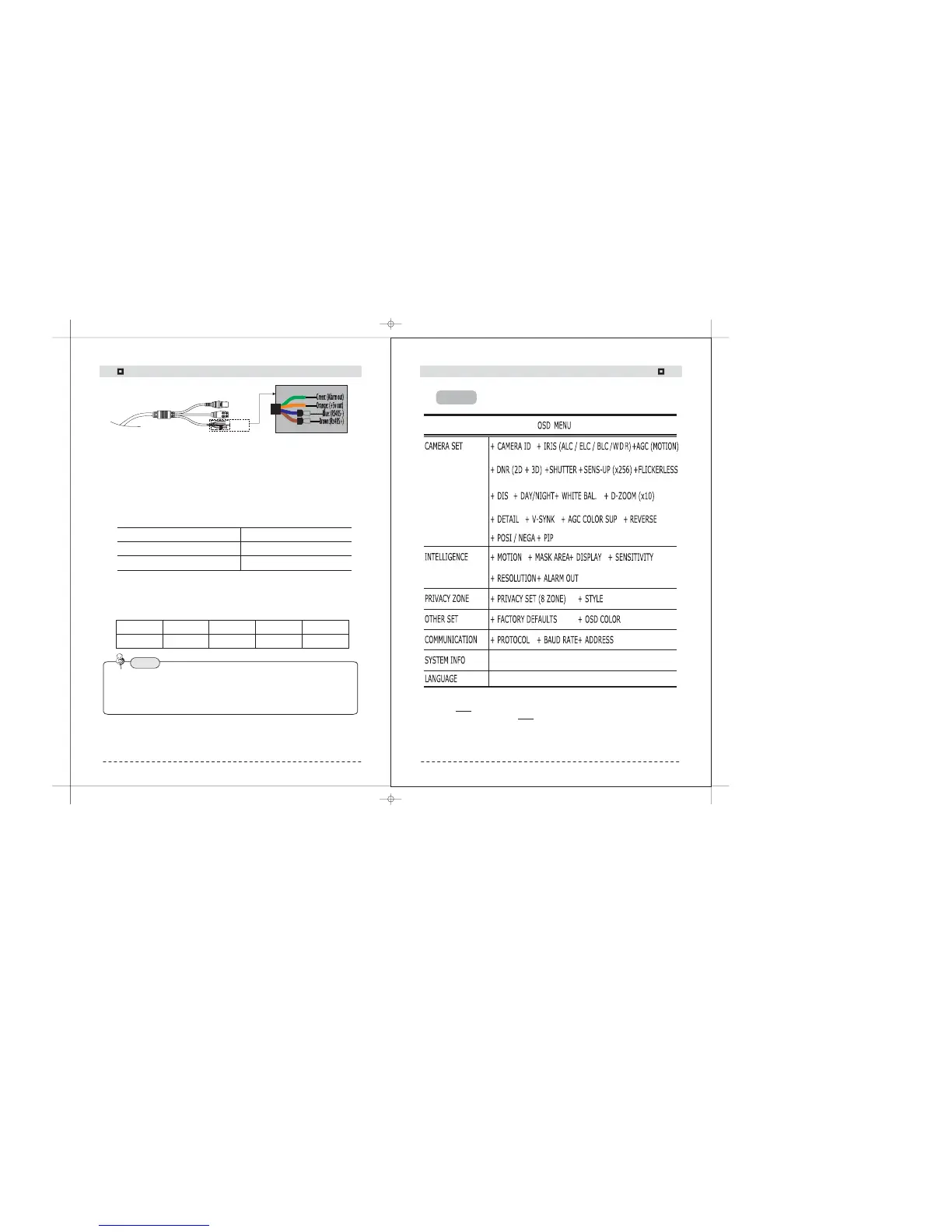
3) Connection to RS-485
Using a RS-485 communication, it will be able to control the OSD menu at the
System Controller or DVR.
(1) The case which it controls from the PC
Using a RS-485 converter, It connects to RS-485 control cable outside camera
and serial cable
EX) SERIAL PORT OF THE PC(COM1) SERIAL CABLE RS-485
→→
CONVERTER RS-485 CONTROL CABLE→
(2)The case which it controls from the DVR or System Controller
It connects the RS-485 control cable in the connection terminal of 485 control
boards which are connected with the DVR or System Controller.
485 Control Board Connection Port RS-485 Control Port
(+) CONNECTION TERMINAL Brown (TRX+)
(- ) CONNECTION TERMINAL Blue (TRX-)
Item
Initial value
Camera ID
1
BAUD RATE
9600
UART MODE
8-NONE-1
RET PKT
ENABLE
ç RS-485 Communication establishment initial value
Protocol : SAMSUNG
Baud Rate : 9600bps
Address : 1-255
When using a control system to operate the camera, please use the protocol:-
SAMSUNG, PELCO-P or PELCO-D .
When use RS-485 control , cable isolate the drain wire.-
14
Connection
Camera Operation
NOTE
Menu
4) Connection to Alarm
Please see above RS485 connection picture. Normal Alarm output signal open,
and when motion detection operate, alarm output signal low to GND.
NOTE: 1)
WDR is the main exclusive function for WDR 600TVL Series Camera.
2) D&N 600TVL has no function. So, OSD Menu for WDR Camera,WDR
may be different with D&N no WDR Camera.
Flex IR Vandal Dome Series
> Alarm
> RS485


 To Next Page