EasyManua.ls Logo

WDT GRANUDOS 10-S5 - User Manual

WDT GRANUDOS 10-S5
29 pages
Print Icon
To Next Page IconTo Next Page
Loading...
OI No.: BA SW 014-02 Granudos S5-Steuereinheit EN.docx Language: EN
Operating and installation instructions
Control unit
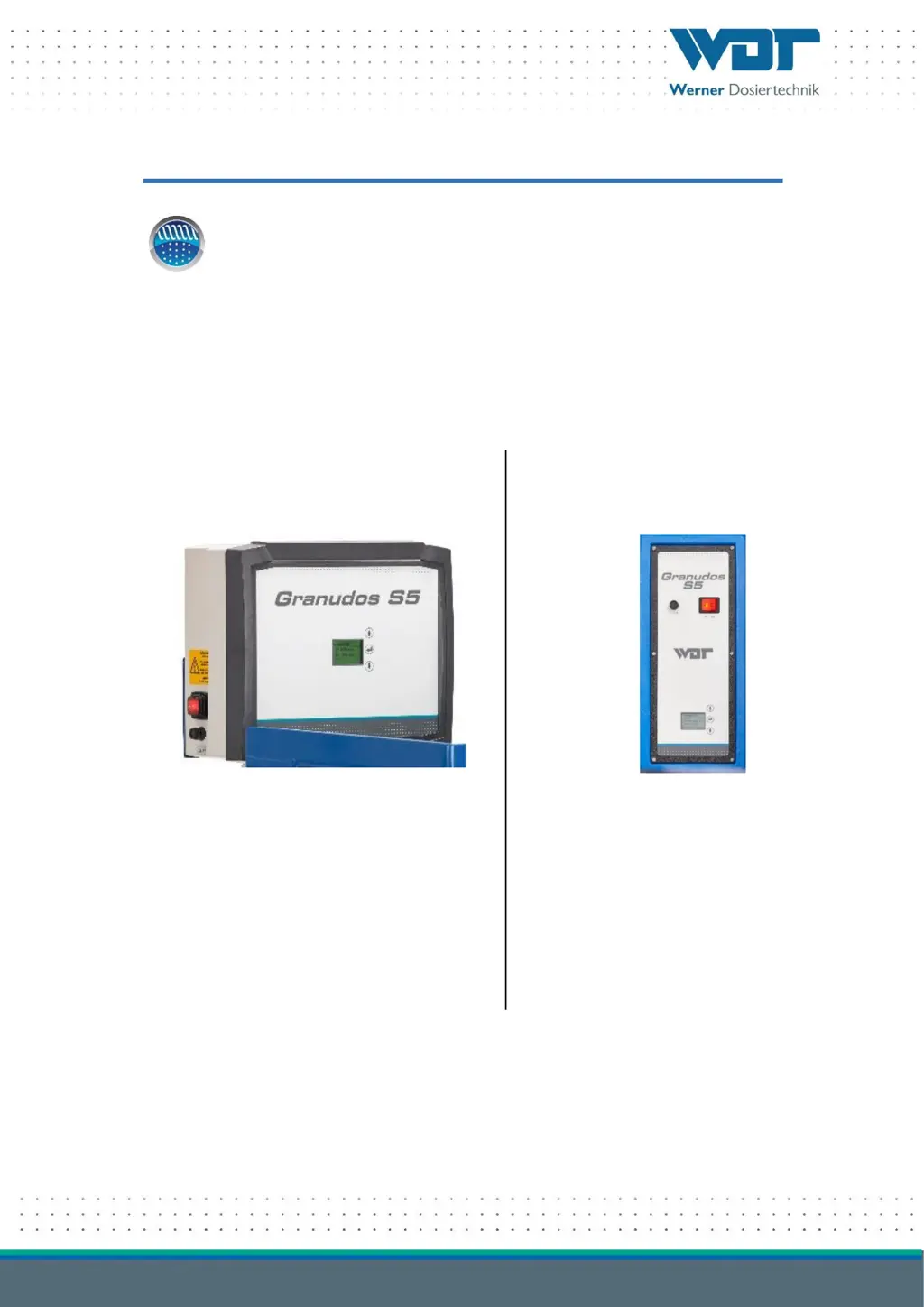
Type GRANUDOS S5
without dosing unit
GRANUDOS 45/100-S5 +
GRANUDOS 15-S5
Operating instructions for the dosing unit:
GRANUDOS 45/100
No.: BA SW 003
GRANUDOS 15
No.: BA SW 002
GRANUDOS 10-S5
Operating instructions for the dosing unit:
GRANUDOS 10
No.: BA SW 002

Questions and Answers

  • S
    sextonpatriciaAug 4, 2025
    What to do if the WDT Control Unit shows a minimum pressure alarm?
    • R
      Rodney WillisAug 4, 2025
      If the WDT Control Unit displays a minimum pressure alarm, it means the pressure switch on the booster pump is reporting insufficient flow pressure. This could be due to several reasons. First, check if the supply pressure is too low. Secondly, inspect the booster pump for any faults. Also, the pressure switch itself might be faulty. Check the pressure switch. You can also set a lower response pressure at the pressure switch.
  • J
    Jeffrey SanchezAug 9, 2025
    How to fix a 'suct. pipe ALARM' on a WDT Control Unit?
    • A
      Amanda WhiteAug 9, 2025
      If your WDT Control Unit displays a 'suct. pipe ALARM' (flow), it indicates that the water flow in the suction pipe is too low. The switch body of the flow switch does not rise, the switch LED lights up. Here's what you can do: * Check the booster pump functioning. * Clean the dirt filter, as it may be contaminated. * Ensure there isn't a blocked suction opening in the flushing tub. * Check for particles in the injector’s nozzle or in the suction pipe. * Insert a hole washer with a larger drill hole or remove it entirely. * Check for a blocked non-return valve in the dosing line. * Replace the diffuser nozzle if it is worn out (if D > 6.5mm).
  • R
    richardsmithAug 14, 2025
    What to do if WDT Control Unit shows 'Level max ALARM'?
    • L
      Lee LarsonAug 14, 2025
      If the WDT Control Unit shows a 'Level max ALARM', it means the water level in the flushing tub is too high. If the injector's suction capacity is OK, check the floating valve function: The water inlet should gently follow the float’s movement. If this is not the case, insert a new diaphragm in the floating valve. If the suction capacity is not sufficient, see under fault display “suct. pipe ALARM”.
  • D
    Donna PayneAug 19, 2025
    How to resolve a 'Chlorine empty' notification on my WDT Control Unit?
    • S
      savannah66Aug 19, 2025
      If you receive a “Chlorine empty” notification on your WDT Control Unit, it means the “Chlorine empty” sensor has been triggered. You can refill the chlorine or change the container. If the dosing hopper is not empty, recalibrate the empty switch. It may also be necessary to renew and calibrate the empty switch.
  • M
    Michael GriffinAug 25, 2025
    What to do if the WDT Control Unit displays a 'pH empty' notification?
    • P
      pgarrisonAug 25, 2025
      If the WDT Control Unit displays a 'pH empty' notification, it indicates that the “Acid empty” sensor has been triggered. Replace the empty acid container with a full one. If the acid container is not empty, the empty switch is faulty. If the suction lance is new, check the float’s functional direction; the float should be at the bottom when empty.
  • B
    Bradley ShermanAug 29, 2025
    Why does my WDT Control Unit show a 'Level min ALARM' for the flushing tub?
    • M
      Michael RodriguezAug 29, 2025
      The 'Level min ALARM' on your WDT Control Unit indicates that the water level in the flushing tub is low. Ensure the floating valve is functioning correctly, the water inlet should gently follow the float’s movement. If OK, calibrate the water level. If not, insert a new diaphragm in the floating valve. You might also insert a hole washer with a smaller drill hole. Also, check if the dirt filter is contaminated and clean it if necessary.

Summary

About these instructions and general information

Scope of applicability

Defines the document's scope and applicability for users.

Target group identification

Identifies the intended audience for the operating instructions.

Explanation of symbols used

Explains the meaning of various symbols and notices used in the document.

Warranty terms and conditions

Details the warranty terms and conditions for the device.

Further information sources

Provides information on obtaining additional details or support.

Information regarding support queries

Guides users on how to obtain technical support or spare parts.

Safety guidelines for device operation

Intended use of the device

Defines the approved applications and purpose for the device.

Safety notices and warnings

General safety instructions and warnings to prevent hazards.

Product description and scope of delivery

Scope of delivery and accessories

Lists the items included in the standard delivery and available accessories.

Product description of the control unit

Provides a detailed description of the GRANUDOS S5 control unit.

Device identification and plate information

Information on identifying the device and its identification plate.

Technical data overview

Presents the technical specifications and data for the device.

Installation procedures

Commissioning process

Operation and service of the control unit

Operation of the GRANUDOS S5 display

Describes the operation modes and fault displays on the start screen.

Start screen and operation display

Details the main display interface and its elements.

Start screen - Automatic operation

Explains the automatic operation mode and its display.

Startup routine and delays

Describes startup sequences, delays, and dosing parameters.

The main menu structure

Explains how to navigate and access the device's main menu.

Fault indications and alarm acknowledgement

Covers how to identify, understand, and acknowledge device faults and alarms.

Main menu: Settings overview

Provides an overview of the settings menu and its options.

Settings: Dosing performance and monitoring

Details how to adjust dosing performance and monitor time limits.

Settings: Shock chlorination configuration

Details the configuration options for shock chlorination.

Settings: System configuration

Covers system settings like language, contrast, and password.

Password management and reset

Explains how to manage device passwords and reset settings.

Settings: Dust extraction configuration

Details the configuration options for the dust extraction feature.

Settings: Delay Booster pump configuration

Covers setting the delay time for the booster pump.

Settings: Chlorine dosing configuration

Details the settings for chlorine dosing performance.

Settings: Acid dosing configuration

Details the settings for pH (acid) dosing performance.

Settings: Control configuration

Configures control modes for external measuring and control technology.

Settings: Teach Cl full calibration

Guides calibration of the chlorine empty sensor.

Settings: Input signal inversion

Allows inverting input signals for external control (NC/NO).

Main Menu: Service functions

Accesses functions for testing, diagnostics, and device information.

Service: Input test procedure

Program for testing switch inputs and electrical signals.

Service: Output test procedure

Program for testing actuators and relay outputs.

Service: Device information

Displays software version information for support.

Event log for fault indications

Displays and allows deletion of the past 25 fault indications.

Maintenance, care, and fault resolution

Device maintenance procedures

Guidelines for annual servicing and recommended maintenance procedures.

Troubleshooting common issues

Faults, causes, and actions overview

Lists common faults, their causes, effects, and resolution steps.

Fuse alarms and device malfunctions

Fuse alarms and troubleshooting steps

Details troubleshooting for fuse-related alarms and errors.

Device malfunctions without display

Addresses issues not shown on the device display, like dark screens or overflows.

Decommissioning, storage, and disposal

Documents and references

Declaration of conformity information

Information on the declaration of conformity for the dosing unit.

Wiring diagrams

Provides electrical wiring diagrams for different network boards.

Wiring diagram for GRANUDOS 45;100

Electrical wiring diagram for the GRANUDOS 45/100 network board.

Wiring diagram for GRANUDOS 10 + 15

Electrical wiring diagram for the GRANUDOS 10 + 15 network board.

Commissioning protocol details

Information regarding the commissioning protocol for the device.

Operation data sheet information

Details regarding the operation data sheet for recording parameters.

Maintenance protocol details

Information regarding the maintenance protocol for the device.

Spare parts, wear parts, and consumables

Lists spare parts, wear parts, and consumables for the device.

Appendices and additional information

Menu overview map

Provides a visual map of the device's menu structure.

WDT GRANUDOS 10-S5 Specifications

General IconGeneral
BrandWDT
ModelGRANUDOS 10-S5
CategoryControl Unit
LanguageEnglish