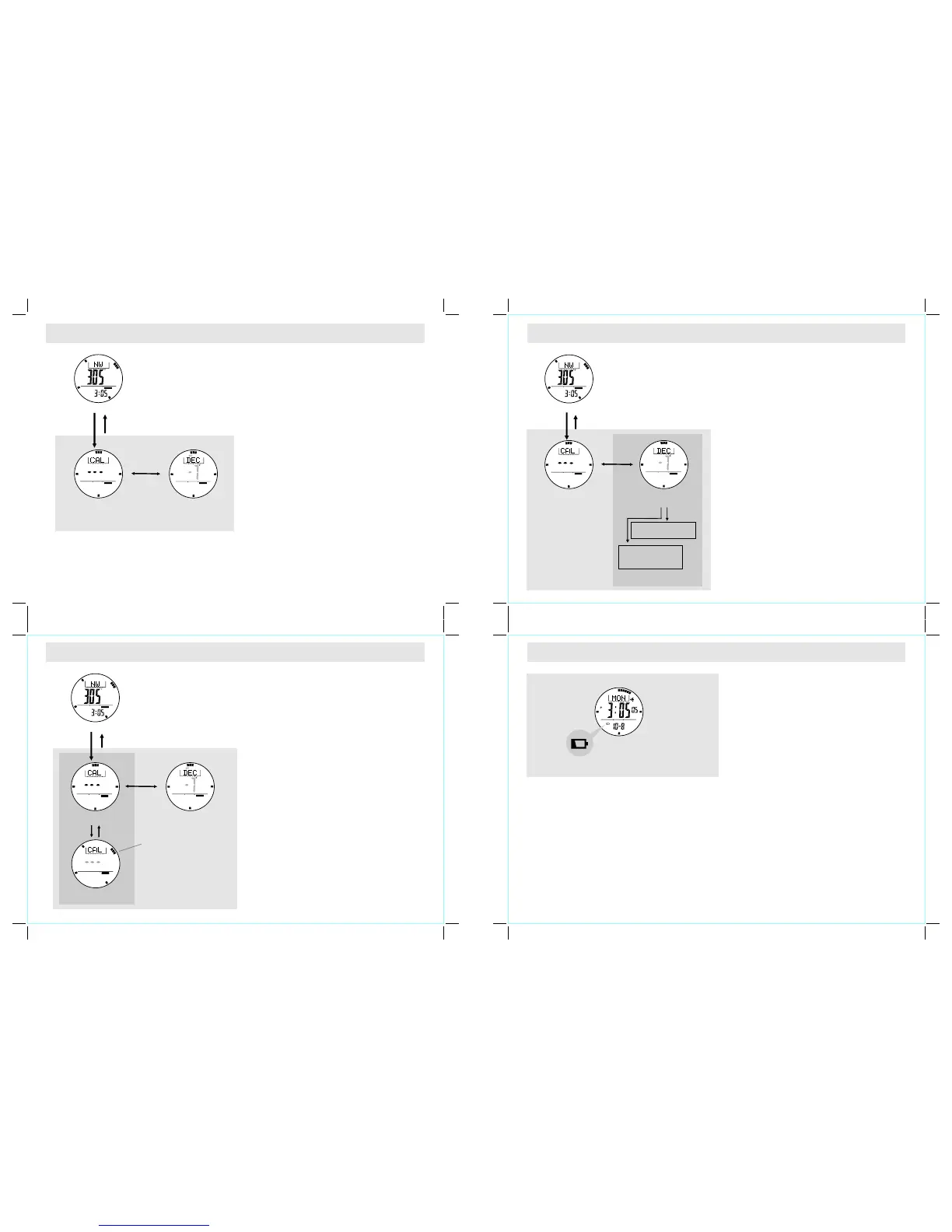
12.8 Calibrating Mode - Calibration the Compass
12.9 Calibrating the compass - Compass Rotation Calibration Mode
12.10 Calibrating the compass - Magnetic Declination Mode
13.0 Low Battery Indication & Battery Replacement
Low Battery Detection
! When the battery-low indicator appears on the
displ a y, it mean s t ha t t he capac i t y o f t he
battery is low. It is recommended to replace the
battery with a new CR2032 battery.
! How e v er, i f the a pp earan c e o f batt e ry-lo w
indicator is caused by using the Watch under
very cold condition, the indicator will disappear
when normal temperature returns.
NOTE: It is recommended to complete the battery
replacement by
Watch
NOT E: The memo r y will be cl eared when the
battery is replaced. Follow the previous section
"Calibrating the Compass" to calibrate the compass
before using the Compass.
a certified service agency because
this contains delicate electronic sensors and
components.
Low Batte ry Indic atio n
When to Calibrate the Compass
! The Watch has to employ a compass calibration
in one of the following conditions:
1) The Watch is being used for the first time,
How to Calibrate the Compass
! The compass calibration includes two different
pro cess e s: Ro ta tio n Cal i bra t ion M ode a n d
Magnetic Declination Setting.
! It is advisable to conduct both calibrations from
time to time to achieve a more accurate reading.
IM PO R TA NT : I f t h e c om p as s h a s n ot b ee n
calibrated, the direction made by the compass may
be inaccurate.
2) The battery is replaced,
3) The bearing direction digits are flashing and
the "OFF CAL" indicator appears,
4) The compass is used in a location that is
apart from the place in which the compass
has been calibrated,
5) The user intends to manitain the precision of
the digital compass.
Rotation Calibration Display
! To select the Rotation Calibration Display, hold
the [M] button in the Compass Mode.
! To start rotation calibration, press [S/S] button
once. The pointers will start rotating, turning the
watch (keep your watch horizontally) in the same
direction of the rotating pointers for more than 2
turns.
! Press [S/S] or [L/R] button to stop the calibration
when the 2-turn rotation calibration is completed.
! When the pointer stops rotating, hold the [M]
button to go back to the Compass Mode or press
th e [M ] bu tt o n o n ce to s et th e m a gn e ti c
declination.
Magnetic Declination Mode
! Check the coming section "Magnetic Declination
at Ma jo r C i ti es " t o c h oo se t he m ag ne t ic
declination of the city which is close to your
current position. The angle will be input into the
Watch during the calibration.
! To select Magnetic Declination Display, press the
[M] button in Rotation Calibration Display.
! When the current magnetic declination appears,
press the [S/S ] or [L/ R ] b ut to n to inc r e ase/
decrease the number. (Hold down the button to
change the number at a higher speed).
! When the setting is completed, hold the [M]
button to confirm t h e s e t ti n g a n d e x i t t h e
adjustment display.
Magnetic
Declinat ion Display
Magnetic
Declinat ion Display
Magnetic
Declinat ion Display
Magnetic
Declinat ion Display
Compass Calibration
Compass Calibration
Compass Calibration
Rotation
Calibrat ion Display
Rotation C alibration
Stop Displ ay
Rotation C alibration
Stop Displ ay
Rotation C alibration
Turni ng Display
hold [M]
hold [M]
hold [M]
hold [M]
hold [M ]
hold [M]
[M]
[M]
[M]
Compass Mo de
Compass Mo de
Compa ss Mo de
COMP
COMP
COMP
COMP
COM P
COMP
COMP
COMP
COMP
SET
[S/S] / [L/R ] [S/S]
pointers
rotated at
15 seconds
per turn
COMPCOMP
[S/S]/[L /R]
hold [S/S] /[L/R]
Increase / D ecrease
the number
Increase / D ecrease
the number
at a higher sp eed



 To Next Page
 Loading...