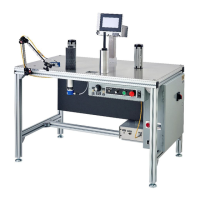
Web Techniques WT-25 Series Troubleshooting Guide
SAFETY WARNING: BEFORE PERFORMING ANY REPAIR TO WEB TECHNIQUES EQUIPMENT, YOU MUST TURN OFF
THE POWER AND DISCONNECT THE EQUIPMENT FROM THE POWER SOURCE.
REED SWITCHES
Reed Switch Failures
On older WT-25 machines, when the reed switches may begin to fail, the customer more than likely needs to replace the old counter
circuit board along with the reed switches. This may be due to the old board causing the reed switches to fail. The older board can
weaken over time and excessive use, which can result in less voltage output for the switches which in turn could polymerize the tips of
the reed switches and cause them to stick. The newest revision circuit board has a higher voltage and can help prevent this condition.
The customer needs to replace their old style board because it is wearing out. "It is not a defect, but a wear issue.”
Check the connectors to make sure they are tight and that the wires have not been pulled loose inside the connector.
Reed Switch Troubleshooting
When troubleshooting a reed switch for length counting, one way to check it on the WT-25 is by locating the pair of LED Lights on the
counter circuit board, DS1 and DS2. These are always on except when the magnet on the bottom of the Counter Drive Roll passes over
the corresponding switch. The two led lights are always on except when the magnet on the bottom of the counter drive is over the top
of the reed switches in the table..
The counting direction is determined by which light comes on first after both of them are off. There has to be a period where both
lights are off in either sequence (or direction) in order for the process to operate successfully.


 To Next Page
 Loading...