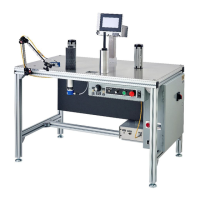
Web Techniques WT-25 Series Troubleshooting Guide
SAFETY WARNING: BEFORE PERFORMING ANY REPAIR TO WEB TECHNIQUES EQUIPMENT, YOU MUST TURN OFF
THE POWER AND DISCONNECT THE EQUIPMENT FROM THE POWER SOURCE.
WT-25 Counter Circuit Board
WT-25 Counter Circuit Board LED’s Not Lit
Condition: The counter has power (at zero), but the LEDs do not light up on the counter circuit board. Nothing happens when you
spin the Counter Drive Roll. Does not count. FIRST, (hear me out on this): Remove the counter circuit board from the counter and the
machine and re-install it back on the counter and the machine. Reason is that there could be a corrosion causes poor connections, and
by simply removing and reinstalling the counter circuit board can break up some of that corrosion. You would not necessarily be able to
see the corrosion.
Possible causes:
Bad capacitors on the counter circuit board, replace counter circuit board.
Bad counter, since the counter supplies the power for the LEDs on the counter circuit board, replace counter.
Severed connection between the reed switches and the counter/counter circuit board, test wiring harness.
Corroded terminals, Switches are stuck (polymerized)
Possible remedies:
Remove and reinstall the counter circuit board, (it’s crazy, I know, but sometimes it works—connection issues)
Replace counter, counter circuit board and/or reed switches (probably should replace the reed switches anyway, if older).
Replace wiring harness from switches to counter circuit board
* Always use “dark energize”, only use light if you are counting a perforated hole.


 To Next Page
 Loading...