OPERATION
DANGER
Risk of injury!
The device may only be put into operation if there are no defects. If a part is defective it must be
replaced before the device is used again.
WARNING
Risk of injury!
Before starting work check the area and remove all objects which may be kicked up by the unit.
Check to make sure there are no visible defects.
Check to make sure all device components are correctly mounted
CORRECT POSITION
Hold the unit with the left hand on the front handle, and the right hand at approximately hip level on the
operating handle, balanced in a comfortable way.
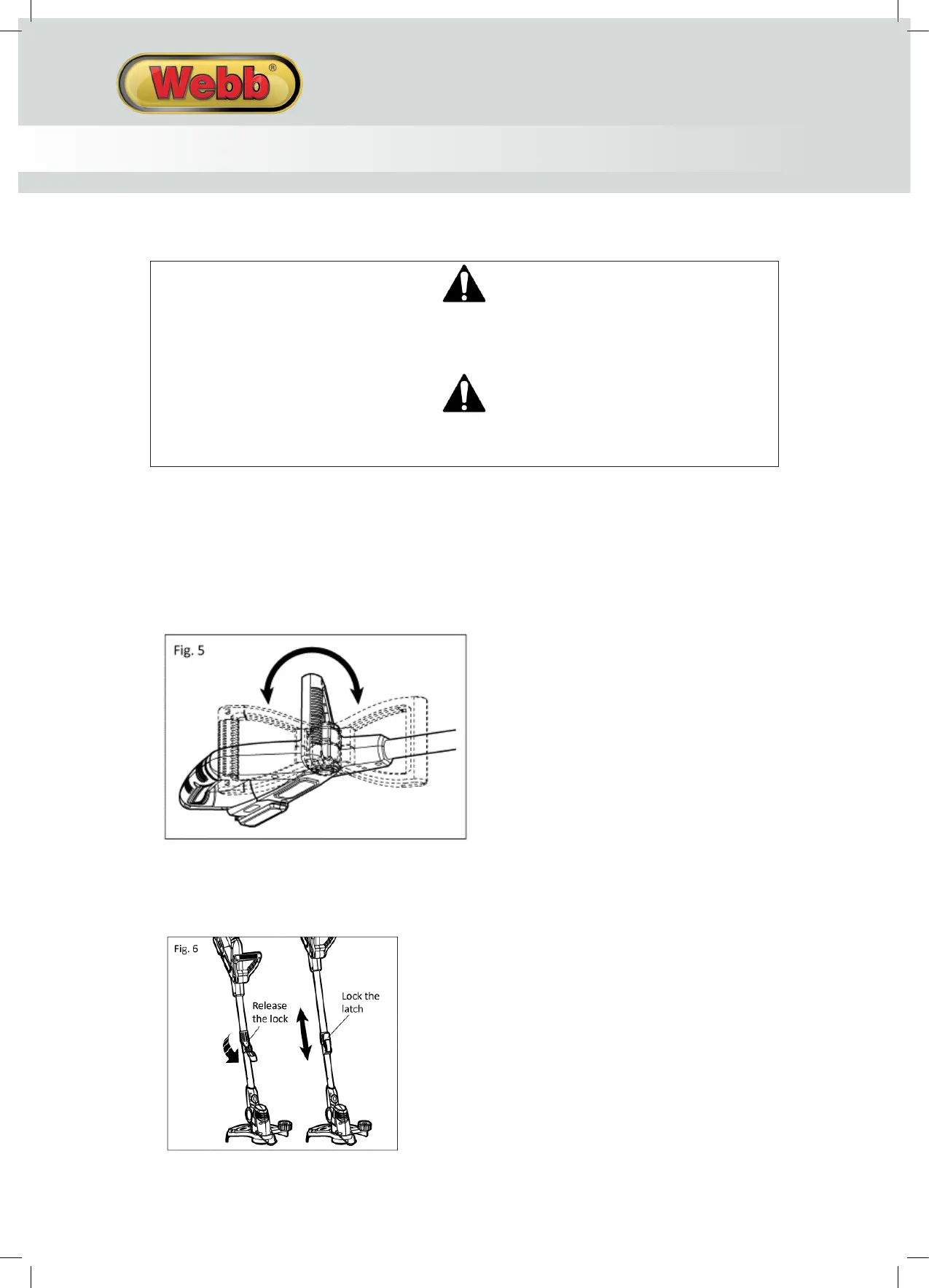
SETTING THE ANGLE OF THE FRONT HANDLE (Fig. 5)
1. Press in and hold the locking buttons.
2. Adjust up and down to the required position.
SETTING THE ADJUSTABLE HANDLE (Fig. 6)
1. Loosen the locking lever.
2. Pull the telescopic pole to the desired length.
3. Tighten the locking lever.
SWITCHING ON AND OFF
Ensure the battery is housed in the trimmer, with an audible click.
Switching on:
1. Push in the safety button with your thumb.
2. Pull the On/Off trigger upwards.
3. Release safety button.
Switching off:
1. Release the On/Off trigger.
NYLON LINE
Your trimmer uses 1.6mm diameter nylon line to cut grass and weeds quickly and easily. In time, the tip of the
nylon line will become worn and the auto feed mechanism will automatically feed and trim a fresh length of line.
The cutting line will wear faster if the cutting is done along pathways or other abrasive surfaces or heavier weeds
are being cut. The line will extend approximately ¼ in. with each stop and start of the switch trigger until the line
reaches the length of the guard blade. Do not bump unit on ground in attempt to feed line or for any other
purpose.
AUTOFEED NYLON LINE
When switching on the line trimmer, the inertia of the head spinning will feed a small length of line out.
An ‘impact’ noise can be heard when the nylon line hits the cutting knife, located on the shield. After a
minimal period, the nylon line will be cut to the correct length and the noise will reduce as the motor
reaches operation speed. Make sure the motor is up to full speed before trimming or edging.
If the noise of the nylon line being cut cannot be heard, more line will need to be fed out. To feed more
line, it is first necessary to allow the machine to stop completely, then re-start, allowing it to reach full
speed.
MANUAL FEED NYLON LINE
You can manually feed out the nylon line. To do this, press & release manual feed button, whilst pulling
on the nylon line. Feed until the line reaches the cutting knife. If the line extends past the cutting knife,
remove the spool cap and click spool anti-clockwise until the line is at the desired length.


 To Next Page
 Loading...