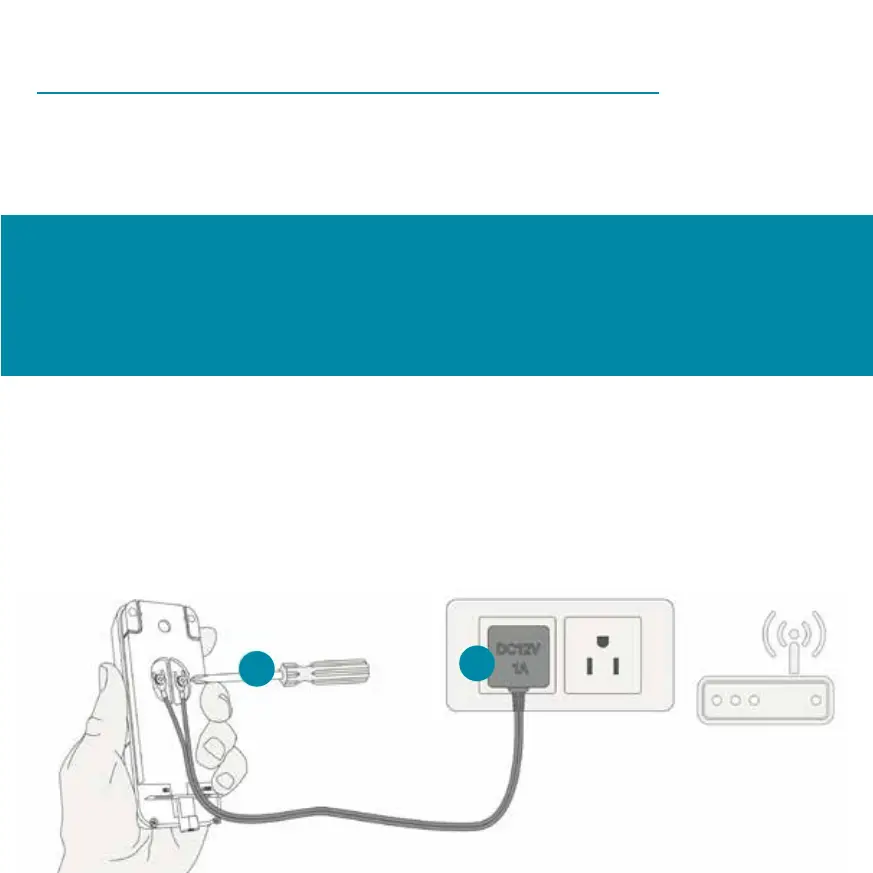
Before commissioning, the following should be
The Cardea Video doorbell uses the 2.4 GHz frequency. In
rare cases, you may need to disable the 5 GHz frequency
of your wireless router when setting up the video doorbell.
For a stable Internet connection, the initial startup should
take place near your WiFi router. Therefore, use the
supplied power adapter or the micro USB port on the back
of the device for the power supply during commissioning.
1
2


 To Next Page