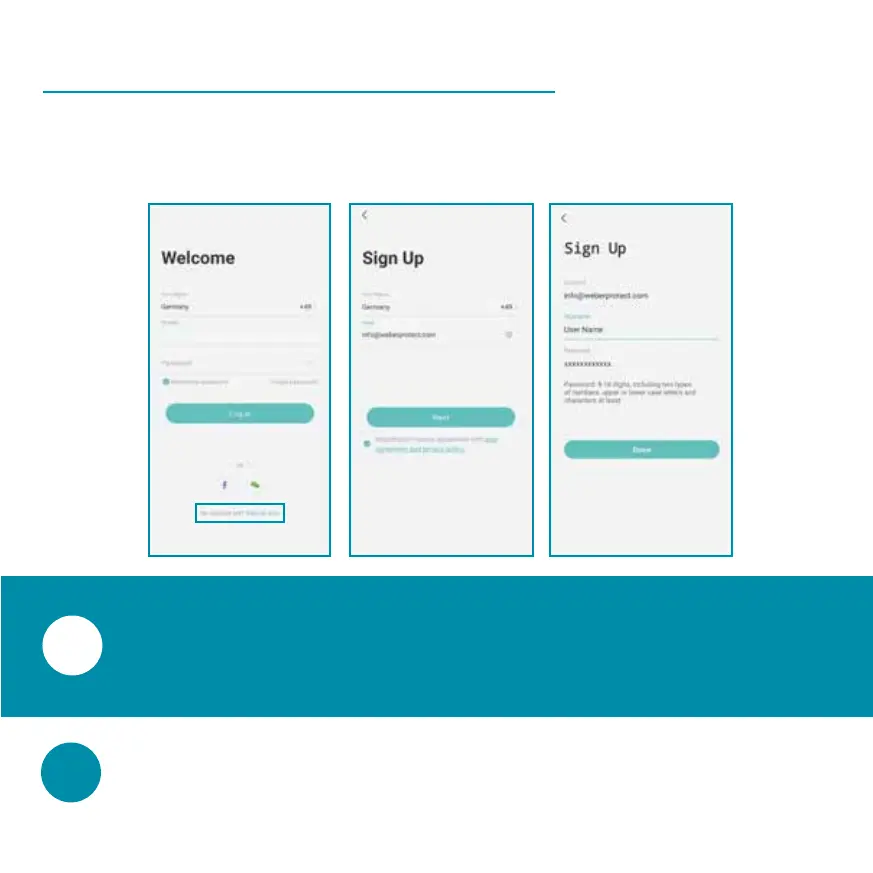
Before you can proceed with the setup, you need to
create a user account for the app.
Register a User Account
Click '' at the bottom of the Welcome
screen. On the next screen, enter your email address
and accept the User Agreement and Privacy Policy.
Create an username and select a password
for your user account.


 To Next Page