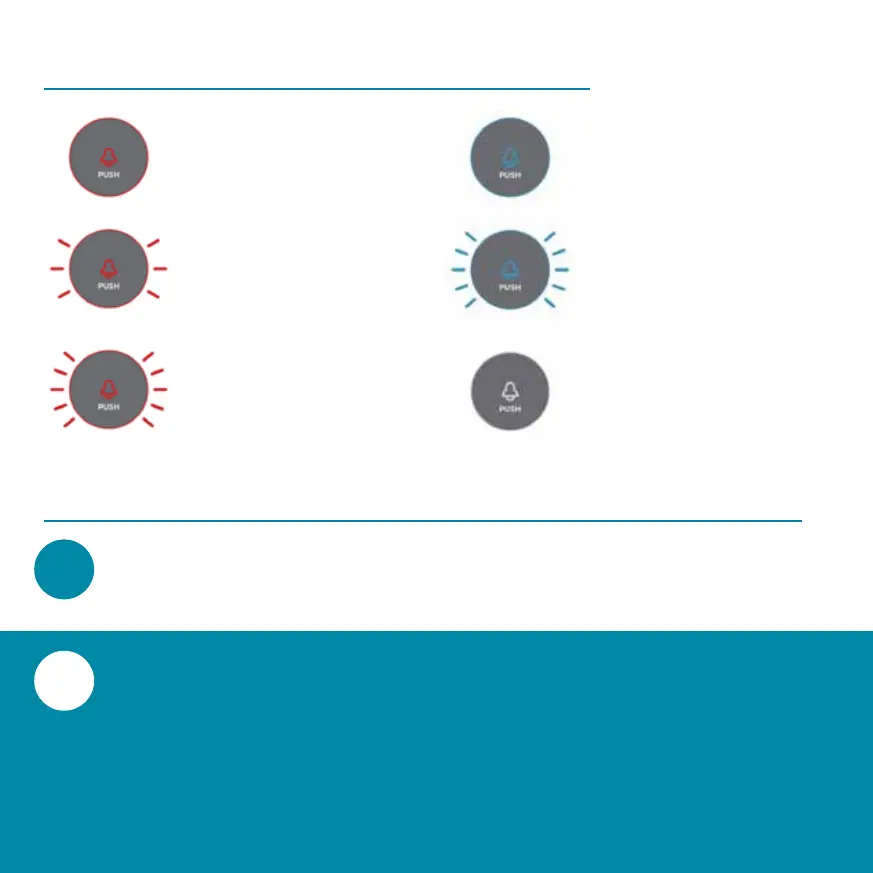
Continuous Red
There is an error.
Slow Red Flashing
Ready for WiFi and app
connection.
Fast Red Flashing
Device is connecting to
the WiFi.
Continuous Blue
Successful connection
to your WiFi network.
Fast Blue Flashing
The firmware is being
updated.
No power/sleep
mode/LED display
disabled in settings
After creating an user account in the app, you will
app. Now you can start connecting the video
doorbell. Follow the steps on the following pages.
Make sure that the LED indicator of the video
doorbell is flashing red.


 To Next Page