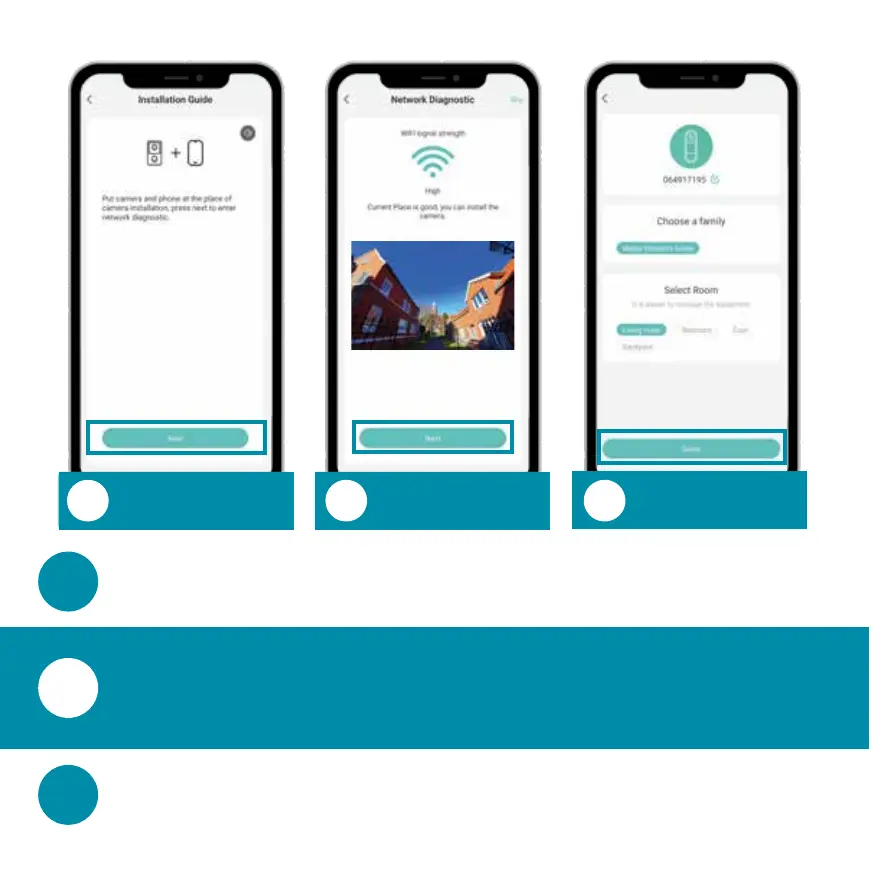
Start Network
Diagnostic
Check WiFi
Signal Strength
Change Name/
Select Room
To check the network connection, go to the mounting
location of the video doorbell and press ‘’.
In the last step you can change the device name and
select a room. Once complete, click ‘Done’.
The WiFi Signal Strength is displayed. Make sure that the
WiFi signal strength is strong enough for stable
operation. Once the WiFi test is complete, press ‘’.


 To Next Page